

Prerequisites
- A SambaCloud account and API key.
- A TwelveLabs account and API key.
- At least one TwelveLabs index with a video already uploaded (note the index ID).
- Python 3.9 or higher installed.
- Node.js 18 or later (required for the frontend).
- The Video2Game repository cloned to your local machine.
Setup
This integration uses TwelveLabs for video understanding and SambaNova for game code generation, enabling you to convert educational videos into interactive learning experiences. The Video2Game project ships with two services that must run at the same time:- Backend (Flask,
:8000) — handles TwelveLabs analysis and SambaNova generation. - Frontend (Next.js,
:3000) — the UI you interact with.
1
Configure environment variables
Create Pick any model ID listed on the SambaCloud models page (for example,
backend/.env:DeepSeek-V3.1, Meta-Llama-3.3-70B-Instruct, Llama-4-Maverick-17B-128E-Instruct). Avoid deprecated IDs from the Model deprecations page.TWELVELABS_INDEX_ID is required — the backend throws RuntimeError: Missing required configuration if it is unset.SAMBANOVA_MODEL is a workaround for an upstream bug where Video2Game hardcodes a deprecated model in backend/config.py:18. Until the upstream fix lands (Hrishikesh332/Video2Game#1), patch config.py to read from the env var:2
Install backend dependencies
Install the required Python packages:
3
Start the backend
4
Configure the frontend
In a new terminal, from the repo root, create
www.video2game.vercel.app/.env.local:5
Install and start the frontend
6
Generate a game from a video
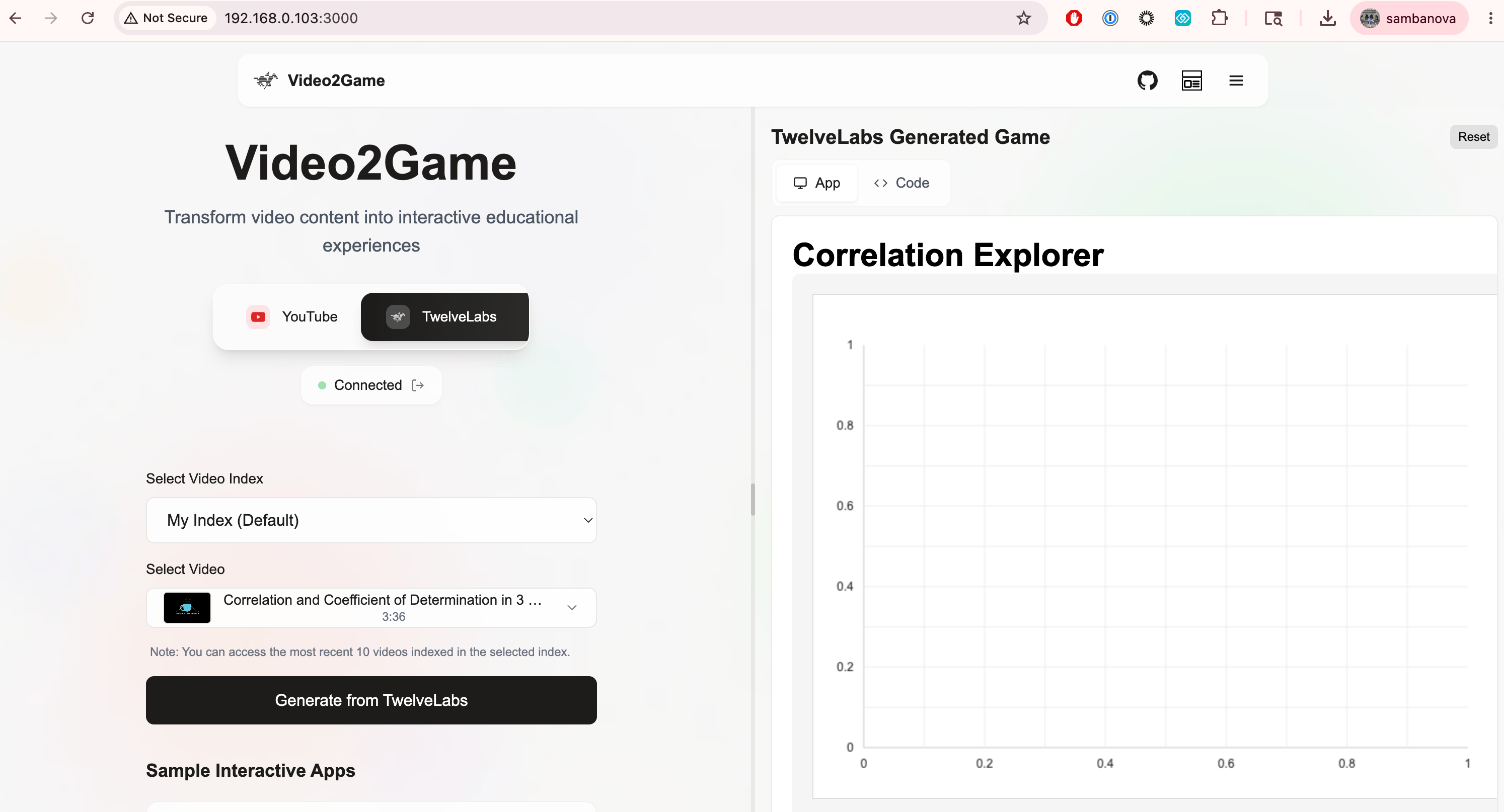
- Open http://localhost:3000.
- Click the TwelveLabs tab.
- Enter your TwelveLabs API key and click Connect.
- Select a Video Index (only indexes with uploaded videos appear).
- Select a Video.
- Click Generate from TwelveLabs to build an interactive game powered by SambaNova.
Troubleshooting
`The requested model (DeepSeek-R1-0528) is not available on SambaNova Cloud`
`The requested model (DeepSeek-R1-0528) is not available on SambaNova Cloud`
The upstream Video2Game Then add
backend/config.py:18 hardcodes a deprecated SambaCloud model. Patch the line to:SAMBANOVA_MODEL=DeepSeek-V3.1 to backend/.env. Tracked upstream at Hrishikesh332/Video2Game#1.`RuntimeError: Missing required configuration` on backend startup
`RuntimeError: Missing required configuration` on backend startup
All six
.env keys must be set in backend/.env, especially TWELVELABS_INDEX_ID.Index dropdown empty after Connect
Index dropdown empty after Connect
Confirm your TwelveLabs API key has at least one index with an uploaded video. Verify with:
Old/cached game returned instead of new generation
Old/cached game returned instead of new generation
Backend caches generated games per
video_id. Trigger a fresh run via: