

Prerequisites
- SambaCloud account and API key
- Visual Studio Code (VS Code) installed
- The BlackBox VS Code extension installed (publisher:
Blackboxapp.blackbox)
Setup
1
Launch VS Code and open BlackBox AI
Launch VS Code and open the BlackBox AI extension from the sidebar.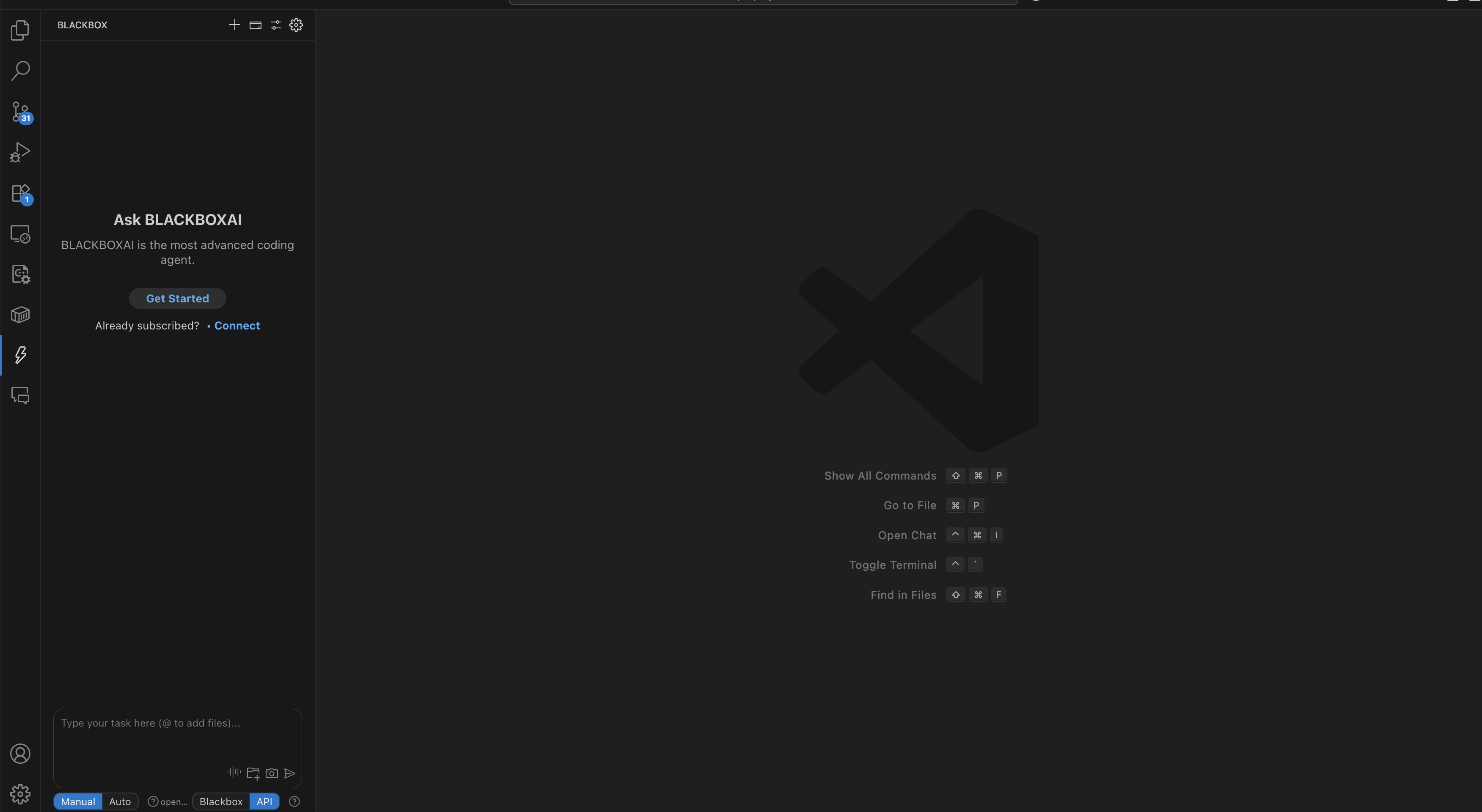
2
Switch source to API
In the BlackBox panel, switch the source to API.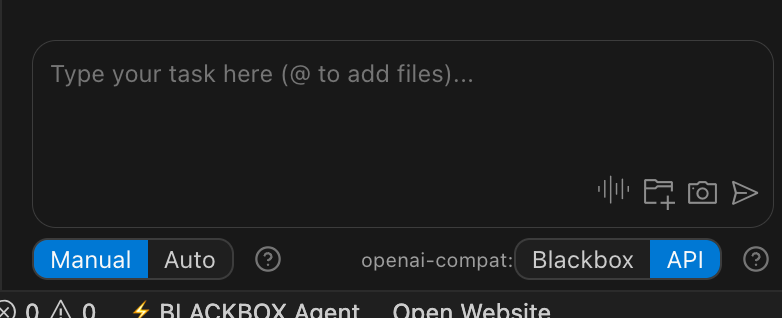
3
Configure SambaCloud API
Click the ⚙️ gear icon at the top of the BlackBox panel to open Settings, then configure the following: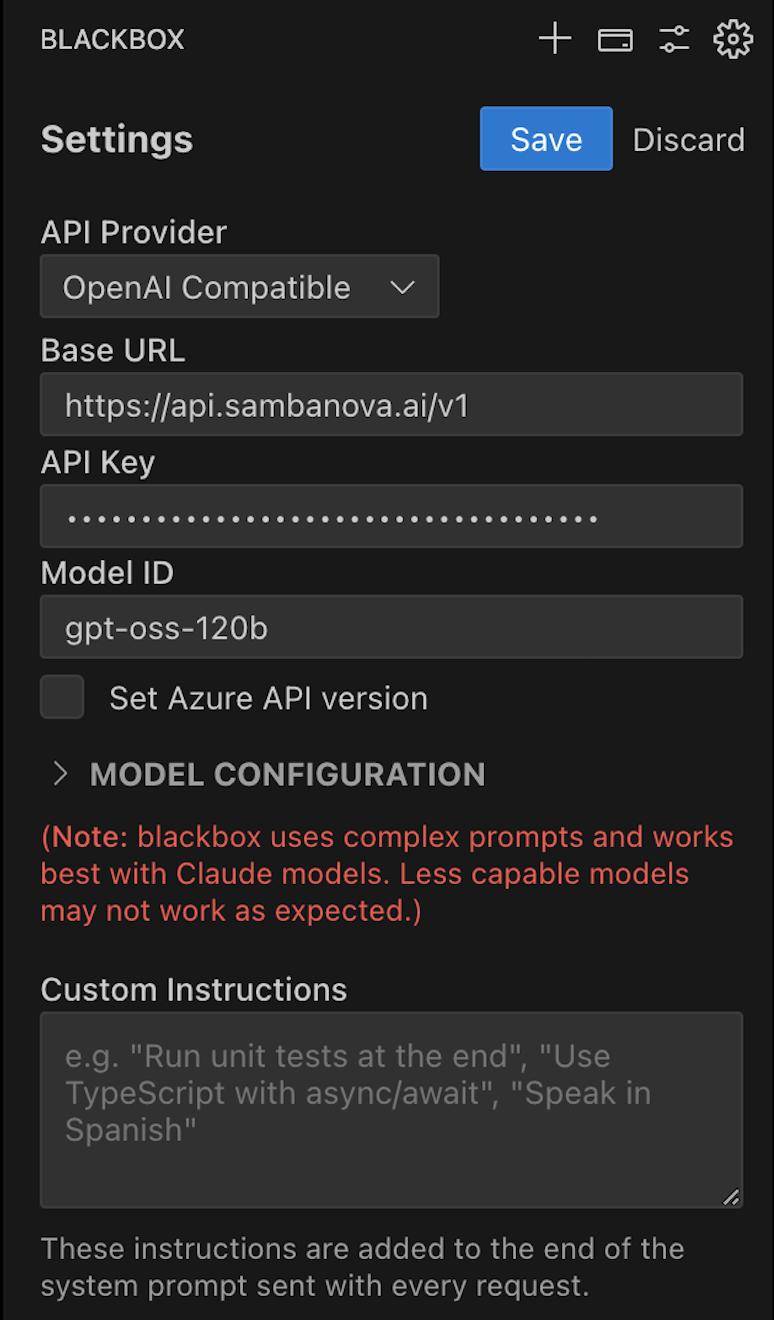
- API Provider: select OpenAI Compatible
- API Key: enter your SambaCloud API key
- Base URL:
https://api.sambanova.ai/v1 - Model ID: choose a model from the SambaCloud models page (e.g.,
MiniMax-M2.7)
Troubleshooting
API source toggle not visible
API source toggle not visible
- Ensure you have the latest version of the BlackBox VS Code extension installed
- Try reloading VS Code: Cmd/Ctrl + Shift + P → Reload Window
Authentication error
Authentication error
- Verify your API key is correct and active in the SambaCloud portal
- Confirm Base URL is set to
https://api.sambanova.ai/v1 - Re-enter credentials and click Save again
Model not responding
Model not responding
- Confirm the Model ID matches a valid model from the SambaCloud models page
- Check your SambaCloud account is active