

This connection uses Langfuse’s per-project LLM Connections, stored under
Project Settings. A separate, instance-wide configuration
(
LANGFUSE_AI_PROVIDER / LANGFUSE_AI_BASE_URL) can also point Langfuse’s
own Assistant at SambaCloud on self-hosted deployments. See
Advanced: instance-wide Assistant below.Prerequisites
- A SambaCloud account and API key.
- A Langfuse project (cloud or self-hosted) where you have the Owner or Admin role. LLM Connections require the
llmApiKeys:createpermission. A Member or Viewer role can see existing connections but won’t see the “Add LLM Connection” button.
Setup
1
Open LLM Connections
In your Langfuse project, go to Settings → LLM Connections and click Add LLM Connection.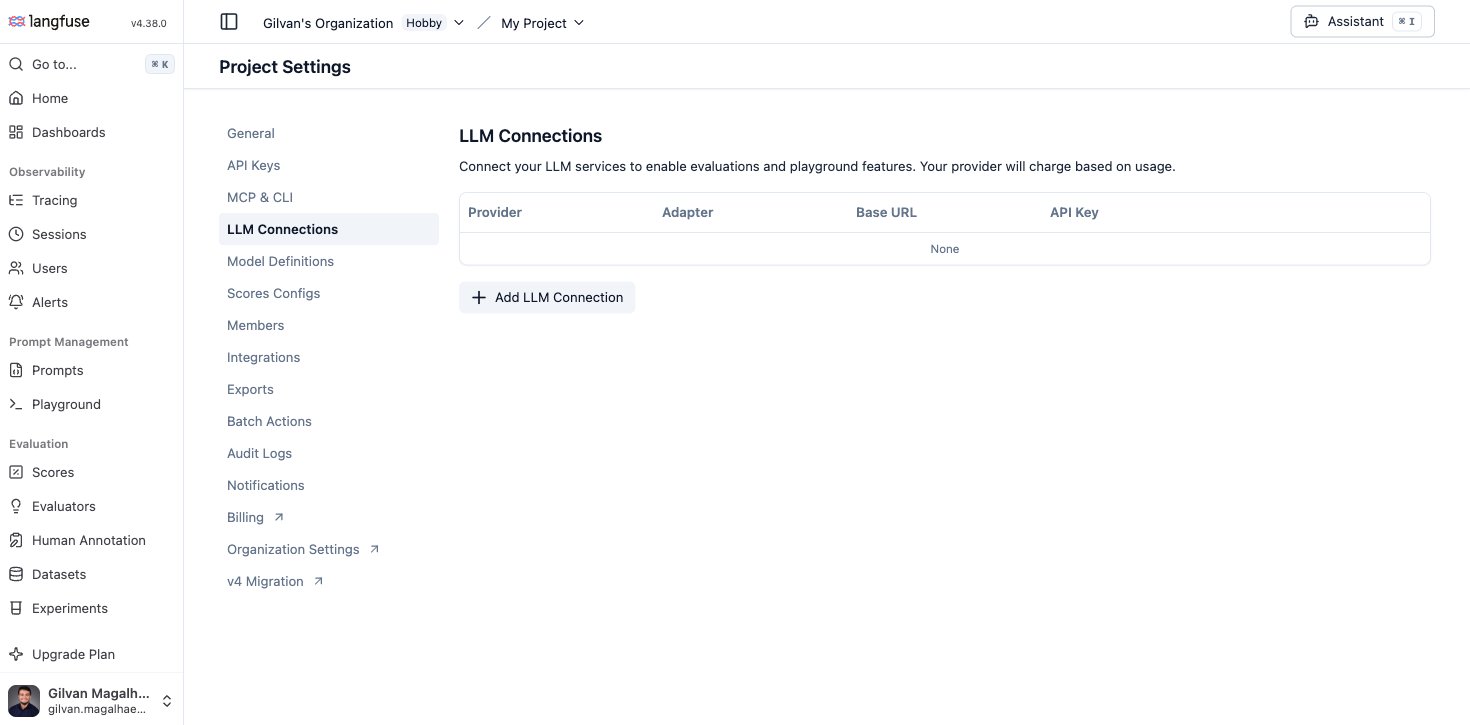
2
Configure the connection
- LLM adapter:
openai(Langfuse routes any non-api.openai.combase URL through its OpenAI-compatible client automatically) - Provider name:
sambanova(or any label; this is just how it appears in model pickers) - API Key: your SambaCloud API key
- Expand Show advanced settings:
- API Base URL:
https://api.sambanova.ai/v1 - Enable default models: turn this off, since it populates OpenAI’s own model list, which doesn’t apply here
- Custom models: add the SambaCloud model IDs you want to use, for example
MiniMax-M3. We recommendMiniMax-M3as the model to reach for across this guide: Playground, Experiments, and evaluators all worked reliably with it in testing, thanks to its Structured output support.
- API Base URL:
3
Create the connection
Click Create connection. It appears in the table with your base URL and a masked key.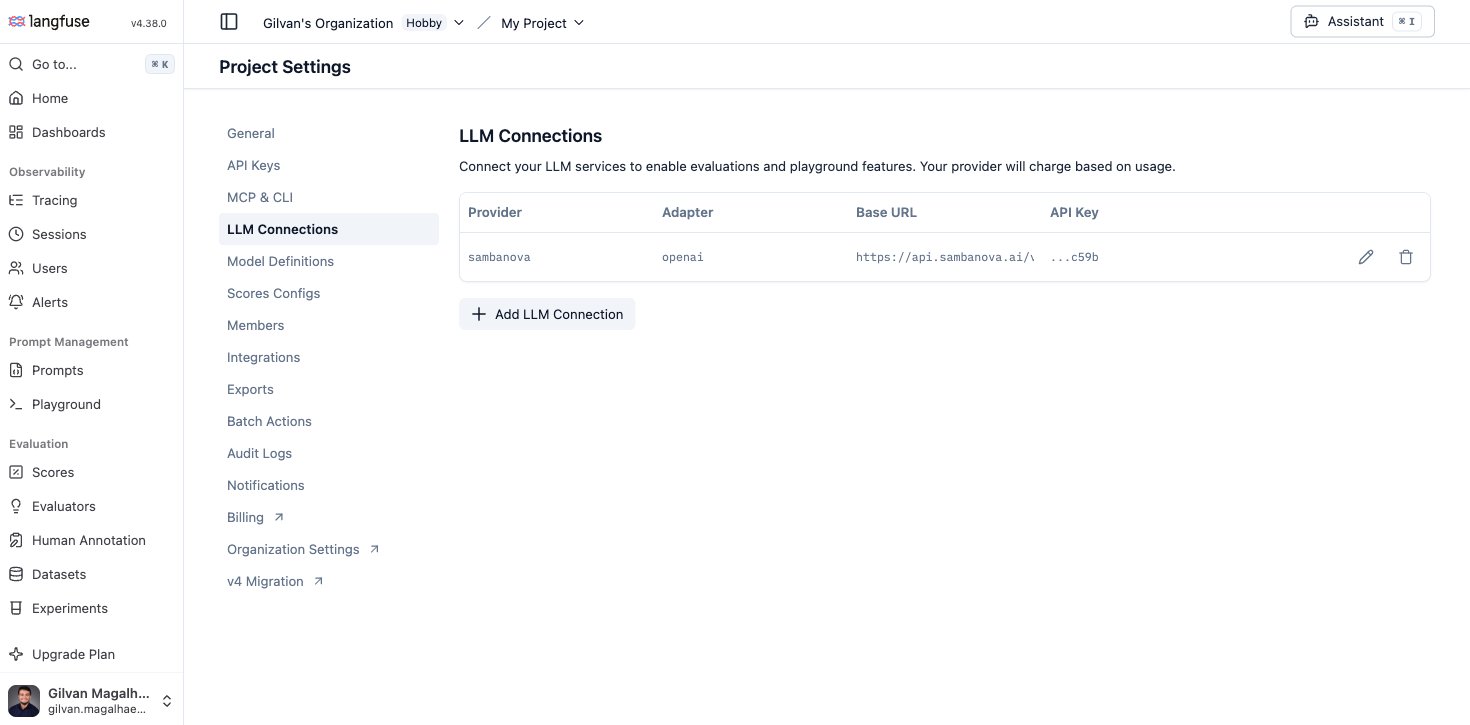
Use it in the Playground
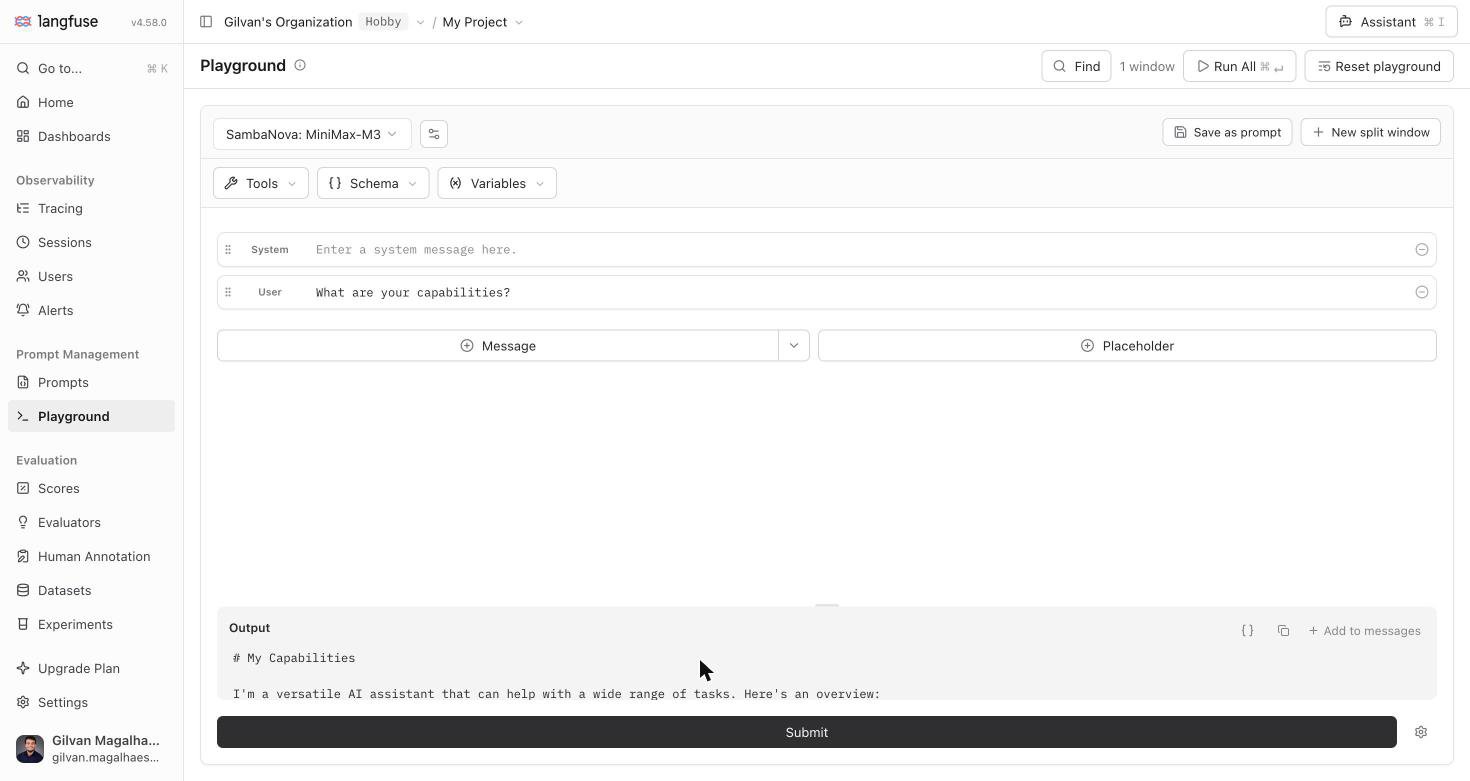
Open Playground, pick your SambaNova connection and theMiniMax-M3 model from the model selector, and ask something like “What are your capabilities?”. A real question gets you a real, readable answer, which is a better sanity check (and a better screenshot) than a throwaway test string.
Use it for Experiments (dataset runs)
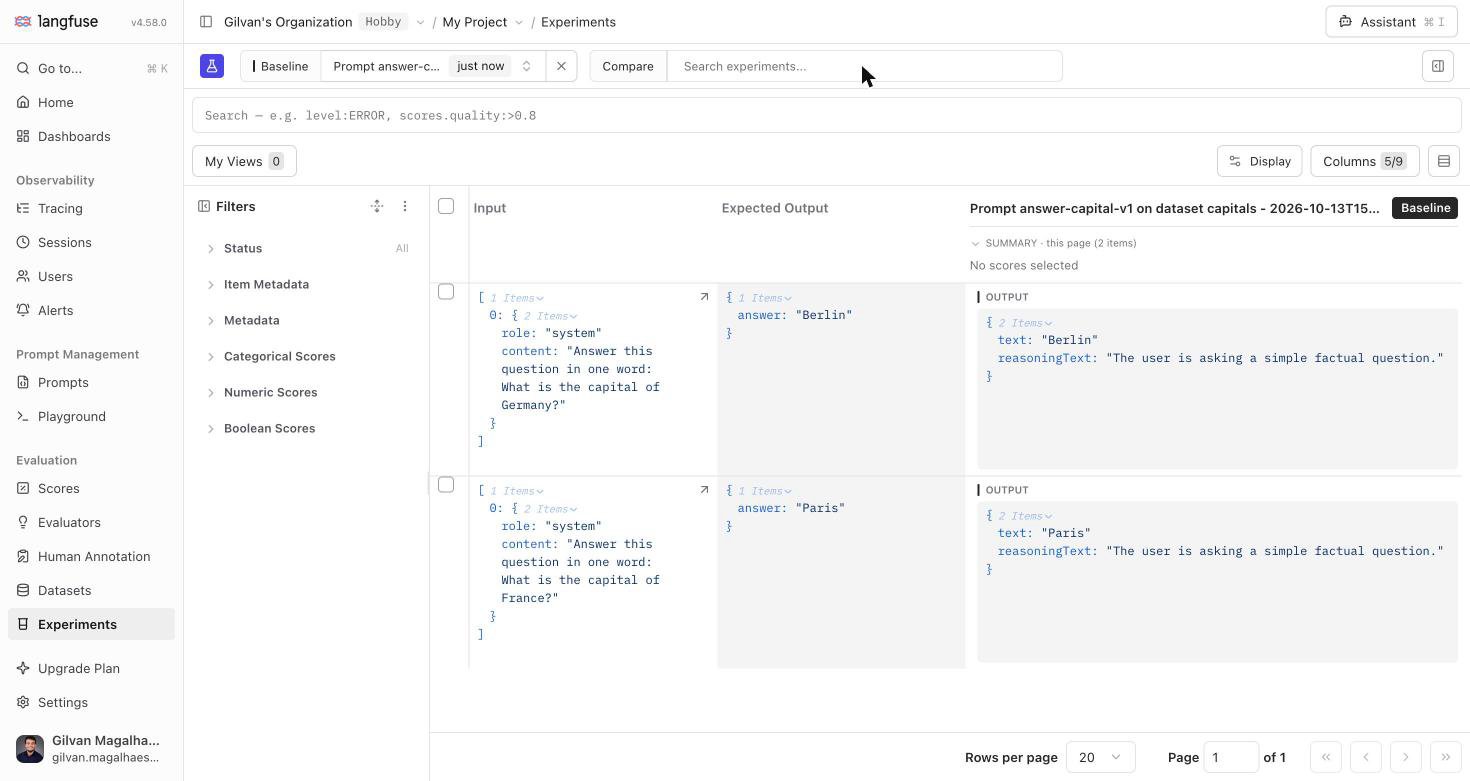
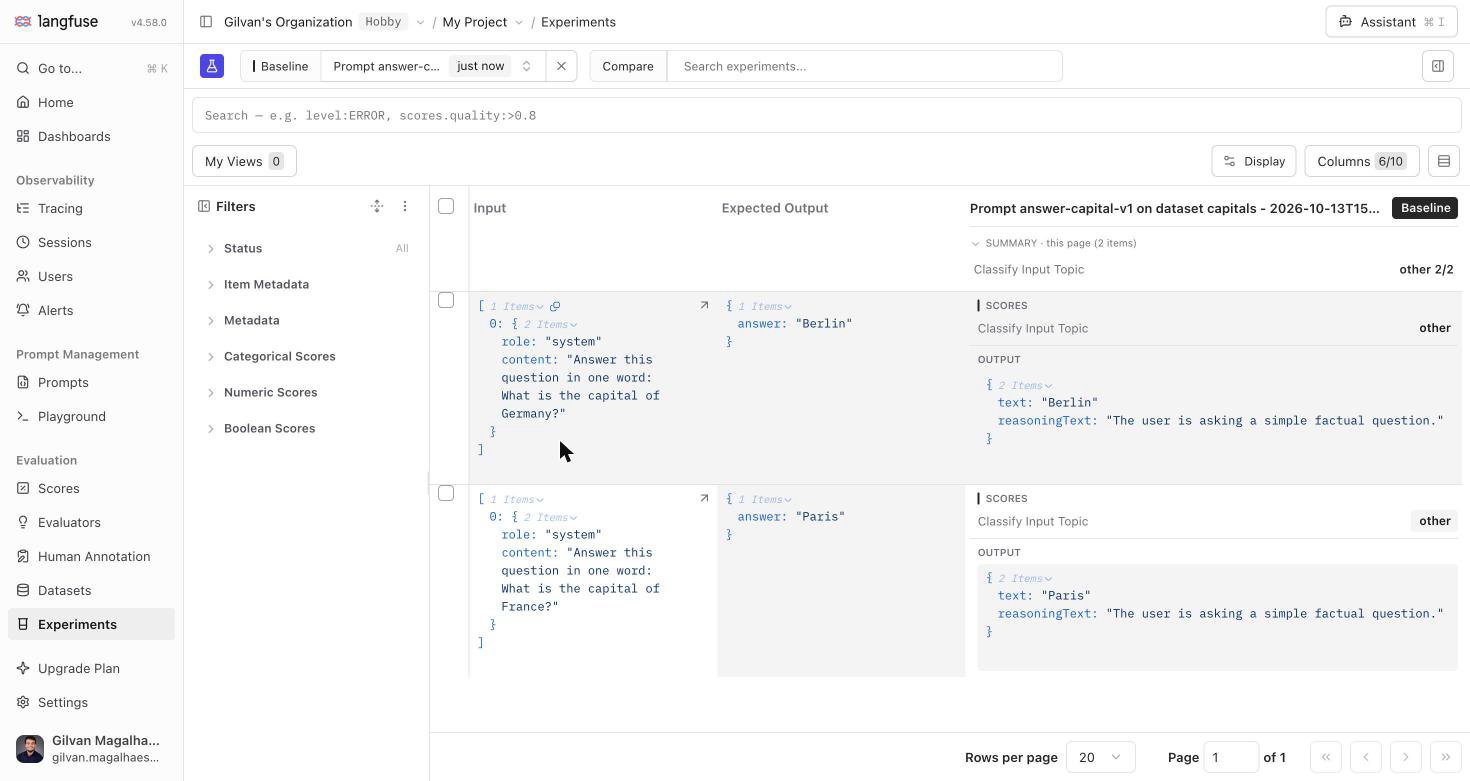
Open Experiments and click Run experiment → via User Interface → Configure. Pick a prompt, leave (or select) thesambanova provider and MiniMax-M3 model, choose a dataset, optionally attach an evaluator, name the run, and review it before clicking Run Experiment. Langfuse calls the model once per dataset item and records the output, latency, and cost for each row.
Use it for LLM-as-a-judge evaluators
Open Evaluators → New evaluator, pick a template (or write your own), and select your SambaNova connection and theMiniMax-M3 model in Step 1: Define evaluation. The Test with sample observations panel on the right lets you run a real call against a sample trace before saving.
Saving the evaluator and attaching it to a rule (either “Run evaluator on past observations” for a one-time backfill, or a recurring rule for new observations) puts it to work: every subsequent evaluator run writes a real Score row. Attach an evaluator to an Experiment run instead, and its scores show up right next to each item’s output:
View evaluator and Experiment results in Scores
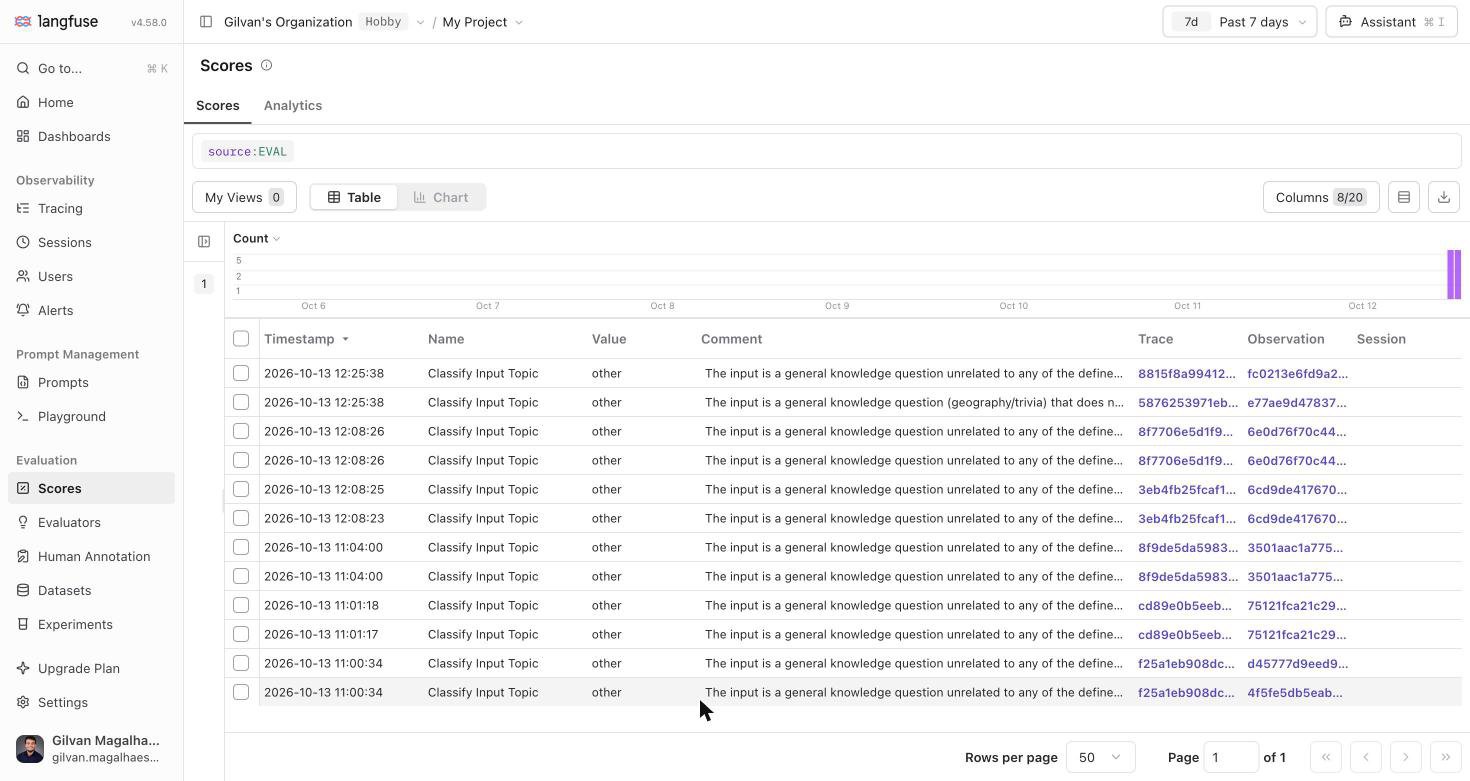
Open Scores to see every scoreMiniMax-M3 has produced, whether from an evaluator rule or a dataset-run experiment, alongside the model’s own reasoning and a link back to the source trace.
Automate this with the API
Prefer scripting the setup instead of clicking through Settings? Langfuse’s public API can create or update an LLM Connection directly, authenticated with a project API key pair:(project, provider), so re-running it with the same provider value updates the existing connection instead of duplicating it. This is handy for re-provisioning a connection after a fresh self-hosted deploy or a local dev reset. It creates the exact same row the UI form does, so anything configured this way works in the Playground, Experiments, and evaluators immediately.
Advanced: instance-wide Assistant
Self-hosted deployments can also point Langfuse’s own Assistant / in-app agent at SambaCloud instance-wide, instead of (or in addition to) a per-project LLM Connection:“Ask AI” and search-bar AI suggestions are a separate feature gated to
Langfuse Cloud regions. They stay unavailable on self-hosted deployments
regardless of which provider you configure. This is a Langfuse platform
constraint, not specific to SambaNova.
Troubleshooting
Connection test, Playground, or Experiment call fails with an auth error
Connection test, Playground, or Experiment call fails with an auth error
Confirm the API key is a valid, non-expired SambaCloud API key and that API Base URL is exactly
https://api.sambanova.ai/v1 (no trailing path, no /chat/completions). An Experiment run can complete with every item recorded as an error and no visible error banner in the Formatted view, so check the Raw output or the item’s error status if a run finishes with unexpectedly high error counts.Evaluator or Experiment call fails with error BAD REQUEST
Evaluator or Experiment call fails with error BAD REQUEST
We recommend switching to
MiniMax-M3 or another catalogue model with Structured output support for this evaluator or dataset run, since its constrained decoding is the better fit for Langfuse’s forced tool-call flow.Model doesn't appear in the Playground, Experiment, or evaluator model picker
Model doesn't appear in the Playground, Experiment, or evaluator model picker
Confirm the model ID is listed under Custom models on the connection (Settings → LLM Connections → edit), and that it matches a real SambaCloud model ID exactly. Model IDs are case-sensitive.