

Prerequisites
- A SambaCloud account and API key
- A Braintrust account
- Python 3.10 or later
Setup
1
Install the Braintrust SDK and the OpenAI client
2
Export your API keys
3
Register SambaNova as a custom AI provider
In Braintrust, go to Settings → AI providers → Organization provider, then under Custom providers click +. Configure: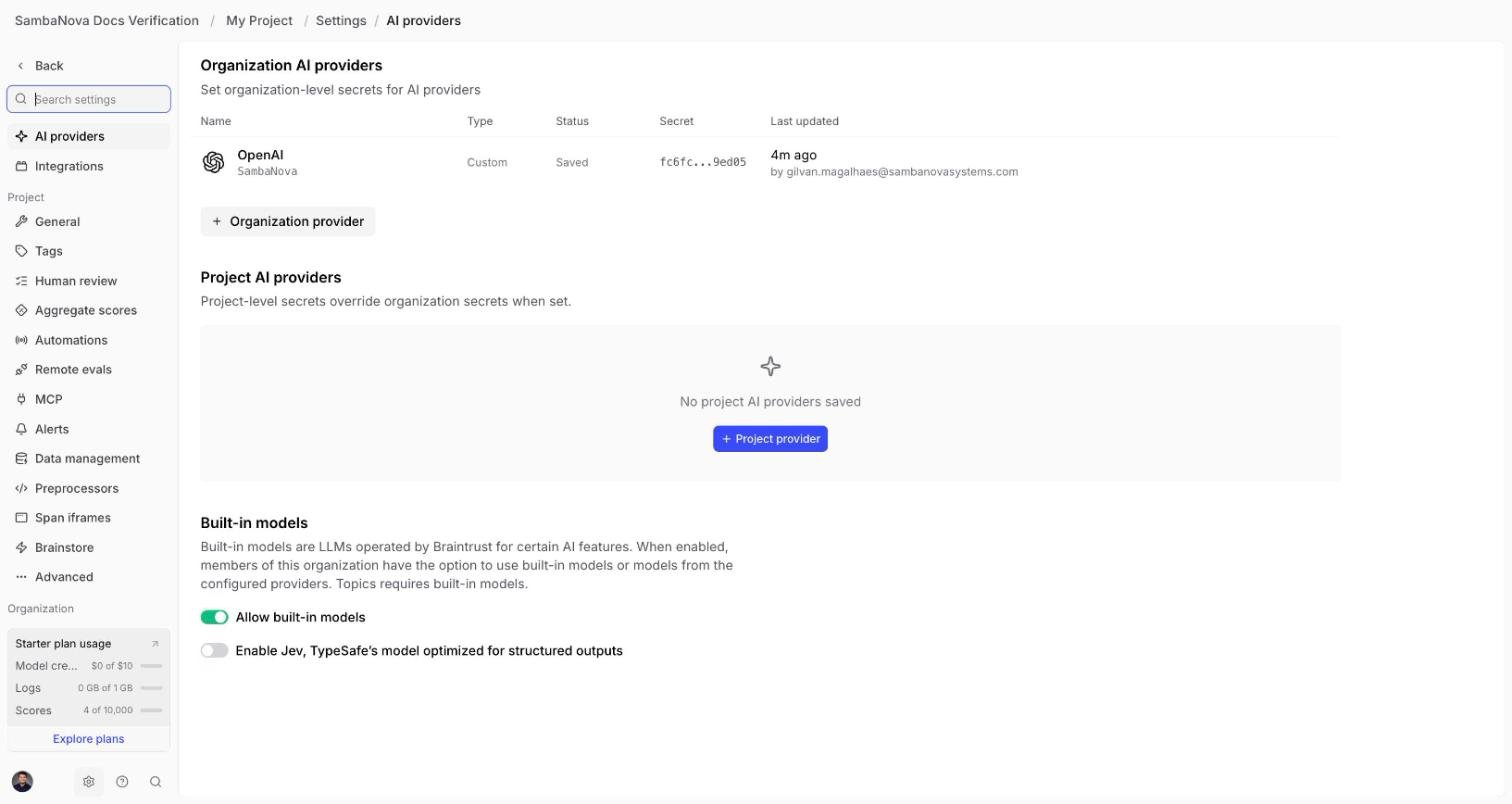
- Provider type: OpenAI
- Name:
SambaNova - API key: your SambaCloud key
- Under More settings → API base URL:
https://api.sambanova.ai/v1
4
Register each SambaCloud model you want to use
The provider’s Models → Available models list only shows Braintrust’s static catalog for the “OpenAI” provider type — it is not a live fetch from your configured endpoint, so searching it for
MiniMax or any other SambaNova model name returns no matches. This is cosmetic, but it means SambaNova models don’t show up anywhere in the UI (Playground, gateway) until you add them explicitly.In the same provider’s Setup tab, scroll to Models, select All models or None under Registry models, then click + Custom model and enter the exact model ID (e.g. MiniMax-M3). Repeat for every model you plan to use.This step is what makes SambaNova models usable anywhere in Braintrust’s UI — the Playground model picker and the gateway endpoint below both read from this list, not from the static catalog.
Example: use it in the Playground
Once registered as a custom model (previous step), SambaNova models appear in the Playground’s model picker under a SambaNova group, next to Braintrust’s own named providers: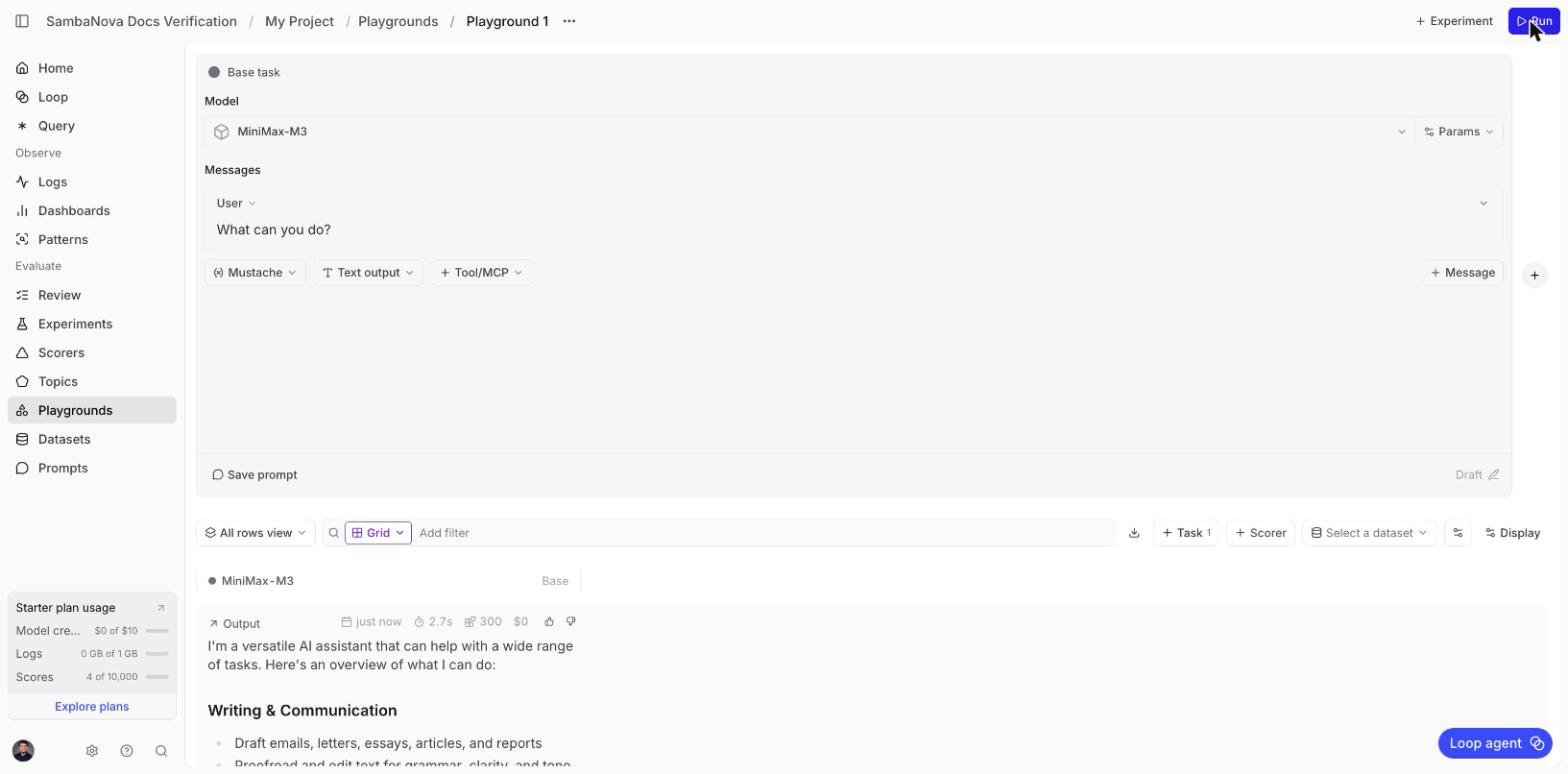
Example: call it through the gateway
Braintrust’s gateway (https://gateway.braintrust.dev) proxies requests to any registered custom provider and model, authenticated with your Braintrust API key rather than the provider’s own key:
Output (abridged)
Example: run a scored evaluation
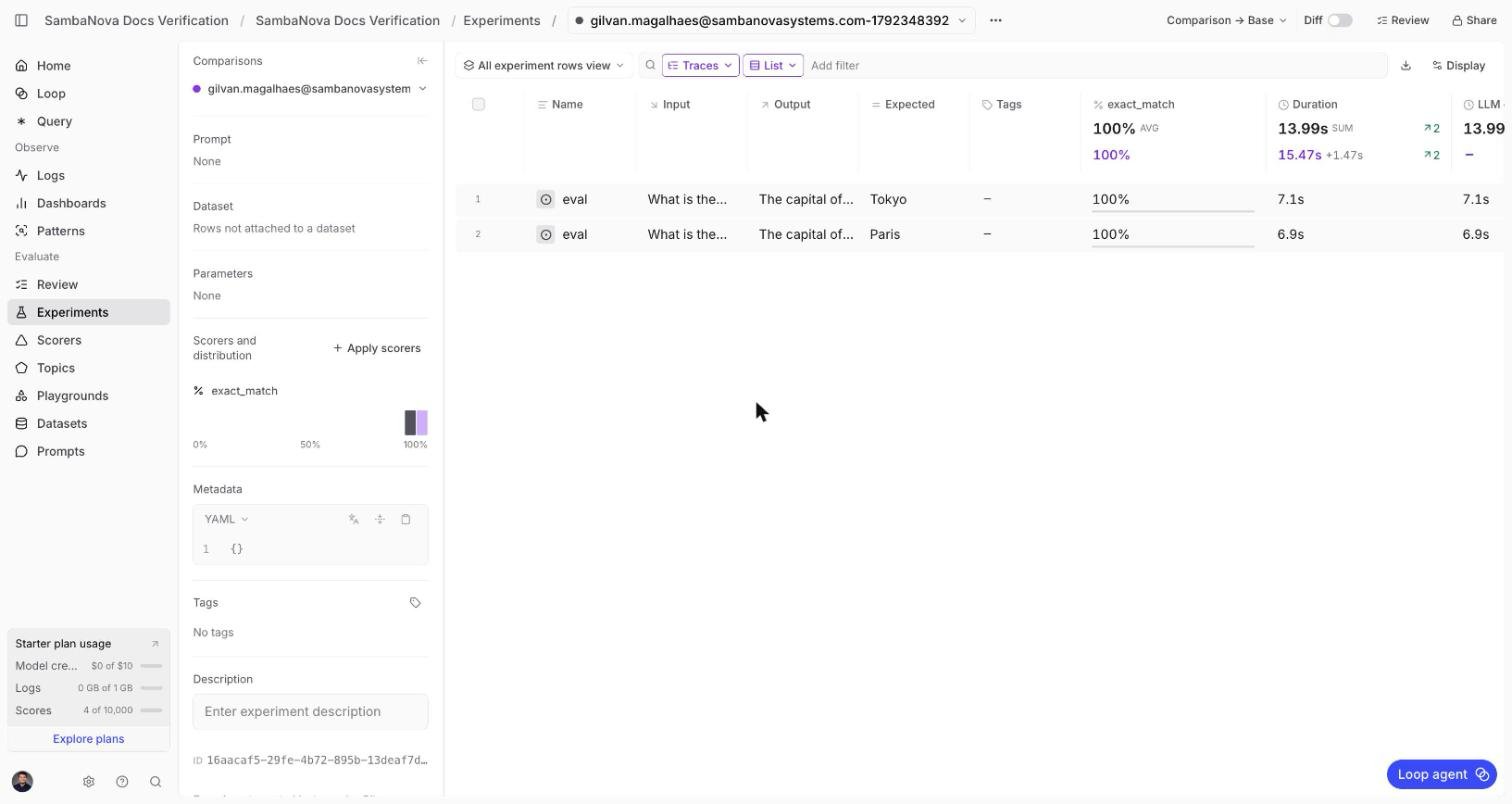
This is the path for programmatic evals: a real evaluation, scored, with results in the dashboard. Point a standardOpenAI client at SambaNova and wrap it with braintrust.wrap_openai so Braintrust captures full call tracing (tokens, duration, call count) alongside your scores.
eval_sambanova.py
Output (abridged)
Additional resources
Braintrust documentation
Official guides covering evals, logging, datasets, and the Playground.
Supported models
Current list of models available on SambaCloud.
Troubleshooting
Gateway or Playground: model not found, or 'Configured providers: []'
Gateway or Playground: model not found, or 'Configured providers: []'
The model hasn’t been added as a custom model on the provider yet. Go to Settings → AI providers → SambaNova → Setup → Models and click + Custom model to add the exact model ID. The static catalog search in Models → Available models will never show a SambaNova model, even after this step — that list is unrelated to which models actually work.
Eval runs but shows 0 llm_calls and 0tok in every metric
Eval runs but shows 0 llm_calls and 0tok in every metric
The
OpenAI client wasn’t wrapped. Use braintrust.wrap_openai(OpenAI(...)) instead of a plain OpenAI(...) instance — see Run a scored evaluation.Failed to import eval_sambanova.py: 'SAMBANOVA_API_KEY'
Failed to import eval_sambanova.py: 'SAMBANOVA_API_KEY'
SAMBANOVA_API_KEY isn’t set in the shell running braintrust eval. Export it: export SAMBANOVA_API_KEY="your-key".ValueError: Could not login to Braintrust
ValueError: Could not login to Braintrust
BRAINTRUST_API_KEY isn’t set. Export it (export BRAINTRUST_API_KEY="your-key") or add it to a .env.braintrust file. To run the eval without logging to Braintrust, add --no-send-logs.