

Prerequisites
- SambaCloud account and API key.
- Python 3.10+ (if installing locally). Not required for Langflow Cloud.
Setup
1
Install Langflow
Local:Cloud: Create a free account at langflow.org.Langflow opens at
http://localhost:7860 (local) or in your browser (cloud).2
Create a new flow
Click New Flow and choose a blank canvas or a starter template.
3
Add the SambaNova component
In the component panel, search for SambaNova. Drag the SambaNova text generation component onto the canvas.
4
Configure the component
In the component settings, enter your API key and select a model:
- SambaNova API Key: your API key from SambaCloud.
- Model Name: select a model (e.g.,
Llama-4-Maverick-17B-128E-Instruct).
5
Connect and run
Connect the SambaNova component output to a Chat Output component. Click Run to test your flow.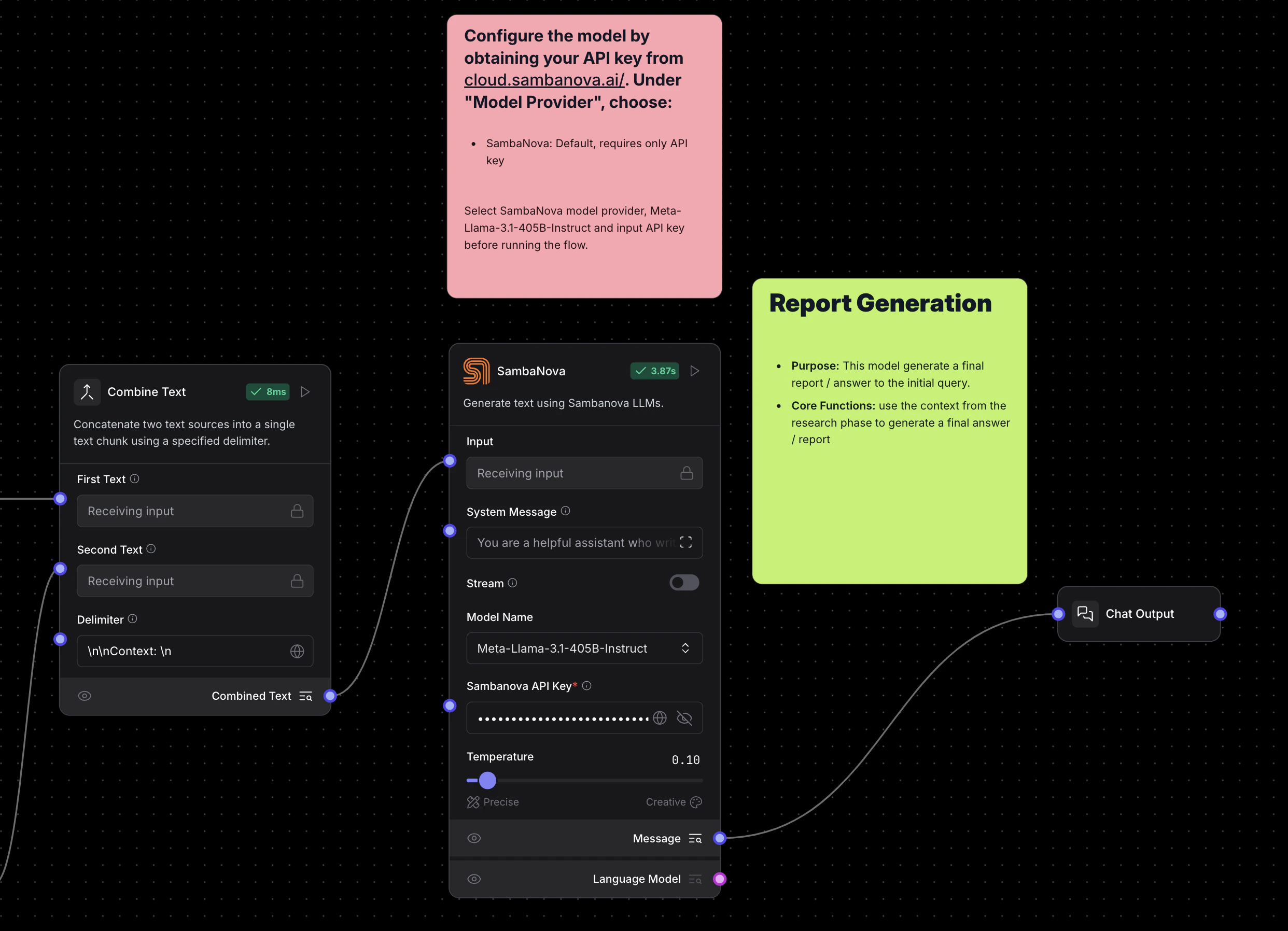
Troubleshooting
AuthenticationError or invalid API key
AuthenticationError or invalid API key
Verify your API key is correct. Re-enter it in the component settings panel or check it in SambaCloud.
Model not listed in component
Model not listed in component
Check supported models and enter the model name manually in the Model Name field.
Connection refused (local install)
Connection refused (local install)
Ensure
langflow run is active, then visit http://localhost:7860. If the port is in use, run langflow run --port 7861.