

Zapier’s built-in AI steps, such as AI by Zapier and Zapier Chatbots, offer no custom endpoint field. Use Webhooks by Zapier as described on this page, which reaches SambaNova from any Zap without either.
Prerequisites
Before you begin, ensure you have:SambaNova endpoint
You can connect to SambaNova using one of the following options:- SambaCloud (Free account)
- Base URL:
https://api.sambanova.ai/v1/chat/completions - API key: Available in your dashboard
- Base URL:
- SambaStack (Dedicated deployment)
- Base URL and API key: Provided by your SambaNova contact.
Zapier account
A Zapier account on the Professional plan or higher. Webhooks by Zapier is not available on the Free plan, and it powers every step on this page.Create a chat completion
1
Add a trigger
Create a Zap and choose any trigger that suits your workflow. The examples below use Schedule by Zapier with the Every Day event, which needs no
connection and is useful while you test.
2
Add the Webhooks action
Add an action step, select Webhooks by Zapier, and choose the
Custom Request event. Custom Request lets you send a raw JSON body, which
the chat completions endpoint requires.
Zapier then offers API by Zapier, which stores credentials in a reusable
App Connection instead of a header. It is a reasonable alternative if you
would rather not keep the key in the step itself, but the rest of this page
assumes Custom Request. Select Cancel to continue.
3
Configure the request
Set the following fields: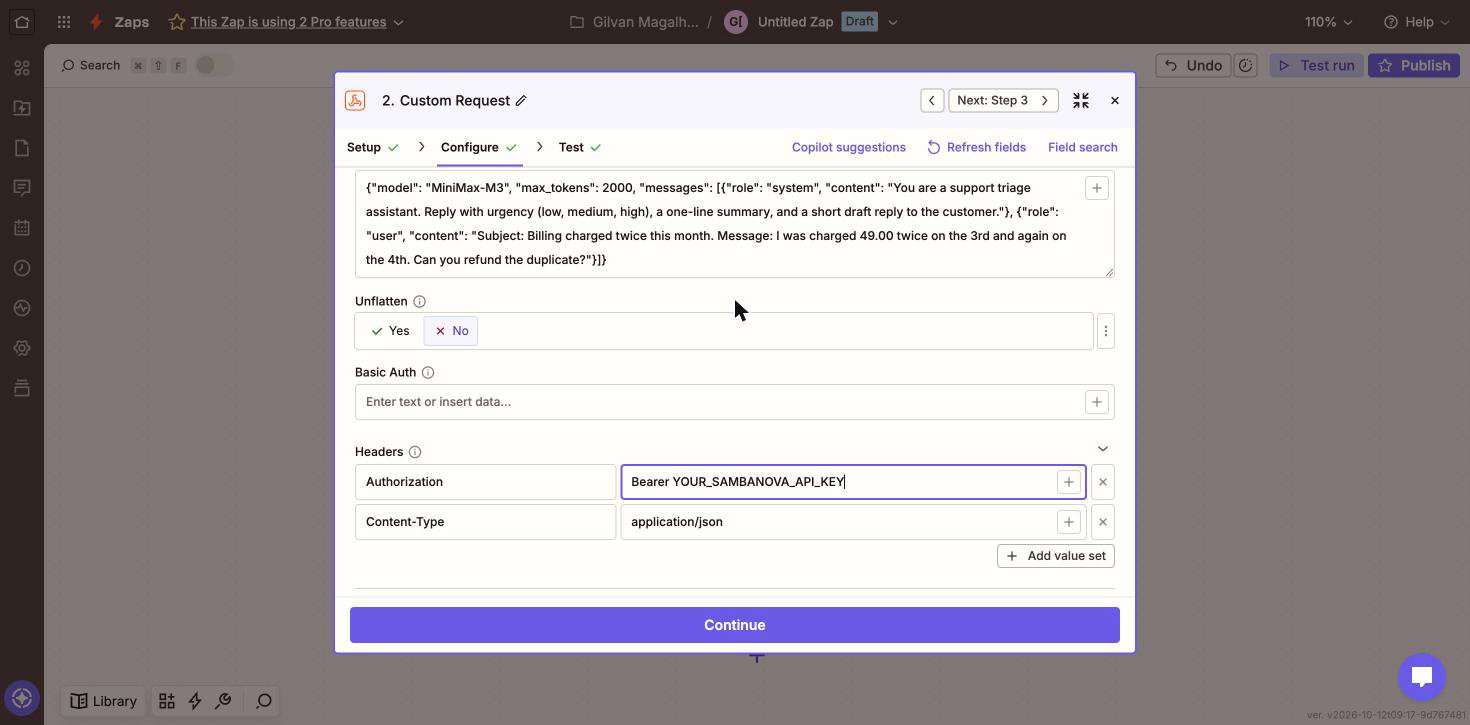
Use this as the Data value, replacing the message content with your own
text or with a field from an earlier step:
Leave Return Raw Response at its default of
No. That default is what
makes Zapier split the reply into named fields such as
Choices Message Content. Setting it to Yes returns the response as one
unparsed string, and the field this guide maps in later steps no longer
appears.4
Test the step
Select Test step. Zapier sends the request and maps the response into
fields you can use later in the Zap. The model’s reply appears in
Choices Message Content.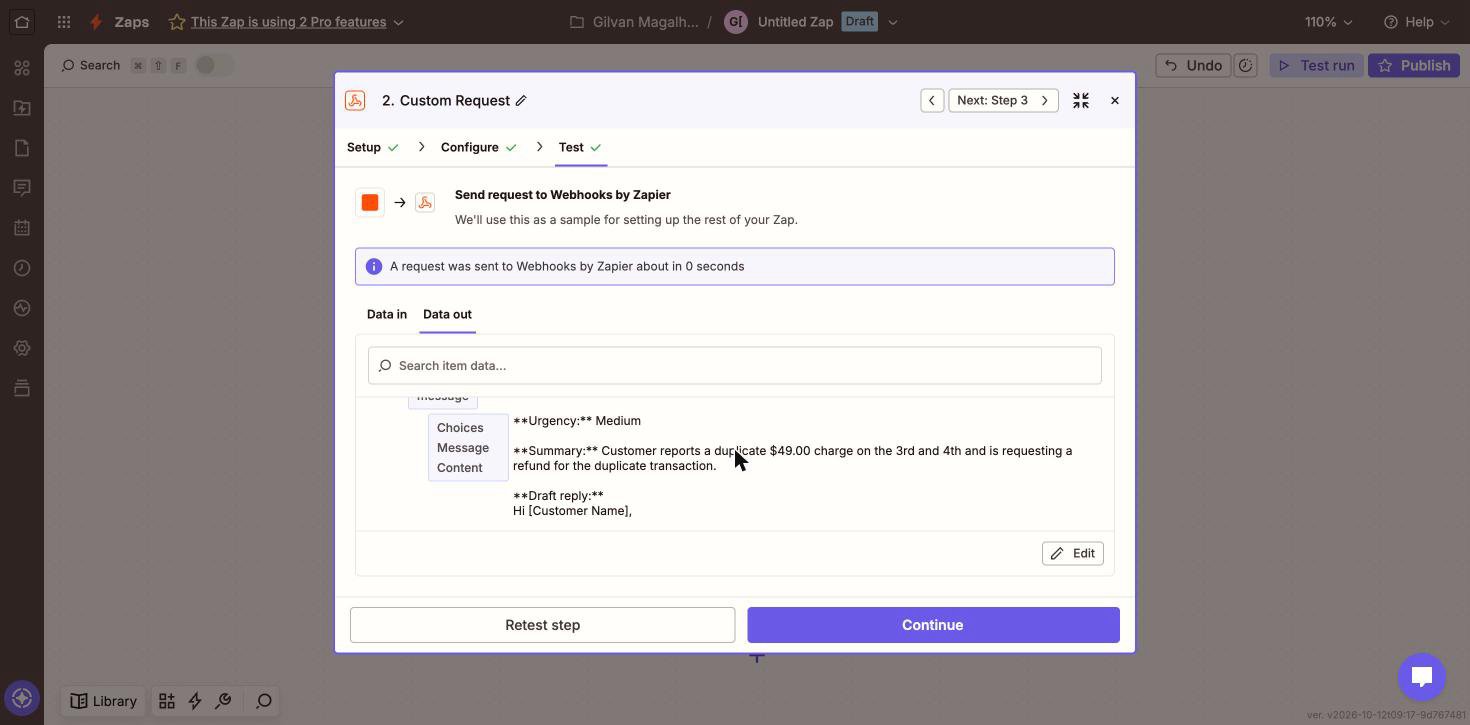
5
Use the reply in later steps
In any following step, insert the Choices Message Content field to pass the
model’s answer into Slack, Gmail, Google Sheets, or any other app.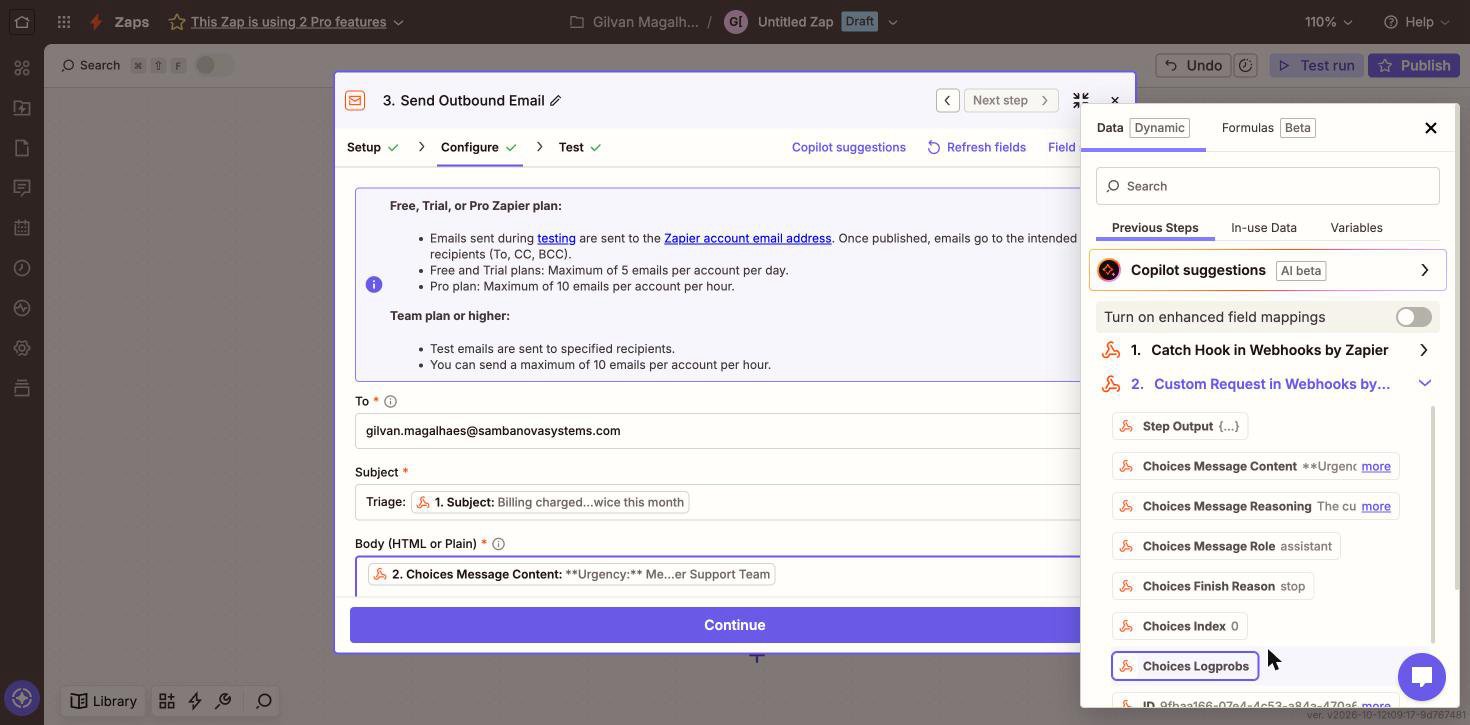
Reasoning models such as
MiniMax-M3 also return a
Choices Message Reasoning field holding their internal reasoning. Map
Choices Message Content for the answer itself.Example: triage incoming support tickets
The chat completion above uses a fixed prompt. A real Zap passes data from the trigger into the prompt and sends the model’s answer somewhere useful. This example receives a support ticket, asks SambaNova to triage it, and emails the result. It uses built-in Zapier apps only, so you can build it without connecting any other account.1
Catch the incoming ticket
Add a Webhooks by Zapier trigger with the Catch Hook event. Zapier
gives you a URL. Send your ticket data to it as JSON, either from your
helpdesk or from a terminal while testing:Select Test trigger. Each JSON key becomes a field you can use later.
2
Ask SambaNova to triage it
Add the Custom Request action exactly as described above, then build the
Data body so the ticket text is part of the prompt. Insert the trigger
fields with the + button next to the field rather than typing them:A system message is what makes the output predictable enough to act on. It
fixes the shape of the answer, so later steps can rely on it.
3
Send the result
Add an Email by Zapier action with the Send Outbound Email event. Set
Body to the Choices Message Content field from the SambaNova step, and
put the ticket subject in the email subject so the triage is easy to scan.
Email by Zapier sends up to 5 emails per day on Free and Trial plans, and up
to 10 per hour on paid plans. Swap in Gmail, Slack, or your helpdesk once
the flow works.
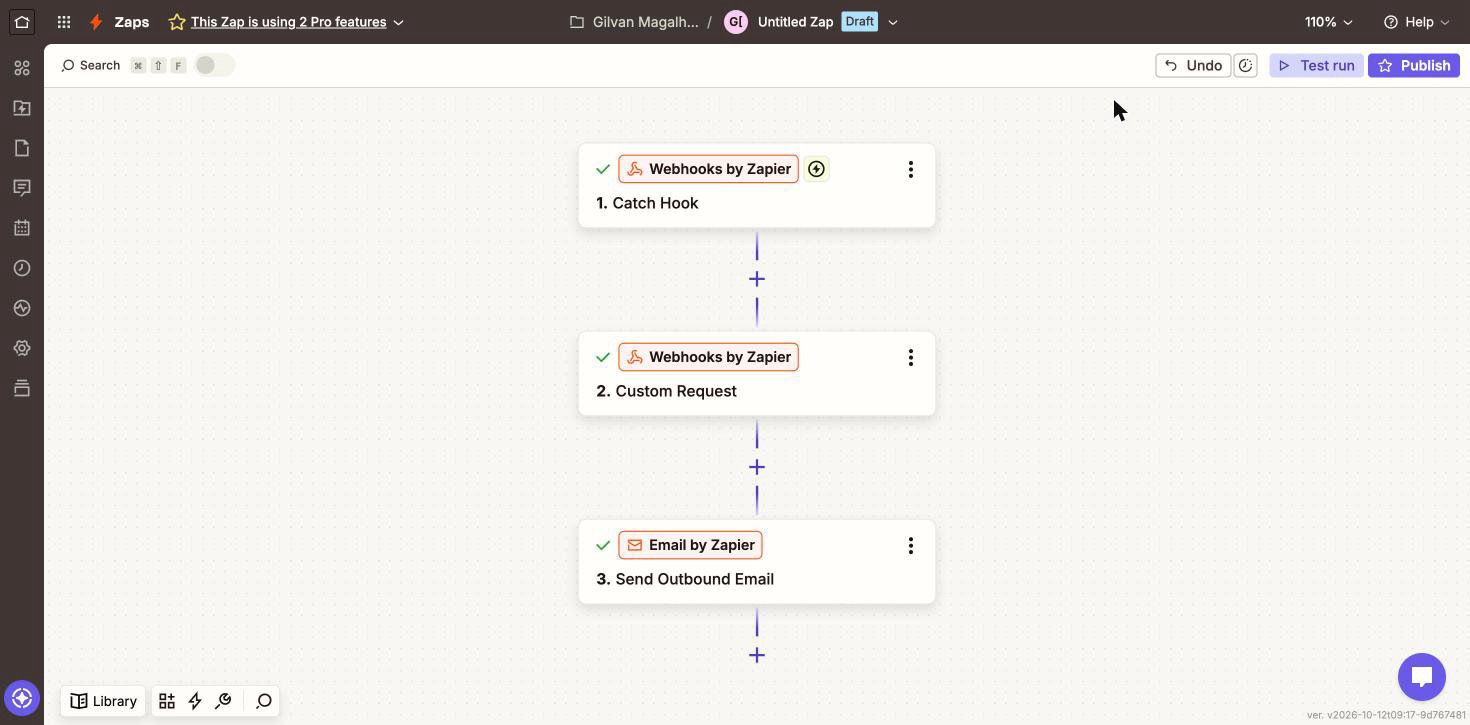
MiniMax-M3 returned urgency Medium, a one-line
summary of the duplicate charge, and a drafted reply offering the refund and a
processing time. The whole flow needs no app to be published and no model to be
hosted, so the same pattern works for classifying leads, summarizing form
submissions, or drafting responses to anything a webhook can reach.
Troubleshooting
The app returned 400
The app returned 400
- Set Unflatten to
No. The default ofYesrewrites the nestedmessagesarray into a shape the endpoint rejects. This is the most common cause. - Confirm the Data field holds valid JSON, and that
model,messages, and each message’sroleandcontentare present. - Confirm the model ID exists in your account. See SambaCloud models.
We could not parse the JSON body of your request
We could not parse the JSON body of your request
The Data field is not valid JSON by the time Zapier sends it.
- Confirm the field holds exactly one JSON object. Editing in place can leave a second object appended after the first, which is not valid JSON even though both halves look correct.
- Insert trigger fields with the + button rather than typing placeholders by hand.
- Paste the resolved body from the Data in tab into a JSON validator to see where it breaks.
The app returned 401
The app returned 401
- Confirm the
Authorizationheader value begins withBearerfollowed by your key. - Get a new key from the SambaCloud portal.
- Put the key in the
Authorizationheader rather than the Basic Auth field, which sends a different authentication scheme.
The app returned 429
The app returned 429
Your Zaps are exceeding your account’s request limits. Reduce how often the Zap
runs, or add a Delay step between calls. See
rate limits for the limits that apply to your tier.
Choices Message Content is empty or truncated
Choices Message Content is empty or truncated
Reasoning models return their reasoning separately from the answer. Map
Choices Message Content, not Choices Message Reasoning. If
max_tokens
is too low, generation can be cut off while the model is still reasoning, so
Choices Message Content comes back empty, or cut off mid-sentence if the
limit is hit just after the answer starts. Raise max_tokens so the model has
room to finish reasoning and still produce its answer.