

Prerequisites
Before starting, ensure you have:- A SambaCloud account and API key
- OpenWorker installed on your machine (see below)
rustup) for the desktop shell.
Install OpenWorker
You can install OpenWorker in one of two ways.Option 1: Download the desktop app
Download the latest OpenWorker build for your operating system from the project’s releases page:- macOS:
.dmginstaller (Apple Silicon) - Windows:
.exeinstaller or.msipackage
Option 2: Run from source
Clone the repository and bootstrap a local development environment:npm run dev in your browser.
setup_dev_env.sh builds the virtual environment with whichever python3 comes first on your PATH. The python3 that ships with macOS is 3.9, which fails with Package 'coworker' requires a different Python. Put a 3.10+ python3 ahead of it before running the script, and delete any .venv a failed attempt left behind, because the script reuses an existing one.Setup
SambaCloud serves an OpenAI-compatible API, so you connect it through OpenWorker’s OpenAI provider with a custom endpoint.1
Open the provider settings
The desktop app opens a Welcome screen on first launch that asks you to pick a model provider. The browser UI you get from Option 2: Run from source does not show it, and neither does the desktop app once you have dismissed it. In both of those cases, open Settings and select the Models section instead.
2
Point the OpenAI provider at SambaCloud
Select OpenAI from the provider list, then: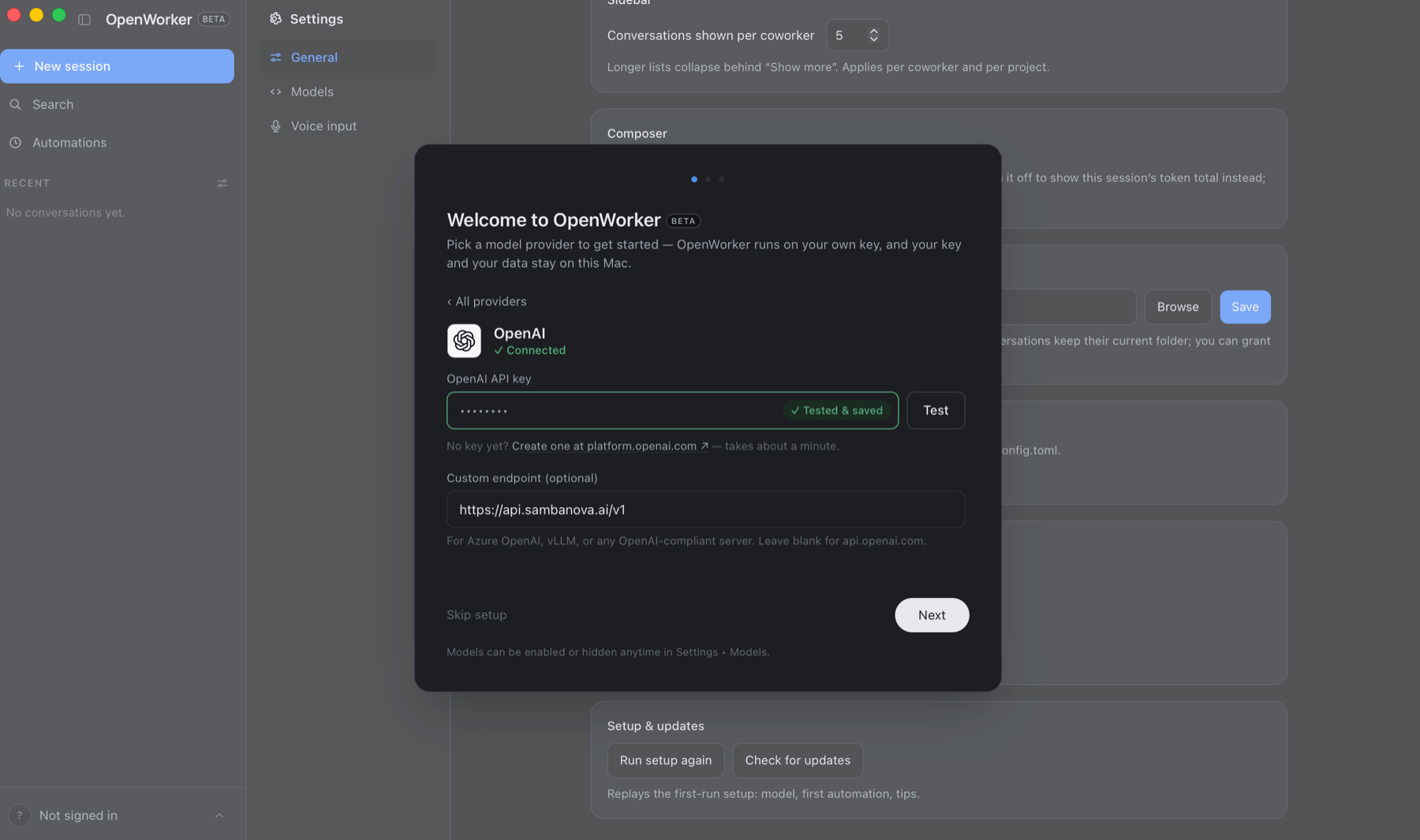
- In OpenAI API key, paste your SambaCloud API key.
- Click Custom endpoint to expand it, and enter
https://api.sambanova.ai/v1in the field. This is what sends requests to SambaCloud instead ofapi.openai.com. - Click Test.
3
Add a SambaCloud model
Saving the key does not change the model list: the picker still offers only the OpenAI models OpenWorker curates, and none of them exist on SambaCloud. Add the model you want as a custom entry, for example 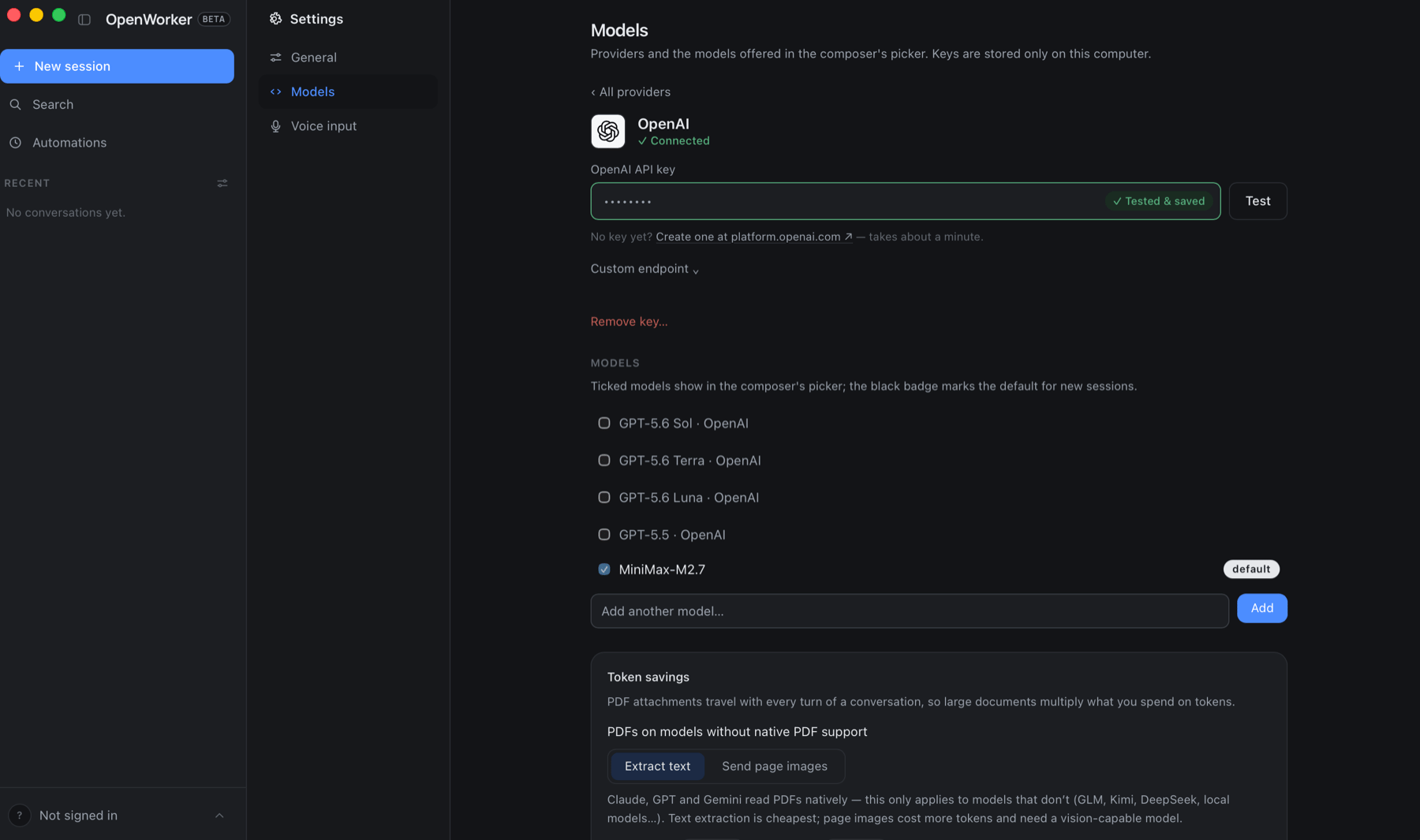
MiniMax-M3.Type the model ID exactly as SambaCloud publishes it, with no prefix. Models added under the OpenAI provider are stored as typed and sent to the endpoint unchanged. See Supported SambaCloud models for the full list of model IDs.The new row carries a Make default button. Click it to use the model for every new session, or leave the default alone and pick the model per session from the model button in the composer. Until you do one of the two, OpenWorker keeps a GPT model as the default and every task fails with model_not_found.Deselect the GPT models in the same list once your SambaCloud model is the default. They stay in the picker otherwise, and choosing one sends an OpenAI model ID to SambaCloud, which rejects it.4
Delegate work to OpenWorker
Open a new task in OpenWorker and describe the finished deliverable you want, such as: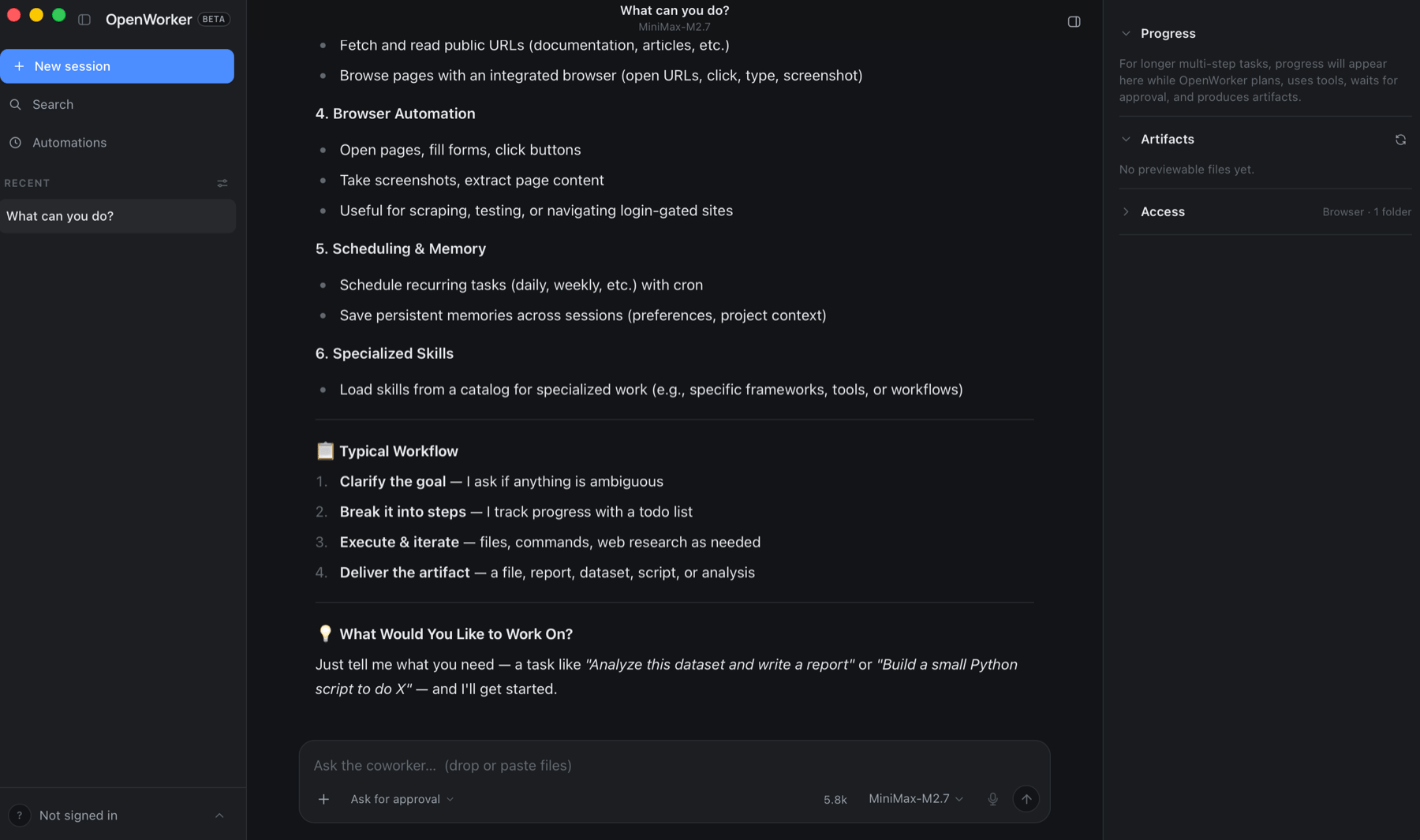
- Draft a status update from the last week of activity in this project folder
- Reply to the latest thread in my Slack #launch channel with the current KPI numbers
- Triage my inbox and archive newsletters, then summarize the rest
Configure the agent server from the command line
If you are running OpenWorker from source, you can set the startup model with the--model flag instead of using the model picker:
--model each time:
Both
--model and model = set the startup model only. The moment you pick a model in Settings > Models, OpenWorker saves that choice next to the config file, in prefs.json, and the saved choice wins on every later launch. From then on --model and model = are ignored, with no message on startup. Change the model in the UI instead, or delete the default_model entry from prefs.json.OpenWorker runs locally on your machine. Your data leaves your device only through the model provider and the integrations you explicitly connect. When using SambaCloud, prompts and completions are sent to
https://api.sambanova.ai/v1.Troubleshooting
Every task fails with model_not_found
Every task fails with model_not_found
OpenWorker still has a GPT model set as the default. Go to Settings > Models, click Make default on your SambaCloud model, and deselect the GPT models so the picker can’t send an OpenAI model ID to SambaCloud.
Requests fail with invalid_api_key
Requests fail with invalid_api_key
OpenWorker reads
OPENAI_API_KEY from the environment before the key saved in Settings > Models. Unset it in the shell you start the server from, or your other OpenAI key gets sent to https://api.sambanova.ai/v1 instead. This only affects the from-source path.The server ignores --model or model =
The server ignores --model or model =
OpenWorker saved your last Settings > Models choice to
prefs.json, and the saved model wins on every later launch with no startup message. Change the model in the UI, or delete the default_model entry from prefs.json.setup_dev_env.sh fails with Package 'coworker' requires a different Python
setup_dev_env.sh fails with Package 'coworker' requires a different Python
The script built the virtual environment with the system
python3, which is 3.9 on macOS. Put a 3.10+ python3 ahead of it on your PATH, delete the .venv the failed attempt left behind, and rerun the script.Additional resources
- OpenWorker on GitHub: Source code, releases, and issue tracker
- OpenWorker releases: Prebuilt desktop installers for macOS and Windows
- Supported SambaCloud models: Model IDs you can add to OpenWorker as custom models