

/v1 endpoint and use any SambaCloud model alongside OpenAI, Anthropic, Google, and other providers: no proxy required.
This guide shows how to connect LibreChat to SambaNova using the built-in Custom Endpoints feature.
Prerequisites
- A SambaCloud account and API key.
- A running LibreChat instance. Pick one of the installation methods below.
Install LibreChat
LibreChat is a self-hosted web app, not a desktop installer: there is no.exe, .dmg, or AppImage to download. Pick one of the installation methods below to get started, then use it in your browser at http://localhost:3080. Docker and npm run it on your own machine on Windows, macOS, or Linux; the Helm chart deploys to a Kubernetes cluster instead.
Docker Compose (recommended)
Everything runs in containers. MongoDB, MeiliSearch, RAG API, and Vector DB are all included automatically. Prerequisites: Git, Docker Desktopnpm
Run LibreChat directly with Node.js. You manage external services like MongoDB and MeiliSearch yourself. Prerequisites: Node.js v24.16.0, Git, MongoDBHelm Chart
For Kubernetes deployments, follow the LibreChat Helm chart guide directly. The chart requires generated values forCREDS_KEY, CREDS_IV, JWT_SECRET, JWT_REFRESH_SECRET, and MEILI_MASTER_KEY, plus your provider API keys, before the Secret can be created.
For full installation details, see the LibreChat quickstart.
Setup
These steps assume the Docker Compose install. On the npm install, LibreChat reads
librechat.yaml from the project root directly: skip the docker-compose.override.yml override in step 2, and apply changes by stopping and rerunning npm run backend instead of recreating the container.1
Locate your librechat.yaml
LibreChat reads its endpoint configuration from
librechat.yaml in the project root. The repo ships librechat.example.yaml; copy it to librechat.yaml before editing:2
Add SambaNova as a custom endpoint
Append a SambaNova entry under
endpoints.custom. The base URL is https://api.sambanova.ai/v1 and the API key is your SambaCloud key.librechat.yaml
The official Without this override, the API logs
docker-compose.yml does not mount librechat.yaml into the API container. If you started from the Docker Compose template, create a docker-compose.override.yml next to it so the file is bind-mounted into the container:docker-compose.override.yml
Config file YAML format is invalid: ENOENT on startup and the SambaNova endpoint is never registered.3
Provide the API key
Add the key to your LibreChat resolves
.env file (or the environment passed to the LibreChat API container):.env
${SAMBANOVA_API_KEY} at startup. The next step applies both this key and the config change.4
Recreate the API container
The override adds a new bind mount, and
docker compose restart does not re-read your Compose configuration. Recreate the container so the mount takes effect:5
Create your account
Open
http://localhost:3080. LibreChat enables registration by default, so the first visit shows a login screen. Click Sign up and create an account.6
Verify the SambaNova models
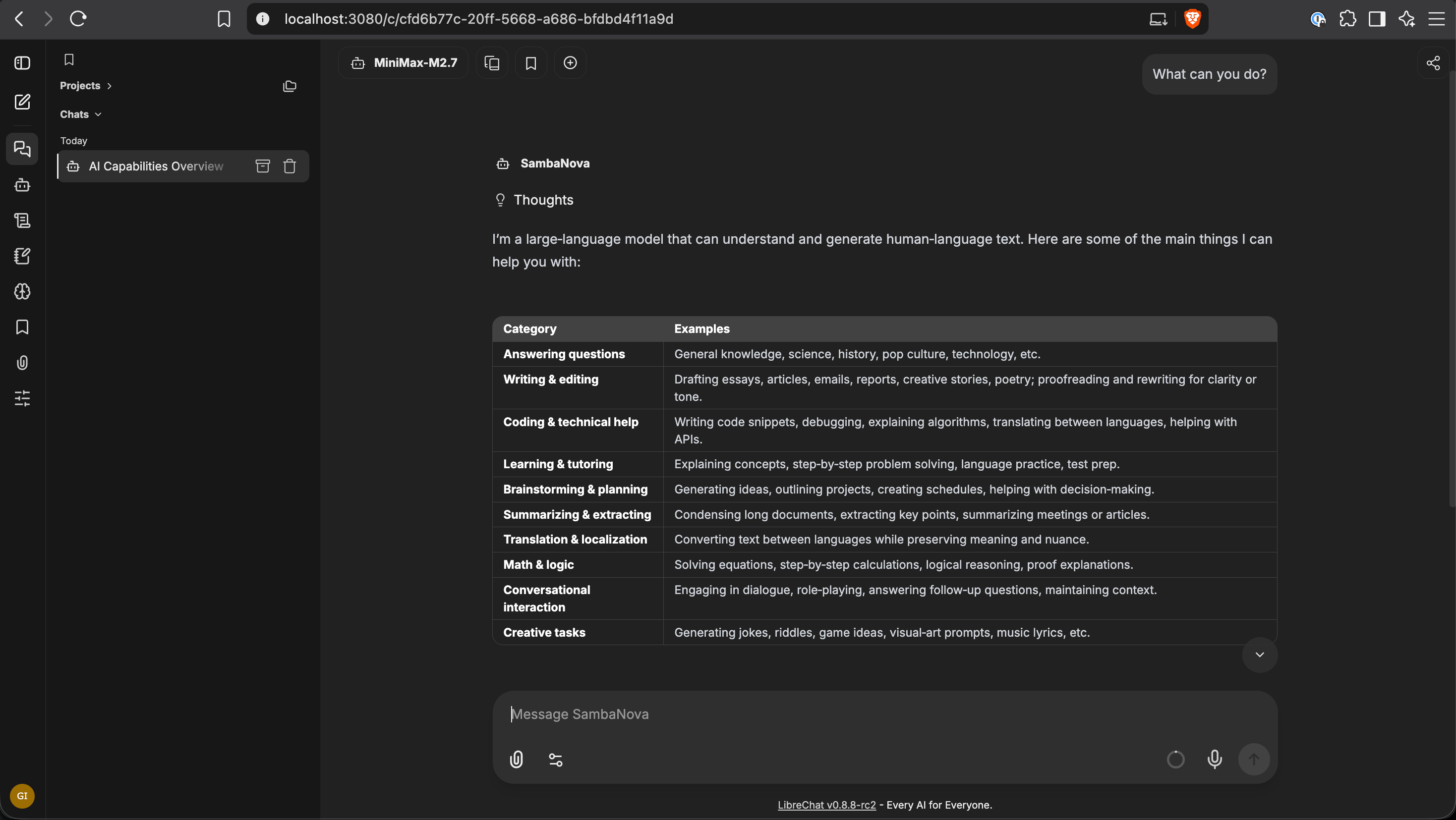
Open the model picker and confirm the SambaNova models appear under the SambaNova group. Start a new chat, pick a model, and send a test prompt.
Troubleshooting
Models not appearing after applying the config
Models not appearing after applying the config
Verify
SAMBANOVA_API_KEY is set in the environment passed to the API container, then run docker compose up -d. A plain docker compose restart will not pick up a newly added bind mount. Check container logs with docker compose logs api for config-load errors.Authentication errors
Authentication errors
Regenerate your API key in the SambaCloud console and update
SAMBANOVA_API_KEY in .env.Reasoning tokens disappear between turns
Reasoning tokens disappear between turns
Add
customParams.includeReasoningHistory: true to the endpoint block and restart. This flag implies includeReasoningContent and also reconstructs reasoning_content from persisted history across turns.