

ai_query.
This guide was tested on a Databricks Free Edition workspace on AWS in November 2026. Databricks marks Model Serving external model endpoints as legacy and points new work to Unity Gateway, so menu names and options can change. Check the Databricks documentation if a screen looks different.
Prerequisites
- A SambaCloud account and API key
- A Databricks workspace with AI Gateway (Unity Gateway) in the sidebar and a SQL warehouse
- A Databricks personal access token. Create one under Settings → User → Developer → Access tokens.
- Python 3.9 or higher
Create a provider service for SambaCloud
A model provider service stores the SambaCloud endpoint and key. Databricks calls it by its three-part Unity Catalog name,catalog.schema.name.
1
Open the new provider form
In the Databricks sidebar, open AI Gateway, select the Providers tab, and click + Provider.
2
Choose the Custom provider and enter the SambaCloud endpoint
Set Catalog to
workspace, Schema to default, and Name to sambanova. Under Provider, select Custom, then fill in:- Provider endpoint:
https://api.sambanova.ai/v1 - Auth method: Bearer token, with the type set to Plaintext
- Bearer token: your SambaCloud API key
3
Register the model with an endpoint route
Under Models, enter these values and click Add model: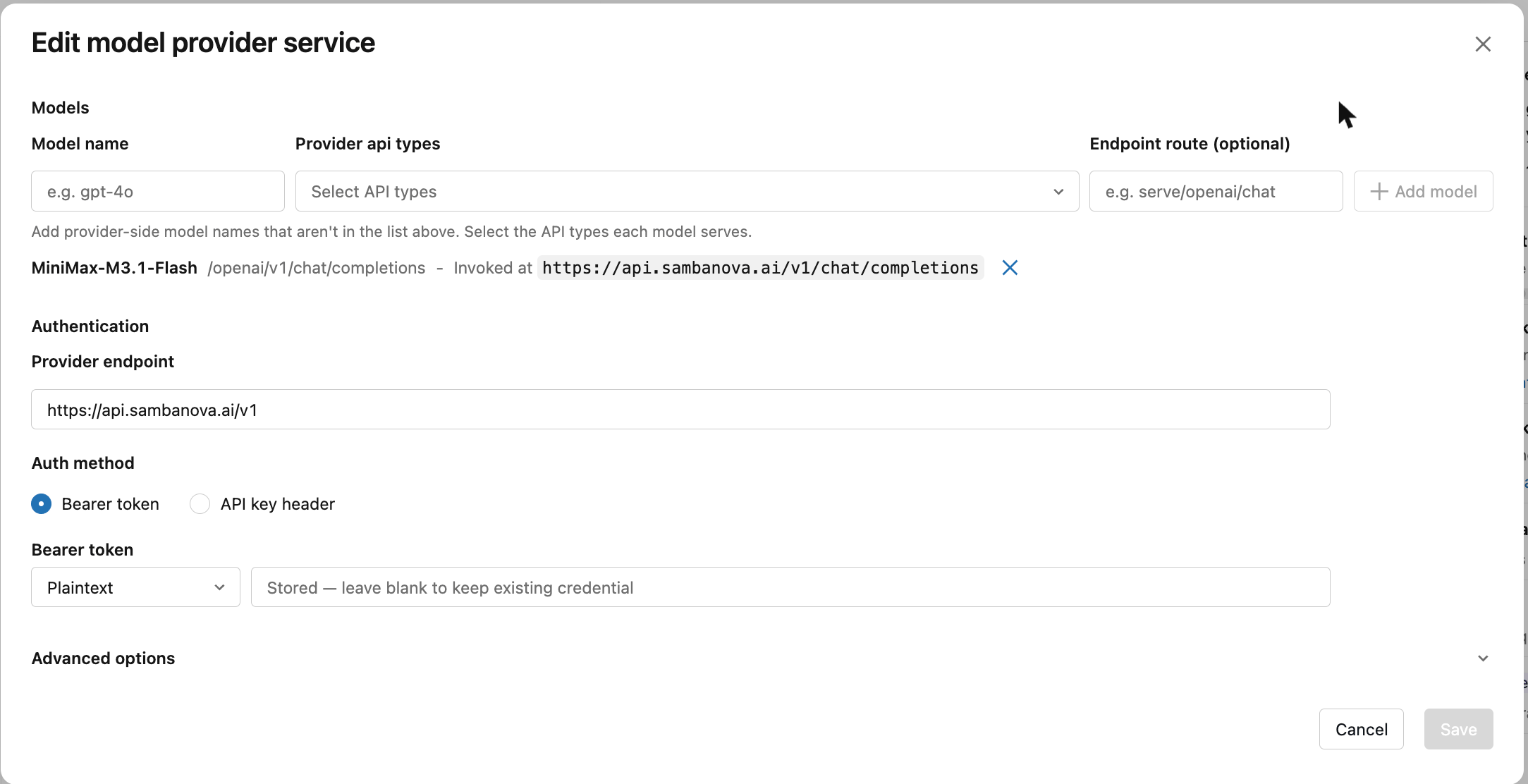
- Model name:
MiniMax-M3.1-Flash - Provider api types:
/openai/v1/chat/completions - Endpoint route:
chat/completions
4
Create the service
Click Create. The provider service page lists 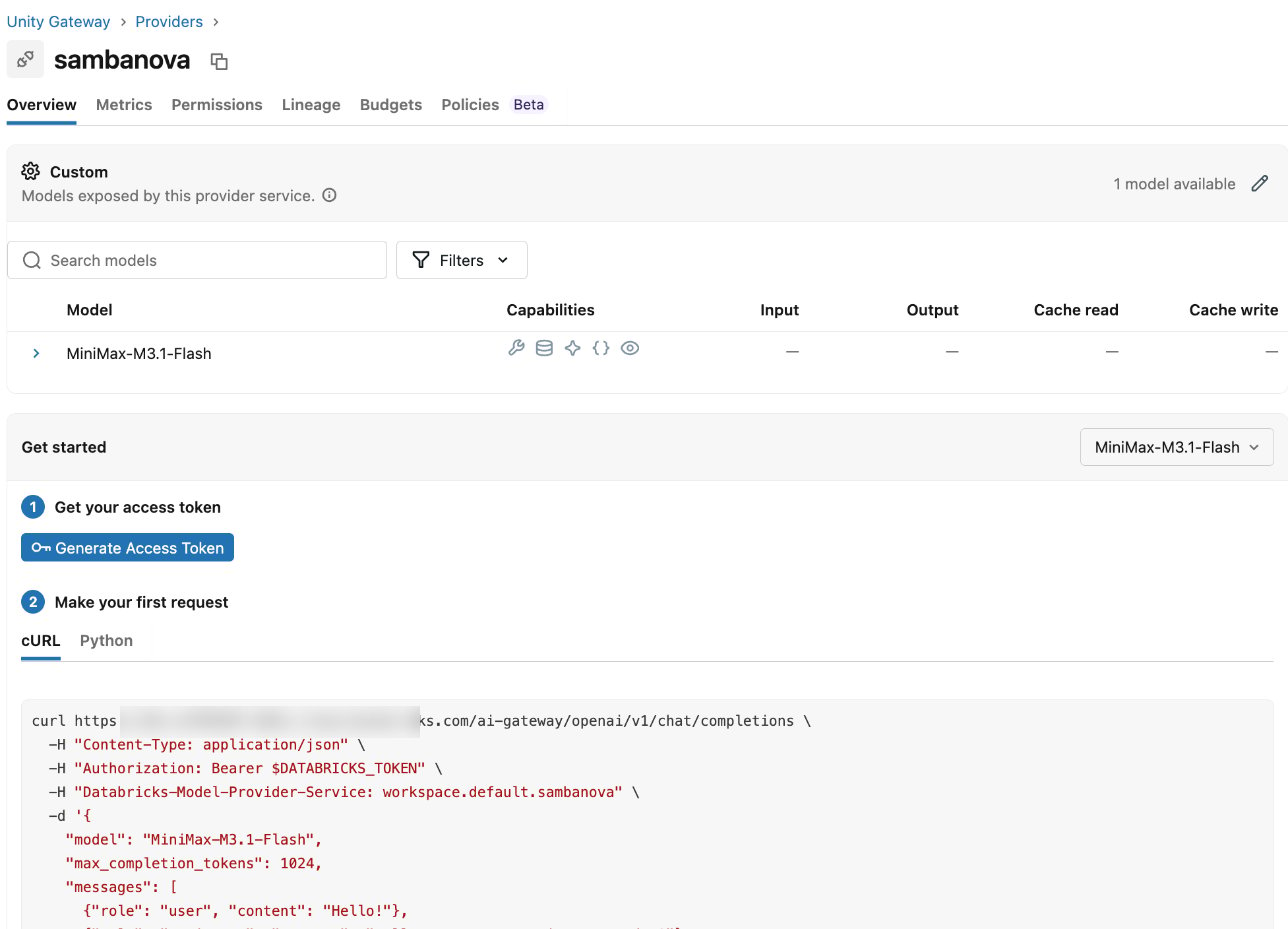
MiniMax-M3.1-Flash as one available model.Call the model from Python
Requests go to your workspace, not to SambaCloud. TheDatabricks-Model-Provider-Service header names the provider service you created, and the model is the model name you registered.
1
Install the client
openai 2.48.0 on Python 3.9.2
Set your workspace URL and token
3
Send a request
query.py
Output
MiniMax-M3.1-Flash is a reasoning model, so it thinks before it answers. Requests in this test took about 4 to 11 seconds end to end. The Databricks Get started panel on the provider service page also shows a ready-made request for your own workspace.Use the model in SQL with ai_query
ai_query calls a Model Serving endpoint by name. In the workspace used for this guide, ai_query did not accept the Unity Gateway provider service: SELECT ai_query('workspace.default.sambanova', ...) failed with “ai_query through UC Model Services is not enabled”. To call SambaCloud from SQL, create a Model Serving endpoint with a custom provider.
1
Create the serving endpoint
In the sidebar, open Serving and click Create serving endpoint. Set Name to
sambanova-minimax. Click the Entity field, select Foundation models, choose Custom Provider from the list, and click Confirm. When Databricks suggests Unity Gateway, click Continue creating in Serving, then fill in:- Custom Provider Model URL:
https://api.sambanova.ai/v1/chat/completions - Custom Provider Authentication Type: Bearer Token Authentication, with the type set to Plaintext
- Bearer Token: your SambaCloud API key
- Model Name:
MiniMax-M3.1-Flash - Task: Chat
2
Wait for the endpoint to be ready
Click Create. The endpoint page shows Ready when the endpoint can take requests.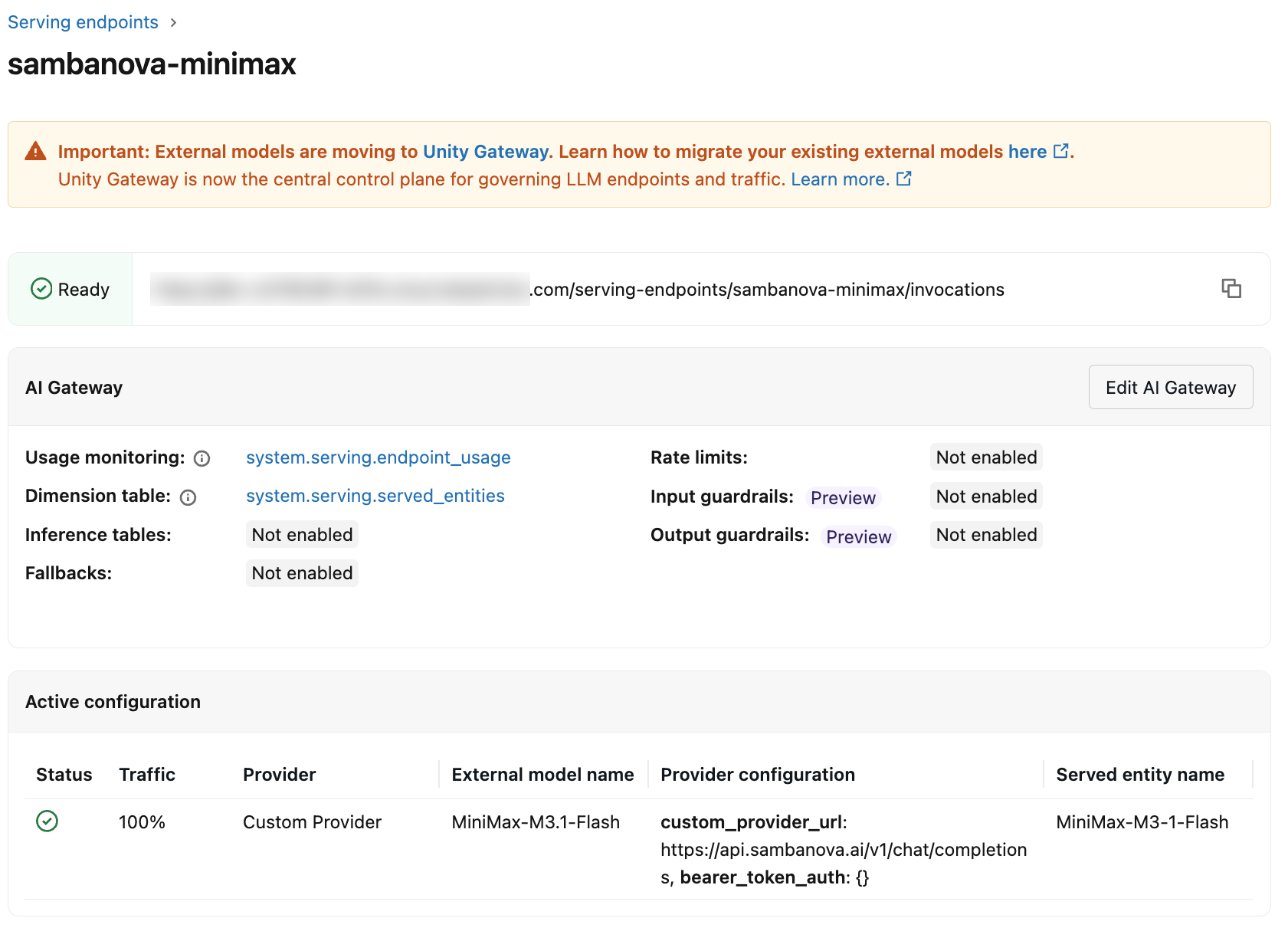
3
Query it from the SQL editor
Open the SQL Editor, attach the serverless starter warehouse, and run:The first run can take longer while the warehouse starts. The query in this test finished in about 5 seconds once the warehouse was running.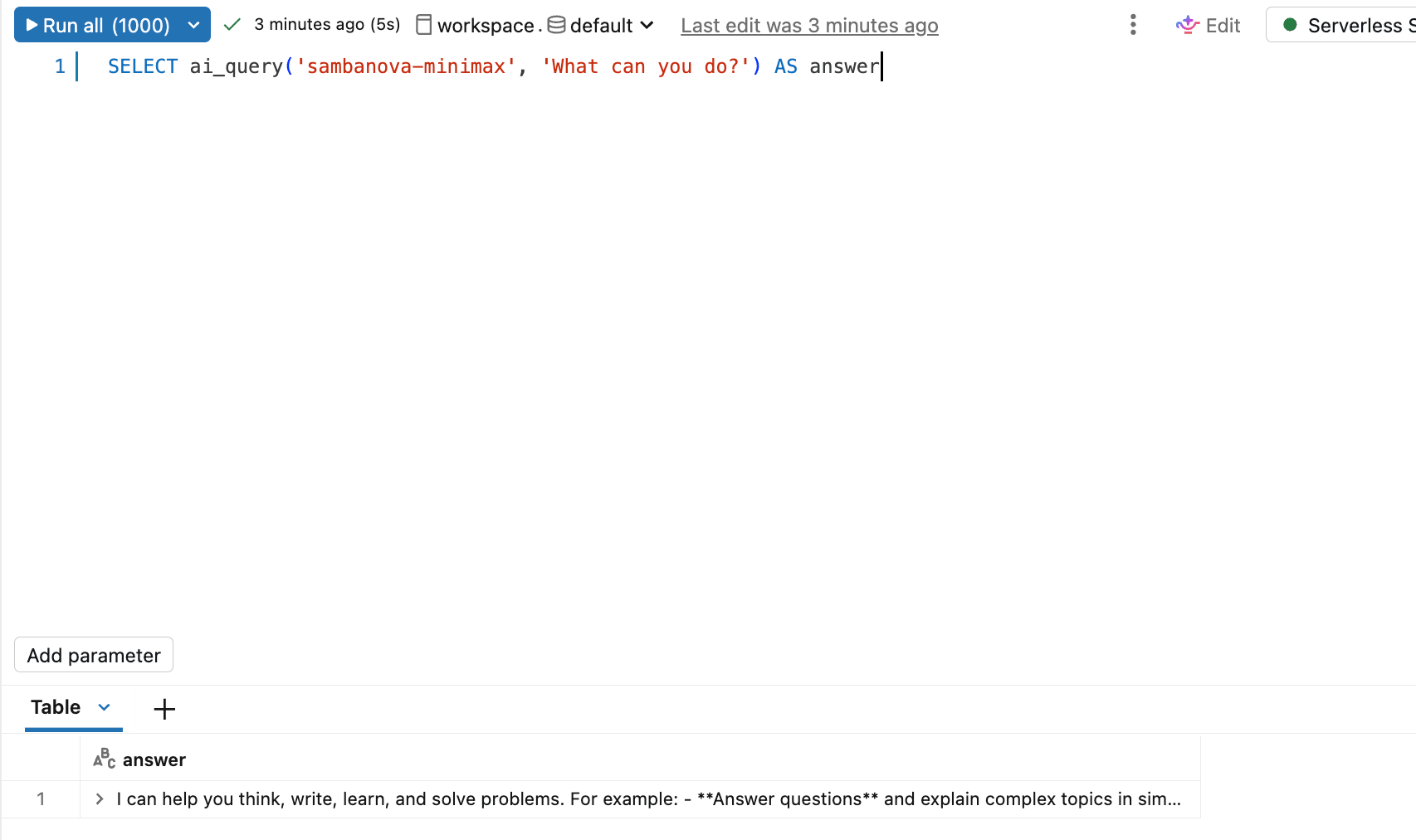
Troubleshooting
401 ... Incorrect API key provided: dapi*****
401 ... Incorrect API key provided: dapi*****
A value starting with
dapi is a Databricks token, so the provider service holds a Databricks token instead of your SambaCloud key. Edit the provider service and paste your SambaCloud key into Bearer token, then save. If you leave that field blank, Databricks keeps the credential it already stores.ai_query through UC Model Services is not enabled
ai_query through UC Model Services is not enabled
You passed the name of a Unity Gateway provider service to
ai_query. Pass the name of a Model Serving endpoint instead, as described in Use the model in SQL with ai_query.