This guide walks you through the installation steps for SambaStack on-prem, including authentication, namespace creation, secrets configuration, and Helm deployment.Create Namespace
Create the sambastack namespace:kubectl create namespace sambastack
Create Image Pull Secret
Create a Docker registry secret for pulling images from Artifact Registry using your Google Cloud service account JSON key:kubectl create secret docker-registry regcred \
--docker-server=us-docker.pkg.dev \
--docker-username=_json_key \
--docker-password="$(cat <service-account-key>.json)" \
--namespace sambastack
Create Artifact Reader Secret
Create a secret for reading model artifacts from Google Cloud Storage:kubectl create secret generic sambanova-artifact-reader \
--from-file=GOOGLE_APPLICATION_CREDENTIALS=<service-account-key>.json \
--namespace sambastack
Label Reconfigurable Dataflow Unit (RDU) nodes
Label each RDU node for scheduling. Add --overwrite for idempotency:kubectl label nodes <NODE_NAME> snRduArch=sn40-16 --overwrite
Step 2: Prepare sambastack.yaml
Configure your deployment by creating a sambastack.yaml file. This file defines ingress settings, TLS configuration, and high availability parameters.Minimal Configuration Example
gateway:
  replicas: 3
  auth:
    enabled: true
    secretName: ""     # set if using custom OIDC secret (see Optional Configuration)
  ingress:
    hosts:
      - host: api.<yourdomain>
        tlsSecretName: tls-cert

cloud-ui:
  replicas: 3
  ingress:
    hosts:
      - host: ui.<yourdomain>
        tlsSecretName: tls-cert

db-admin:
  admins: []           # add admin emails to access Admin UI

auth-and-billing:
  replicas: 3
  # If using EXTERNAL PostgreSQL:
  pgSecretName: pg-credentials

# Database choice:
cloudnative-pg:
  enabled: false       # false = external PostgreSQL; true = in-cluster PostgreSQL

bundles:
  bundleSpecs:
    - name: llama-4-medium
  bundleDeploymentSpecs:
    - name: llama-4-medium
      groups:
        - name: default
          minReplicas: 1
          qosList: [web, free]
Optional Configurations
Create Kubernetes TLS Secret
Once you have the certificates, create a Kubernetes TLS secret in the sambastack namespace.If using one certificate for both hosts, you only need to create one secret:kubectl create secret tls tls-cert \
--cert=path/to/cert.crt \
--key=path/to/private.key \
--namespace sambastack
tls-cert with the secret name you plan to reference in your sambastack.yaml.Update sambastack.yaml
Edit your sambastack.yaml configuration file to include your custom domain and TLS secret:gateway:
ingress:
hosts:
- host: api.<yourdomain>
tlsSecretName: tls-cert
cloud-ui:
ingress:
hosts:
- host: ui.<yourdomain>
tlsSecretName: tls-cert
tlsSecretName value exactly matches the name of the Kubernetes TLS secret created above.
- The secret must exist in the target namespace before you run Helm
- If using different certificates per host, create multiple secrets and reference them per-host
Step 3: Helm Login and Install
Authenticate with Helm Registry
Use your Google Cloud service account to authenticate with the Helm registry:export GOOGLE_APPLICATION_CREDENTIALS="<path/to/sa.json>"
gcloud auth activate-service-account --key-file="$GOOGLE_APPLICATION_CREDENTIALS"
helm registry login -u oauth2accesstoken -p "$(gcloud auth print-access-token)" us-docker.pkg.dev
Install SambaStack
Install the base chart and main SambaStack chart:helm upgrade \
--install \
--namespace sambastack \
--version 0.3.528 \
sambastack-base \
oci://<REGISTRY_URL>/sambastack/sambastack-base
helm upgrade \
--install \
--namespace sambastack \
--version 0.3.528 \
sambastack \
-f sambastack.yaml \
oci://<REGISTRY_URL>/sambastack/sambastack
SambaNova provides the full registry URL and version number during handover. Contact your SambaNova representative for access credentials.
Version numbers change with new chart releases. Use the version number provided by your SambaNova representative.
Refer to the Pods reference table for details on the pods created after installation. Configuration Parameters
This section describes the key parameters in sambastack.yaml.gateway
| Parameter | Type | Description |
|---|
gateway.replicas | integer | API gateway replica count for high availability |
gateway.auth.enabled | boolean | Enable built-in OIDC integration |
gateway.auth.secretName | string | Name of Kubernetes Secret containing OIDC credentials. Leave empty for default auth mode |
gateway.ingress.hosts[].host | string | Your API FQDN (e.g., api.example.com) |
gateway.ingress.hosts[].tlsSecretName | string | Kubernetes TLS secret name for the API host |
cloud-ui (Web UI)
| Parameter | Type | Description |
|---|
cloud-ui.replicas | integer | UI replica count for high availability |
cloud-ui.ingress.hosts[].host | string | Your UI FQDN (e.g., ui.example.com) |
cloud-ui.ingress.hosts[].tlsSecretName | string | Kubernetes TLS secret name for the UI host |
db-admin
| Parameter | Type | Description |
|---|
db-admin.admins | list | Email addresses of users who can access the Admin UI |
auth-and-billing
| Parameter | Type | Description |
|---|
auth-and-billing.replicas | integer | Core control-plane service scaling |
auth-and-billing.pgSecretName | string | Name of Kubernetes Secret containing external PostgreSQL connection details (DB_HOST, DB_DATABASE, DB_USER, DB_PASSWD) as base64-encoded data fields. Required when using external PostgreSQL |
cloudnative-pg
| Parameter | Type | Description |
|---|
cloudnative-pg.enabled | boolean | true = deploy in-cluster PostgreSQL; false = use external PostgreSQL via auth-and-billing.pgSecretName |
bundles
| Parameter | Type | Description |
|---|
bundles.bundleSpecs[] | list | Declares bundles (model assets) by name |
bundles.bundleDeploymentSpecs[] | list | Deploys the declared bundles |
bundleDeploymentSpecs[].name | string | Must match a declared bundleSpecs.name |
bundleDeploymentSpecs[].groups[].name | string | Routing/capacity group name |
bundleDeploymentSpecs[].groups[].minReplicas | integer | Minimum engines for the group |
bundleDeploymentSpecs[].groups[].qosList[] | list | QoS tags (e.g., web, free, pro) |
serviceTiers
Service tiers define consumption policies and routing limits per plan/tier. This configuration must be at the same YAML level as bundles.Example configuration:serviceTiers: # [Optional] Configure serviceTiers
<Tier1>:: # Name a custom service tier
- models: # List models allowed in the service tier
- Llama-4-Maverick-17B-128E-Instruct
queueDepth: 25 # Queries to queue before returning busy
qos: "free" # Quality-of-service, usually same as service tier name
rates: # Rate limit list
- allowedRequests: 0
periodSeconds: 30
<Tier2>: # Name a custom service tier that inherits another tier
inherits: <Tier1>
overrides:
- models:
- Llama-4-Maverick-17B-128E-Instruct
queueDepth: 25
qos: "free"
rates:
- allowedRequests: 2
periodSeconds: 30
serviceTiers must be at the same YAML level as bundles (root-level key in sambastack.yaml).
This section guides you through installing SambaStack by preparing your configuration, setting up authentication, and verifying deployment to start managing your instance effectively.Sample sambastack.yaml
Use the sample sambastack.yaml file to help you prepare your instance configuration, including service tiers, authentication, and optional settings. This file shows a model to use after deployment (bundleDeploymentSpecs), defines service tiers for rate limits and model access for user groups (serviceTiers), and configures admin settings (db-admin).apiVersion: v1
kind: ConfigMap
metadata:
annotations:
serial: "1"
name: sambastack
labels:
sambastack-installer: "true" # [REQUIRED] Tells the installer to use this config
data:
sambastack.yaml: | # [REQUIRED] Installer looks for the file 'sambastack.yaml'
version: 0.3.528 # [REQUIRED] Version of sambastack to install
bundles: # [OPTIONAL] Static inference configuration
bundleSpecs: # The Bundles to allow. This will install both a BundleTemplate and
# a matching Bundle with the same that provides default checkpoints
# to the BundleTemplate. You can manually add additional Bundles
# for an installed BundleTemplate here to BYOC. The BYOC APIs will
# only be able to BYOC a BundleTemplate enabled here, so you can
# use this list to limit which model architectures are available.
#
- name: llama-4-medium # This serves Llama-4-Maverick-17B-128E-Instruct.
#
bundleDeploymentSpecs: # BundleDeployments to create (putting the model on a machine).
- name: llama-4-medium # Name of the Bundle to deploy.
groups: # The deployments to create for this bundle.
- name: "default" # Unique name for this deployment.
minReplicas: 1 # Number of machines this BundleDeployment should run on.
qosList: # Different QOS levels to allow access to the BundleDeployment.
- "web"
- "free"
db-admin: # Defining user id as admins with their email IDs
admins:
- abc@example.com
serviceTiers: # [Optional] Configure serviceTiers
<Tier1>: # Name a custom service tier
- models: # List models allowed in the service tier
- Llama-4-Maverick-17B-128E-Instruct
queueDepth: 100 # Queries to queue before returning busy
qos: "example" # Quality-of-service, usually same as service tier name
rates: # Rate limit list
- allowedRequests: 0
periodSeconds: 30
<Tier2>: # Name a custom service tier that inherits another tier
inherits: <Tier1>
overrides:
- models:
- Llama-4-Maverick-17B-128E-Instruct
queueDepth: 100
qos: "example"
rates:
- allowedRequests: 2
periodSeconds: 30
Step 1: Install sambastack.yaml
The SambaStack installation is managed through the SambaStack Installer, which is already enabled in the cluster for Hosted deployments. The Installer reads the sambastack.yaml configuration file stored as a ConfigMap and applies it to set up your instance.Prepare the file
The file defines the configuration for your instance (e.g., service tiers, authentication, optional features). Use the sample file above as a reference when creating your own.Apply the configuration
kubectl apply -f <path-to-sambastack.yaml>
configmap/sambastack configured
Sanity checks
-
Check installer logs and retrieve UI/API domain names with:
kubectl -n sambastack-installer logs -l sambanova.ai/app=sambastack-installer -f
NAME: sambastack
LAST DEPLOYED: Thu Sep 11 10:18:54 2025
NAMESPACE: default
STATUS: deployed
REVISION: 7
TEST SUITE: None
[INFO] (helm_upgrade_install) Upgraded/installed sambastack release
[INFO] (configure_default_ingress) UI Domain: ui-domain-example.sambanova.ai
[INFO] (configure_default_ingress) API Domain: api-domain-example.sambanova.ai
-
Verify cluster pods
Step 2: Authentication setup and user management
You have two options for authentication setup.Option 1: SambaNova provided Keycloak configuration (default)
For hosted SambaStack, SambaNova provides a default Keycloak instance for authentication.Key considerations and common issues
- Email is required: Users without an email cannot log in.
- Unique usernames: Duplicate usernames are disallowed; keep username and email aligned.
- Permanent passwords: Initial passwords should not be temporary unless a user reset is desired.
- Browser tip: Use Chrome for Keycloak admin UI when port-forwarding to avoid session cookie issues.
Steps to log in to Keycloak
-
Retrieve admin credentials:
kubectl get secret keycloak-initial-admin -o go-template='username: {{.data.username | base64decode}} password: {{.data.password | base64decode}}'
username: admin
password: <random-password>
-
Port-forward Keycloak service
kubectl port-forward svc/keycloak-service 8080
- Access via Chrome at
http://localhost:8080 and log in using the retrieved credentials.
- Manage users by following the Keycloak Server Administration Guide.
Option 2: Custom OIDC configuration
To use your own OIDC provider:Gather required values
| Source | Values |
|---|
| Provided by your OIDC provider | OIDC_CLIENT_ID, OIDC_CLIENT_SECRET, OIDC_ISSUER_URL, OIDC_REDIRECT_URI |
| Random string to be created | JWT_SECRET_KEY |
OIDC_CLIENT_ID, OIDC_CLIENT_SECRET, OIDC_ISSUER_URL, OIDC_REDIRECT_URI, and JWT_SECRET_KEY.Values will be base64-encoded during upload, even if provided as plain text.
Create Kubernetes secret (oidc_auth.yaml)
See optional example for using custom OIDC provider.apiVersion: v1
kind: Secret
metadata:
name: oidc-auth
stringData:
OIDC_CLIENT_ID: "example"
OIDC_CLIENT_SECRET: "example"
OIDC_ISSUER_URL: "https://auth.example.com/""
OIDC_REDIRECT_URI: "https://ui.example.com/web/auth/callback"
JWT_SECRET_KEY: "example"
Apply to create secret object
This command takes your YAML file and creates a secret object named oidc-auth inside Kubernetes.kubectl apply -f oidc_auth.yaml
Update sambastack.yaml
Add or update the following config data:data:
sambastack.yaml:
auth:
authSecretName: oidc_auth
Apply and verify secret
kubectl apply -f sambastack.yaml
kubectl get secret | grep oidc
oidc-auth                      Opaque           5          10s
sambastack-oidc-auth           Opaque           5          7m53s
Step 3: Log into SambaStack UI and make API calls
-
Obtain the domain names from the installer logs (see Step 1)
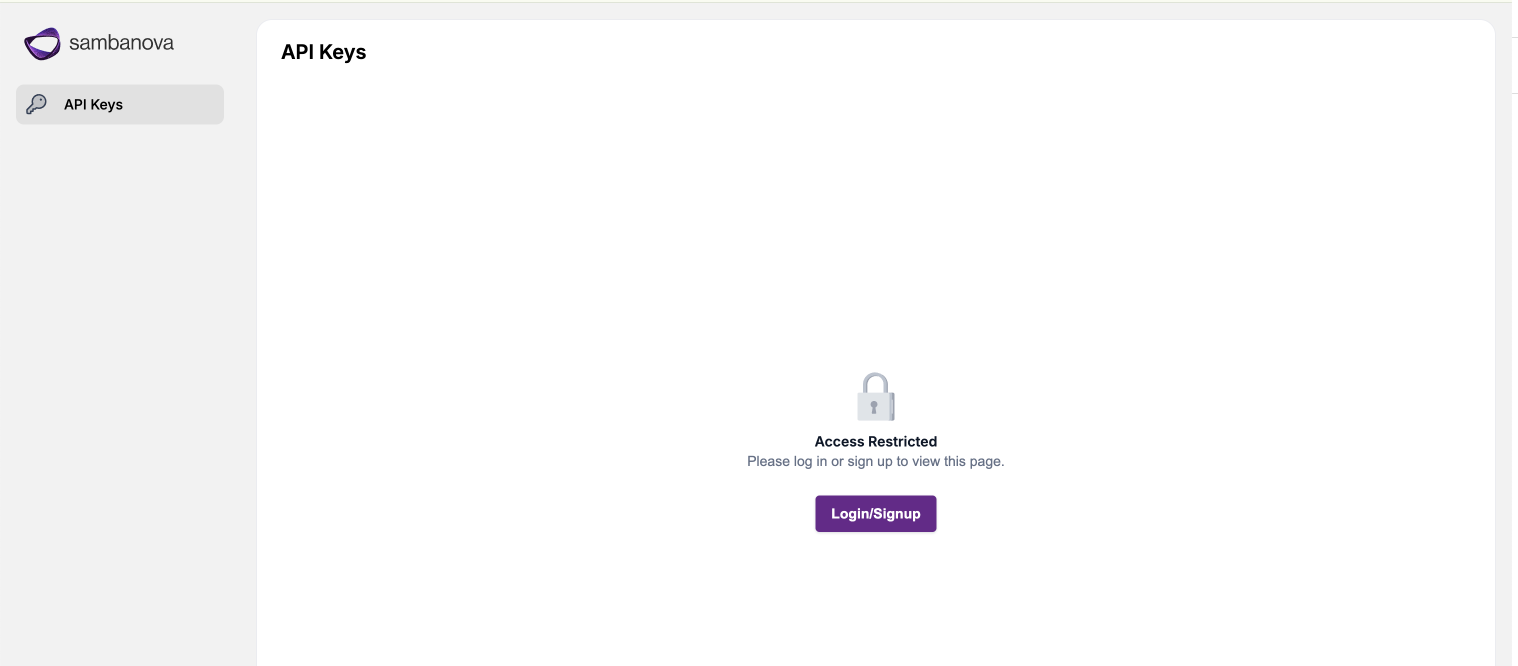
-
Access the UI domain using Google Chrome to avoid compatibility issues.
-
Log in using your credentials via the authentication flow.
-
After login, navigate to the API Keys page to create and manage API keys.
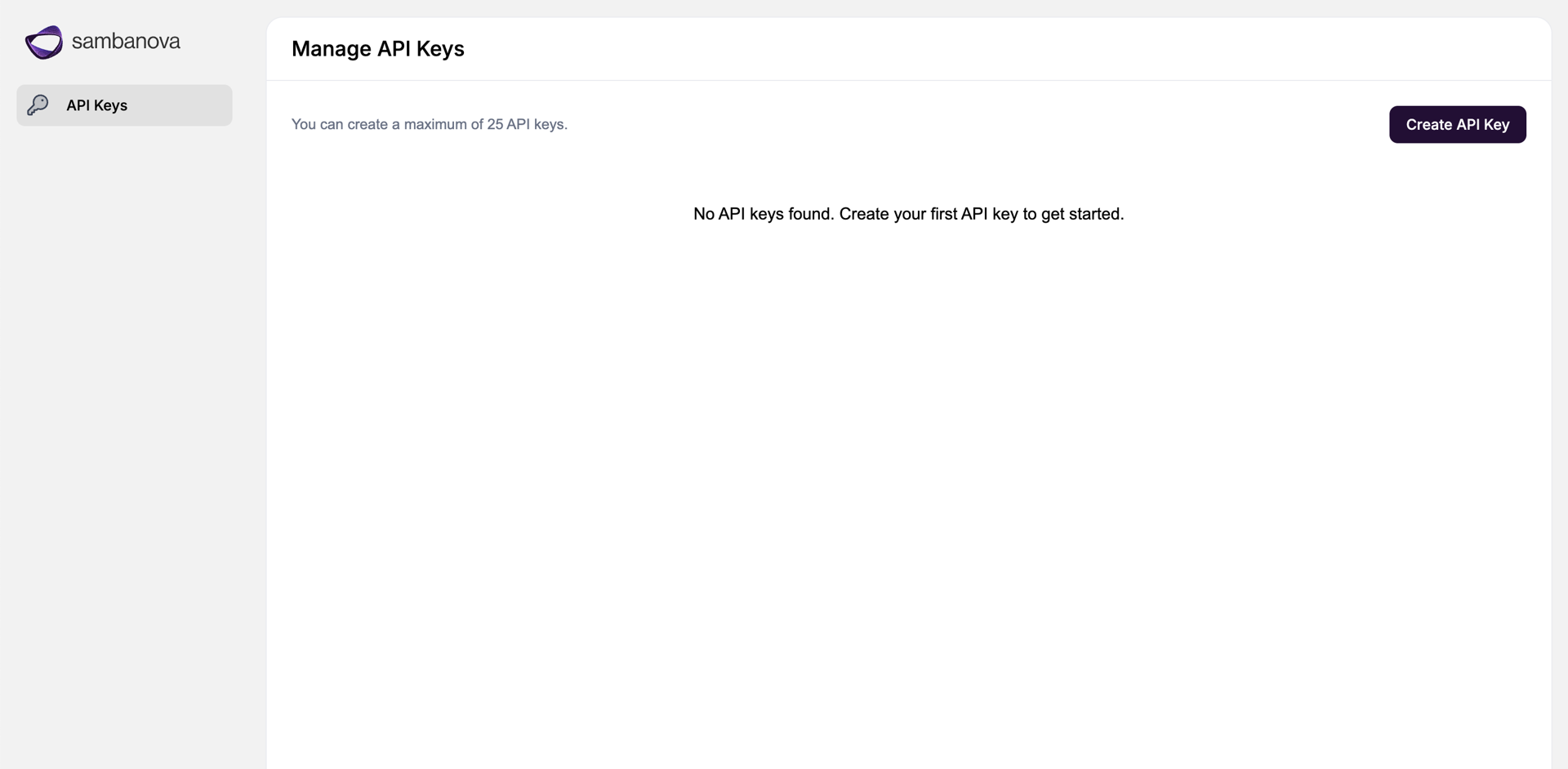
Create and manage API calls
If your deployment does not include bundles, update your sambastack.yaml to deploy at least one model as shown in the sample file, specifying models in bundleSpecs and bundleDeploymentSpecs.Example snippet from sambastack.yaml:data:
sambastack.yaml: | # [REQUIRED] Installer looks for the file 'sambastack.yaml'
version: 0.3.528 # [REQUIRED] Version of sambastack to install
bundles: # [OPTIONAL] Static inference configuration
bundleSpecs: # The Bundles to allow. This will install both a BundleTemplate and
# a matching Bundle with the same that provides default checkpoints
# to the BundleTemplate. You can manually add additional Bundles
# for an installed BundleTemplate here to BYOC. The BYOC APIs will
# only be able to BYOC a BundleTemplate enabled here, so you can
# use this list to limit which model architectures are available.
#
- name: llama-4-medium # This serves Llama-4-Maverick-17B-128E-Instruct.
#
bundleDeploymentSpecs: # BundleDeployments to create (putting the model on a machine).
- name: llama-4-medium # Name of the Bundle to deploy.
groups: # The deployments to create for this bundle.
- name: "default" # Unique name for this deployment.
minReplicas: 1 # Number of machines this BundleDeployment should run on.
qosList: # Different QOS levels to allow access to the BundleDeployment.
- "web"
- "free"
sambastack.yaml:To deploy multiple bundles, list them under bundleSpecs and define each deployment under bundleDeploymentSpecs as separate entries. This example deploys two bundles named llama-4-medium and qwen3-32b-whisper.data:
sambastack.yaml: |
version: 0.3.528
bundles:
bundleSpecs:
- name: llama-4-medium
- name: qwen3-32b-whisper
bundleDeploymentSpecs:
- name: llama-4-medium
groups:
- name: "default"
minReplicas: 1
qosList:
- "web"
- "free"
- name: qwen3-32b-whisper
groups:
- name: "default"
minReplicas: 1
qosList:
- "web"
- "free"
Create and manage API keys
- Log in to the SambaStack UI.
- Navigate to the API Keys page.
- Click Create API Key.
- Enter a name for your new API key.
- Copy and securely save the generated key immediately. The raw key is only displayed once and cannot be retrieved later
To revoke or regenerate keys, manage them from the API Keys page.Command reference table
| Task | Example command |
|---|
| Set kubeconfig | export KUBECONFIG=<Path for kubeconfig file> |
| Check installer logs and get domain names | kubectl -n sambastack-installer logs -l sambanova.ai/app=sambastack-installer -f |
| Verify cluster pods | kubectl get pods |
| List nodes | kubectl get nodes |
| Apply / update manifest | kubectl apply -f <sambastack.yaml> |
| View applied manifest | kubectl get configmap sambastack -o yaml |
| Retrieve Keycloak admin credentials | kubectl get secret keycloak-initial-admin -o go-template='username: {{.data.username | base64decode}} password: {{.data.password | base64decode}}' |
| Access Keycloak as an admin | kubectl port-forward svc/keycloak-service 8080 |
