> ## Documentation Index
> Fetch the complete documentation index at: https://sambanova-systems.mintlify.site/docs/llms.txt
> Use this file to discover all available pages before exploring further.
# Quickstart - hosted
This guide walks you through hosted SambaStack set up by preparing your configuration, setting up authentication, and verifying deployment to start managing your instance effectively.
## Prerequisites
* Install [**kubectl**](https://kubernetes.io/docs/tasks/tools/)
## Setup
To interact with the cluster, you need valid `kubeconfig` credentials. **SambaNova will provide** both the `kubeconfig` file and the base64-encoded password.
1. Save the provided kubeconfig file securely (e.g.`~/.sambastack/kubeconfig.yaml`)
2. Decode the base64-encoded password and save it to a YAML file.
```shellscript theme={null}
echo | base64 -d > .yaml
```
Store both the password and kubeconfig file securely and do not share them with unauthorized users; the password is required to access cluster nodes.
3. Set the kubeconfig variable:
```shellscript theme={null}
export KUBECONFIG=~/path/to/.yaml
```
4. Your credentials file should resemble [this example](#example-kubeconfig-structure).
1. Configure a minimum viable `sambastack.yaml` file:
```yaml theme={null}
apiVersion: v1
kind: ConfigMap
metadata:
annotations:
serial: "1"
name: sambastack
labels:
sambastack-installer: "true"
data:
sambastack.yaml: |
version:
bundles:
bundleSpecs:
- name: gpt-oss-120b-8-32-64-128k
bundleDeploymentSpecs:
- name: gpt-oss-120b-8-32-64-128k
groups:
- name: "default"
minReplicas: 1
qosList:
- "web"
- "free"
db-admin:
admins:
- abc@example.com
```
See the [SambaStack.yaml Reference](/en/v1.2.0/sambastack/resources/sambastack-yaml) for a full example.
Update the version field to match the version provided by your SambaNova representative.
2. Apply the file
```shellscript theme={null}
kubectl apply -f
```
If successful, you will see
```
configmap/sambastack configured
```
3. Verify success by running the following commands and observing expected outputs:\
\
Check installer logs and retrieve UI/API domain names with:
```shellscript theme={null}
kubectl -n sambastack-installer logs -l sambanova.ai/app=sambastack-installer -f
```
expected response:
```
NAME: sambastack
LAST DEPLOYED: Thu Sep 11 10:18:54 2025
NAMESPACE: default
STATUS: deployed
REVISION: 7
TEST SUITE: None
[INFO] (helm_upgrade_install) Upgraded/installed sambastack release
[INFO] (configure_default_ingress) UI Domain: ui-domain-example.sambanova.ai
[INFO] (configure_default_ingress) API Domain: api-domain-example.sambanova.ai
```
\
Verify cluster pods are running:
```shellscript theme={null}
kubectl get pods
```
expected response:
```
NAME READY STATUS RESTARTS AGE
alertmanager-sambastack-kube-prometheus-alertmanager-0 2/2 Running 0 1d
alertmanager-sambastack-kube-prometheus-alertmanager-1 2/2 Running 0 1d
auth-and-billing-6c75dd9459-pdfd4 1/1 Running 0 1d
auth-and-billing-6c75dd9459-vpfrz 1/1 Running 0 1d
cloud-ui-7646779bcb-mq295 1/1 Running 0 1d
db-admin-59c6dc4958-rctmc 2/2 Running 0 1d
gateway-95956579b-4gqsl 4/4 Running 0 1d
gateway-95956579b-bjltl 4/4 Running 0 1d
inf-gpt-oss-120b-8-32-64-128k-cache-0 1/1 Running 0 1d
inf-gpt-oss-120b-8-32-64-128k-q-default-n-0 2/2 Running 1 (71d ago) 1d
inf-operator-0 1/1 Running 0 1d
inference-router-6f965555d8-wqf7t 1/1 Running 0 1d
keycloak-0 1/1 Running 0 1d
keycloak-operator-8dc4bc4d9-gj2m9 1/1 Running 5 (109d ago) 1d
opensearch-cluster-master-0 1/1 Running 0 1d
opensearch-index-mgmt-job-skzw9 0/1 Completed 0 1d
prometheus-sambastack-kube-prometheus-prometheus-0 2/2 Running 2 (109d ago) 1d
prometheus-sambastack-kube-prometheus-prometheus-1 2/2 Running 2 (109d ago) 1d
sambastack-cloudnative-pg-5bfd776f85-lwb74 1/1 Running 7 (25d ago) 1d
sambastack-fluent-bit-8vf55 1/1 Running 0 1d
sambastack-global-queue-redis-master-0 2/2 Running 0 1d
sambastack-grafana-7b6b8c899b-8r6gc 3/3 Running 0 1d
sambastack-kube-prometheus-operator-65dddbc87f-2k84c 1/1 Running 0 1d
sambastack-kube-state-metrics-6fffcb5987-v6pfx 1/1 Running 0 1d
sambastack-localpv-provisioner-64f9fd84cd-h72zc 1/1 Running 7 (25d ago) 1d
sambastack-opensearch-dashboards-787695c54d-zgr4p 1/1 Running 0 1d
sambastack-postgres-1 1/1 Running 0 1d
sambastack-postgres-2 1/1 Running 0 1d
sambastack-postgres-3 1/1 Running 0 1d
sambastack-prometheus-node-exporter-fwzr6 1/1 Running 0 1d
sambastack-response-queue-redis-master-0 2/2 Running 0 1d
sn-legacy-exporter-mlqg5 2/2 Running 0 1d
```
It usually takes about 5-10 minutes for all the pods to reach their desired `Running` state.
See the [**Pods reference**](/en/v1.2.0/sambastack/resources/pods-reference) table for more details.
For hosted SambaStack, SambaNova provides a default Keycloak instance for authentication. If you would like to set up a custom OIDC configuration, please refer to the [Authentication Page](/en/v1.2.0/sambastack/service-administration/authentication).
#### **Key considerations and common issues**
* **Email is required:** Users without an email cannot log in.
* **Unique usernames:** Duplicate usernames are disallowed; keep username and email aligned.
* **Permanent passwords:** Initial passwords should not be temporary unless a user reset is desired.
* **Browser tip:** Use Chrome for Keycloak admin UI when port-forwarding to avoid session cookie issues.
1. Retrieve admin credentials:
```shellscript theme={null}
kubectl get secret keycloak-initial-admin -o go-template='username: {{.data.username | base64decode}} password: {{.data.password | base64decode}}'
```
expected output:
```
username: admin
password:
```
2. Port-forward Keycloak service
```shellscript theme={null}
kubectl port-forward svc/keycloak-service 8080
```
3. Visit `http://localhost:8080` and log in using retrieved credentials.
4. Manage users by following the [**Keycloak Server Administration Guide**](https://www.keycloak.org/docs/latest/server_admin/index.html#proc-creating-user_server_administration_guide)**.**
1. Obtain the UI domain from the installer logs (see Step 2.3)
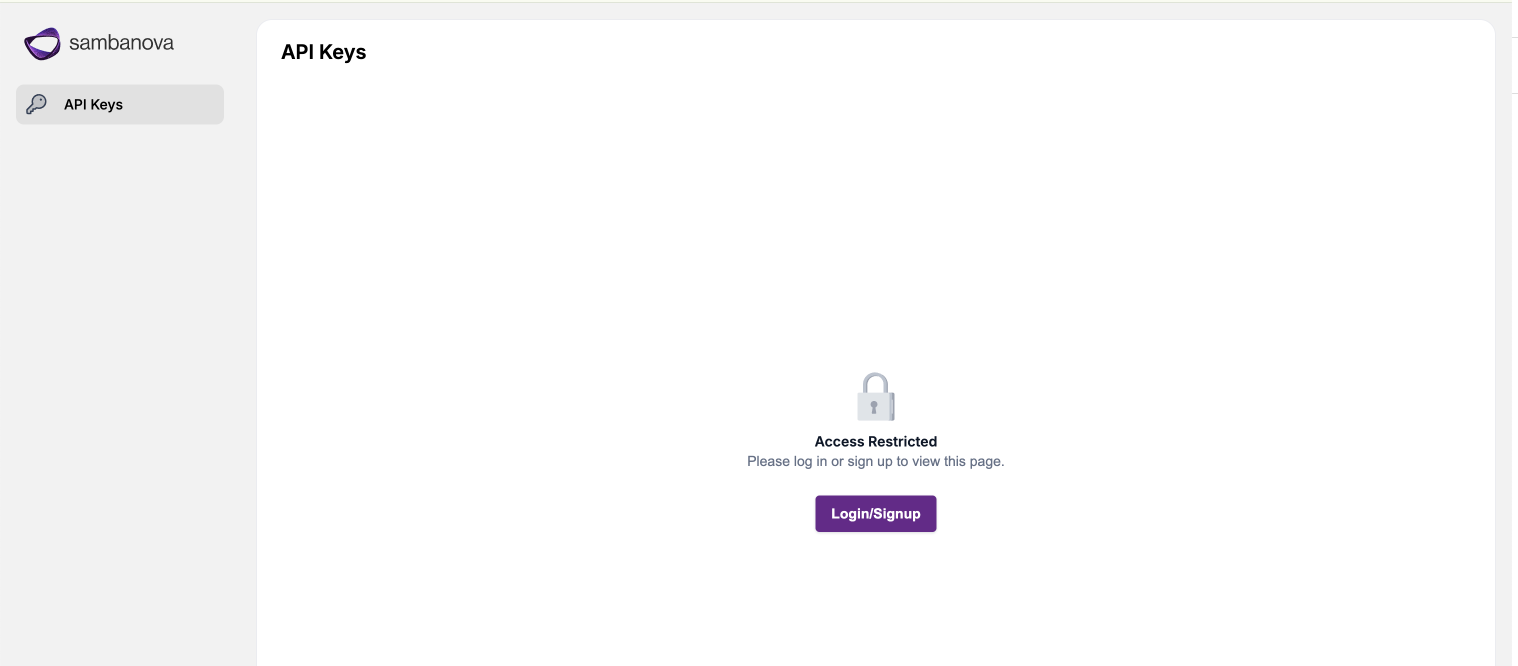 Access the UI domain using Google Chrome to avoid compatibility issues.
2. Log in using your credentials via the authentication flow.
Access the UI domain using Google Chrome to avoid compatibility issues.
2. Log in using your credentials via the authentication flow.
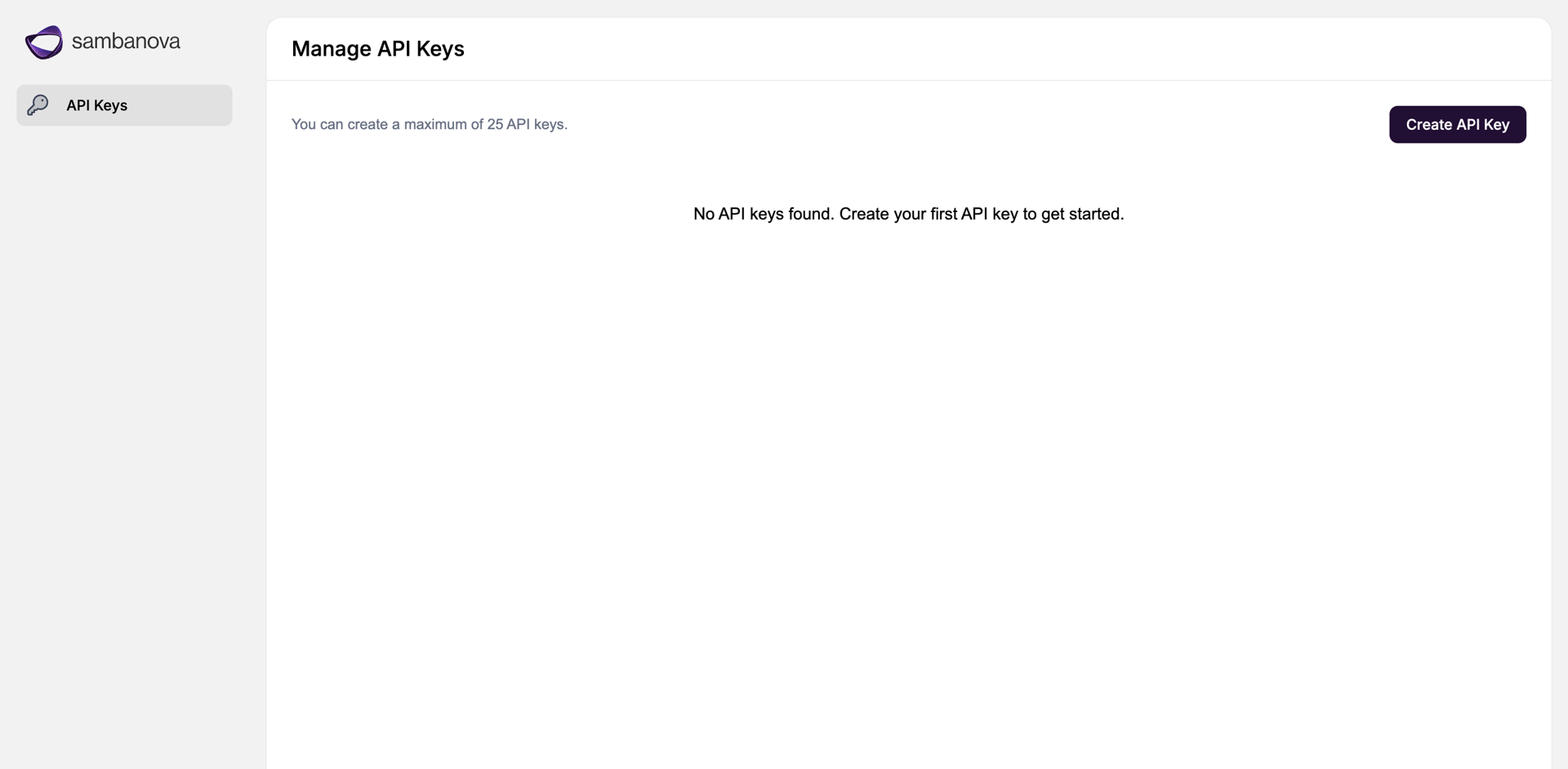 3. Navigate to the **API Keys** page, create API key, and save securely!
1. Set your API key:
```shellscript theme={null}
export SAMBANOVA_API_KEY=''
```
2. Run a test query against the deployed model bundle with either cURL or a python script:
Run the following cURL command, making sure to enter the correct domain:
```shellscript theme={null}
curl https:///v1/chat/completions \
-H "Authorization: Bearer $SAMBANOVA_API_KEY" \
-H "Content-Type: application/json" \
-d '{
"model": "gpt-oss-120b",
"messages": [
{"role": "system", "content": "You are a concise assistant."},
{"role": "user", "content": "Say hi in one sentence and comment on the weather."}
],
"temperature": 0.2,
"max_tokens": 128,
"stream": false
}'
```
Your response should resemble the following:
```json theme={null}
{
"choices": [
{
"finish_reason": "stop",
"index": 0,
"logprobs": null,
"message": {
"content": "Hi there, it's a sunny day today!",
"reasoning": "The user wants a short response: \"Say hi in one sentence and comment on the weather.\" So we need to produce a single sentence that says hi and comments on the weather. Must be concise. So something like \"Hi there! It's a sunny day today.\" That's two sentences. Need one sentence. Could be \"Hi there–it's a sunny day today!\" That's one sentence with dash. Or \"Hi there, it's a sunny day today!\" That's one sentence with comma. That works. Provide that.",
"role": "assistant"
}
}
],
"created": 1770927918,
"id": "c754b468-05e1-4fe4-8a28-f51ecc74f4f2",
"model": "gpt-oss-120b",
"object": "chat.completion",
"system_fingerprint": "fastcoe",
"usage": {
"completion_tokens": 121,
"completion_tokens_after_first_per_sec": 500.6027126944832,
"completion_tokens_after_first_per_sec_first_ten": 502.05732024083596,
"completion_tokens_after_first_per_sec_graph": 502.05732024083596,
"completion_tokens_per_sec": 413.56225915094006,
"end_time": 1770927918.2348678,
"is_last_response": true,
"prompt_tokens": 91,
"prompt_tokens_details": {
"cached_tokens": 0
},
"start_time": 1770927917.942288,
"stop_reason": "stop",
"time_to_first_token": 0.05286884307861328,
"time_to_first_token_graph": 0.05082893371582031,
"total_latency": 0.29257988929748535,
"total_tokens": 212,
"total_tokens_per_sec": 724.5884209917298
}
}
```
Create a python script to run the following program. Make sure to insert your correct api domain name.
```python theme={null}
import os
from sambanova import SambaNova
api_key = os.environ.get("SAMBANOVA_API_KEY")
client = SambaNova(
api_key=api_key,
base_url="https:///v1",
)
try:
response = client.chat.completions.create(
model="gpt-oss-120b",
messages=[
{"role": "system", "content": "You are a concise assistant."},
{"role": "user", "content": "Say hi in one sentence and comment on the weather."}
],
temperature=0.2,
)
print(response.choices[0].message.content)
except Exception as e:
print(f"An error occurred: {e}")
```
Your response should resemble the following:
```
Hi, it's a sunny day today!
```
## Next steps
Congrats! You've set up your SambaStack cluster to a baseline running state. At this point, what you configure next depends on your goals. The following is a list of common configurations you can set up next:
* [Deploy a new model bundle](/en/v1.2.0/sambastack/service-administration/deploying-model-bundles)
* [Customize OIDC Authentication](/en/v1.2.0/sambastack/service-administration/authentication)
* [Set External PostgreSQL Database](/en/v1.2.0/sambastack/service-administration/custom-database)
## Appendix
### Example kubeconfig structure
The following sample kubeconfig file shows how clusters, users, and contexts are defined for Kubernetes authentication and access.
```shellscript theme={null}
apiVersion: v1
kind: Config
clusters:
- name: default
cluster:
certificate-authority-data:
server: https://
users:
- name: sambastack-admin
user:
token:
contexts:
- name: default
context:
cluster: default
user: sambastack-admin
namespace: default
current-context: default
```
### Kubeconfig fields
| **Keyword** | **Description** |
| :---------------- | :------------------------------------------------------------------------ |
| apiVersion / kind | Defines the type of Kubernetes config. |
| clusters | Contains cluster names, endpoints, and certificate authority information. |
| users | Specifies users and their authentication method (e.g., token). |
| contexts | Maps a user to a cluster and may include a default namespace. |
| current-context | The active context used by `kubectl`. |
### Command reference table
| Task | Example command |
| :---------------------------------------- | :----------------------------------------------------------------------------------------------------------------------------------------------------- |
| Set kubeconfig | `export KUBECONFIG=` |
| Check installer logs and get domain names | `kubectl -n sambastack-installer logs -l sambanova.ai/app=sambastack-installer -f` |
| Verify cluster pods | `kubectl get pods` |
| List nodes | `kubectl get nodes` |
| Apply / update manifest | `kubectl apply -f ` |
| View applied manifest | `kubectl get configmap sambastack -o yaml` |
| Retrieve Keycloak admin credentials | `kubectl get secret keycloak-initial-admin -o go-template='username: {{.data.username \| base64decode}} password: {{.data.password \| base64decode}}'` |
| Access Keycloak as an admin | `kubectl port-forward svc/keycloak-service 8080` |
3. Navigate to the **API Keys** page, create API key, and save securely!
1. Set your API key:
```shellscript theme={null}
export SAMBANOVA_API_KEY=''
```
2. Run a test query against the deployed model bundle with either cURL or a python script:
Run the following cURL command, making sure to enter the correct domain:
```shellscript theme={null}
curl https:///v1/chat/completions \
-H "Authorization: Bearer $SAMBANOVA_API_KEY" \
-H "Content-Type: application/json" \
-d '{
"model": "gpt-oss-120b",
"messages": [
{"role": "system", "content": "You are a concise assistant."},
{"role": "user", "content": "Say hi in one sentence and comment on the weather."}
],
"temperature": 0.2,
"max_tokens": 128,
"stream": false
}'
```
Your response should resemble the following:
```json theme={null}
{
"choices": [
{
"finish_reason": "stop",
"index": 0,
"logprobs": null,
"message": {
"content": "Hi there, it's a sunny day today!",
"reasoning": "The user wants a short response: \"Say hi in one sentence and comment on the weather.\" So we need to produce a single sentence that says hi and comments on the weather. Must be concise. So something like \"Hi there! It's a sunny day today.\" That's two sentences. Need one sentence. Could be \"Hi there–it's a sunny day today!\" That's one sentence with dash. Or \"Hi there, it's a sunny day today!\" That's one sentence with comma. That works. Provide that.",
"role": "assistant"
}
}
],
"created": 1770927918,
"id": "c754b468-05e1-4fe4-8a28-f51ecc74f4f2",
"model": "gpt-oss-120b",
"object": "chat.completion",
"system_fingerprint": "fastcoe",
"usage": {
"completion_tokens": 121,
"completion_tokens_after_first_per_sec": 500.6027126944832,
"completion_tokens_after_first_per_sec_first_ten": 502.05732024083596,
"completion_tokens_after_first_per_sec_graph": 502.05732024083596,
"completion_tokens_per_sec": 413.56225915094006,
"end_time": 1770927918.2348678,
"is_last_response": true,
"prompt_tokens": 91,
"prompt_tokens_details": {
"cached_tokens": 0
},
"start_time": 1770927917.942288,
"stop_reason": "stop",
"time_to_first_token": 0.05286884307861328,
"time_to_first_token_graph": 0.05082893371582031,
"total_latency": 0.29257988929748535,
"total_tokens": 212,
"total_tokens_per_sec": 724.5884209917298
}
}
```
Create a python script to run the following program. Make sure to insert your correct api domain name.
```python theme={null}
import os
from sambanova import SambaNova
api_key = os.environ.get("SAMBANOVA_API_KEY")
client = SambaNova(
api_key=api_key,
base_url="https:///v1",
)
try:
response = client.chat.completions.create(
model="gpt-oss-120b",
messages=[
{"role": "system", "content": "You are a concise assistant."},
{"role": "user", "content": "Say hi in one sentence and comment on the weather."}
],
temperature=0.2,
)
print(response.choices[0].message.content)
except Exception as e:
print(f"An error occurred: {e}")
```
Your response should resemble the following:
```
Hi, it's a sunny day today!
```
## Next steps
Congrats! You've set up your SambaStack cluster to a baseline running state. At this point, what you configure next depends on your goals. The following is a list of common configurations you can set up next:
* [Deploy a new model bundle](/en/v1.2.0/sambastack/service-administration/deploying-model-bundles)
* [Customize OIDC Authentication](/en/v1.2.0/sambastack/service-administration/authentication)
* [Set External PostgreSQL Database](/en/v1.2.0/sambastack/service-administration/custom-database)
## Appendix
### Example kubeconfig structure
The following sample kubeconfig file shows how clusters, users, and contexts are defined for Kubernetes authentication and access.
```shellscript theme={null}
apiVersion: v1
kind: Config
clusters:
- name: default
cluster:
certificate-authority-data:
server: https://
users:
- name: sambastack-admin
user:
token:
contexts:
- name: default
context:
cluster: default
user: sambastack-admin
namespace: default
current-context: default
```
### Kubeconfig fields
| **Keyword** | **Description** |
| :---------------- | :------------------------------------------------------------------------ |
| apiVersion / kind | Defines the type of Kubernetes config. |
| clusters | Contains cluster names, endpoints, and certificate authority information. |
| users | Specifies users and their authentication method (e.g., token). |
| contexts | Maps a user to a cluster and may include a default namespace. |
| current-context | The active context used by `kubectl`. |
### Command reference table
| Task | Example command |
| :---------------------------------------- | :----------------------------------------------------------------------------------------------------------------------------------------------------- |
| Set kubeconfig | `export KUBECONFIG=` |
| Check installer logs and get domain names | `kubectl -n sambastack-installer logs -l sambanova.ai/app=sambastack-installer -f` |
| Verify cluster pods | `kubectl get pods` |
| List nodes | `kubectl get nodes` |
| Apply / update manifest | `kubectl apply -f ` |
| View applied manifest | `kubectl get configmap sambastack -o yaml` |
| Retrieve Keycloak admin credentials | `kubectl get secret keycloak-initial-admin -o go-template='username: {{.data.username \| base64decode}} password: {{.data.password \| base64decode}}'` |
| Access Keycloak as an admin | `kubectl port-forward svc/keycloak-service 8080` |