> ## Documentation Index
> Fetch the complete documentation index at: https://sambanova-systems.mintlify.site/docs/llms.txt
> Use this file to discover all available pages before exploring further.
# n8n integration guide
n8n is a no-/low-code workflow automation framework.
## Create an account
To integrate [SambaCloud](http://cloud.sambanova.ai?utm_source=n8n\&utm_medium=external\&utm_campaign=cloud_signup) with n8n, follow these steps:
## Open or create workflow
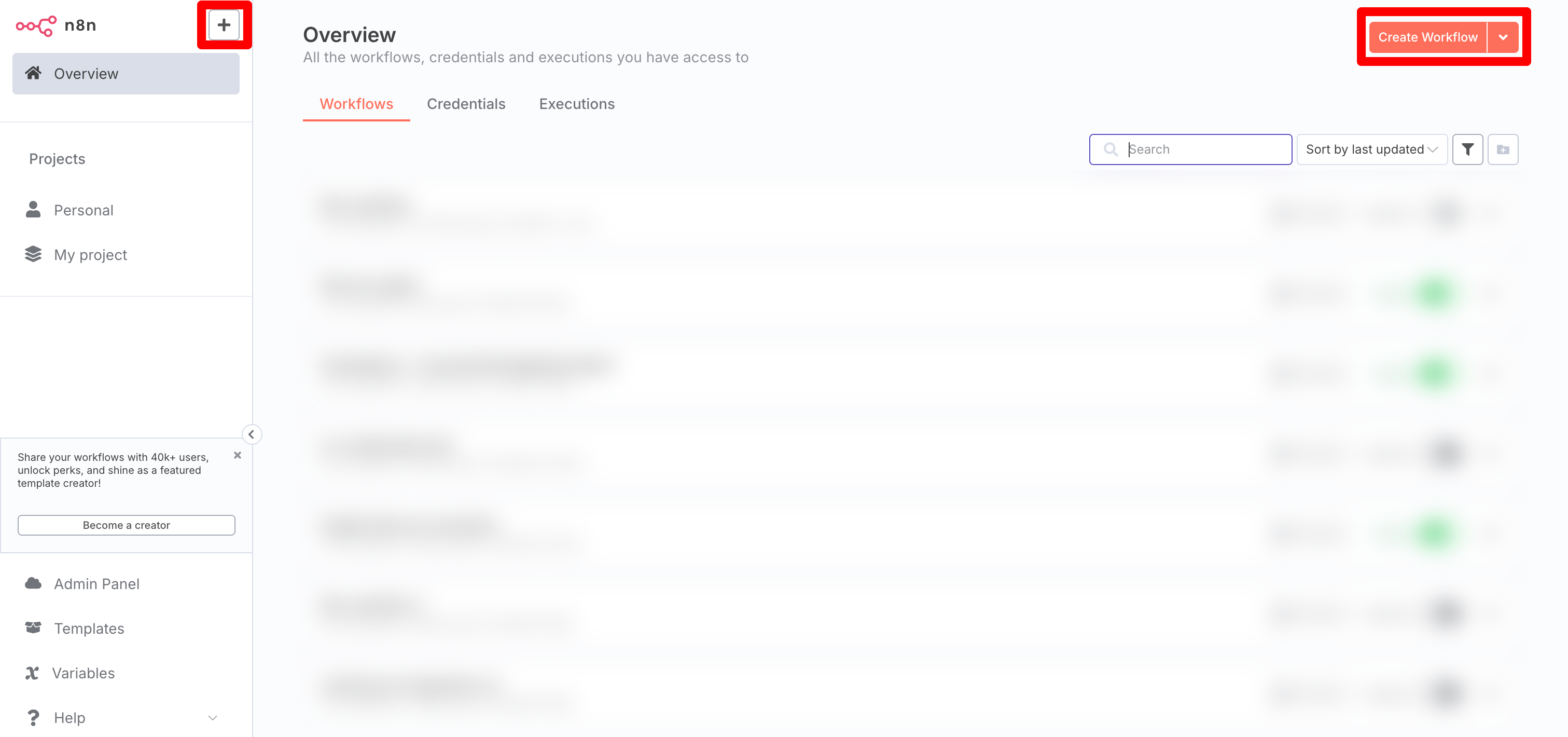
Log in to the n8n platform and select the \[+] button. Alternatively, select the **Create Workflow** button to start a new workflow.
 ## Add OpenAI chat model node
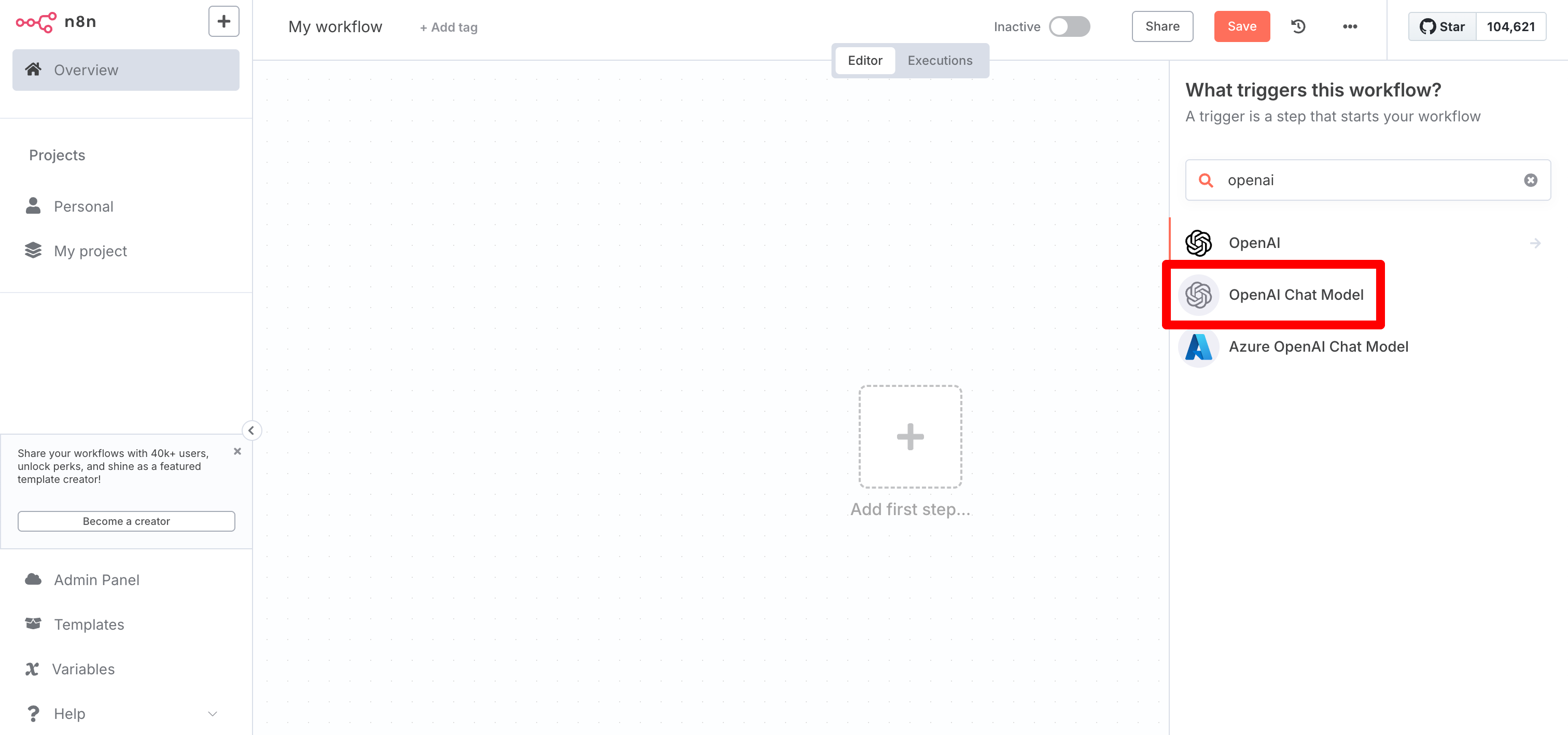
SambaCloud is compatible with the OpenAI API. Use the OpenAI Chat Model node for integration.
## Add OpenAI chat model node
SambaCloud is compatible with the OpenAI API. Use the OpenAI Chat Model node for integration.
 ## Configure your credentials
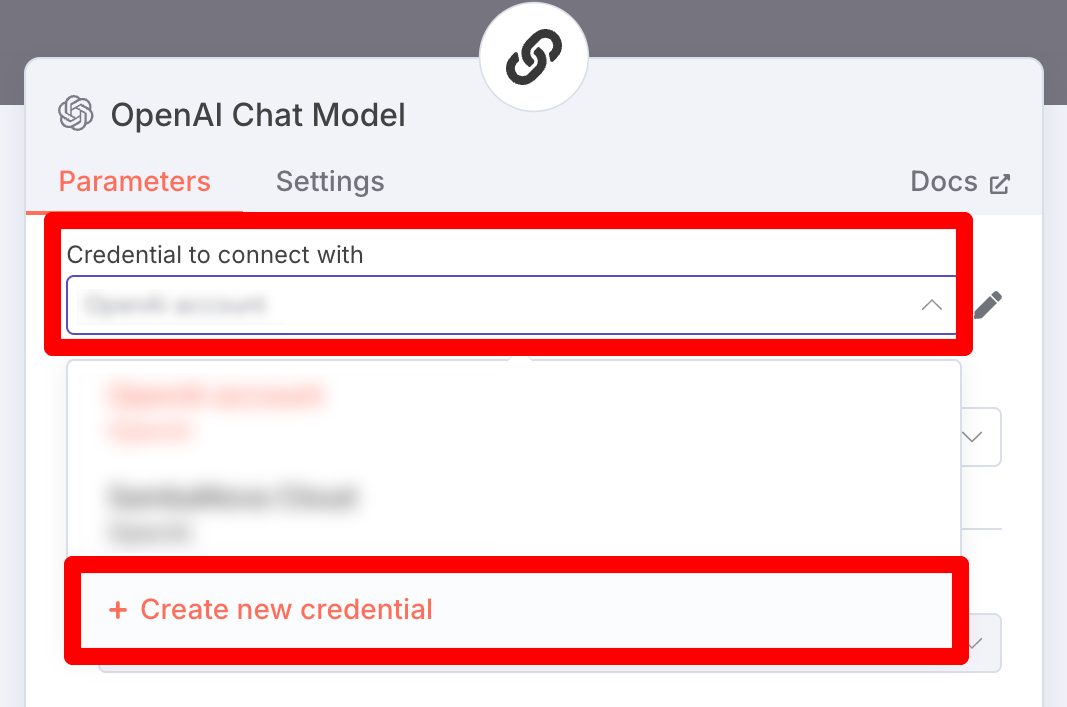
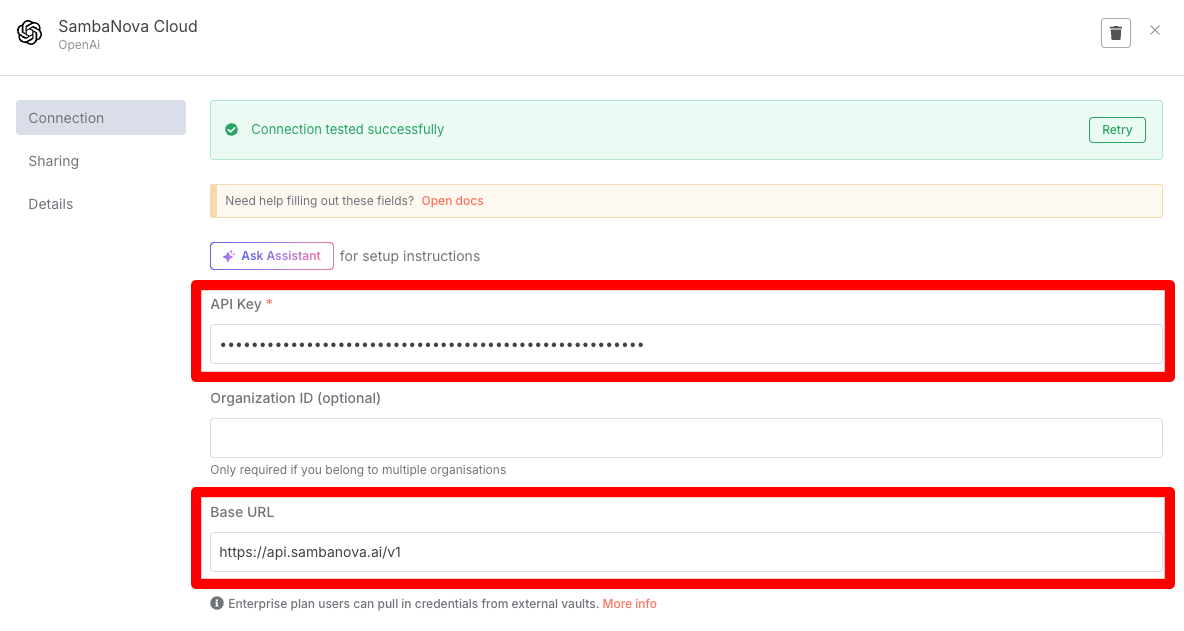
In the OpenAI Chat Model panel, select the "Credential to connect with" dropdown, and select "Create new credential". Then, enter your **SambaNova API Key** and **Base URL**.
## Configure your credentials
In the OpenAI Chat Model panel, select the "Credential to connect with" dropdown, and select "Create new credential". Then, enter your **SambaNova API Key** and **Base URL**.
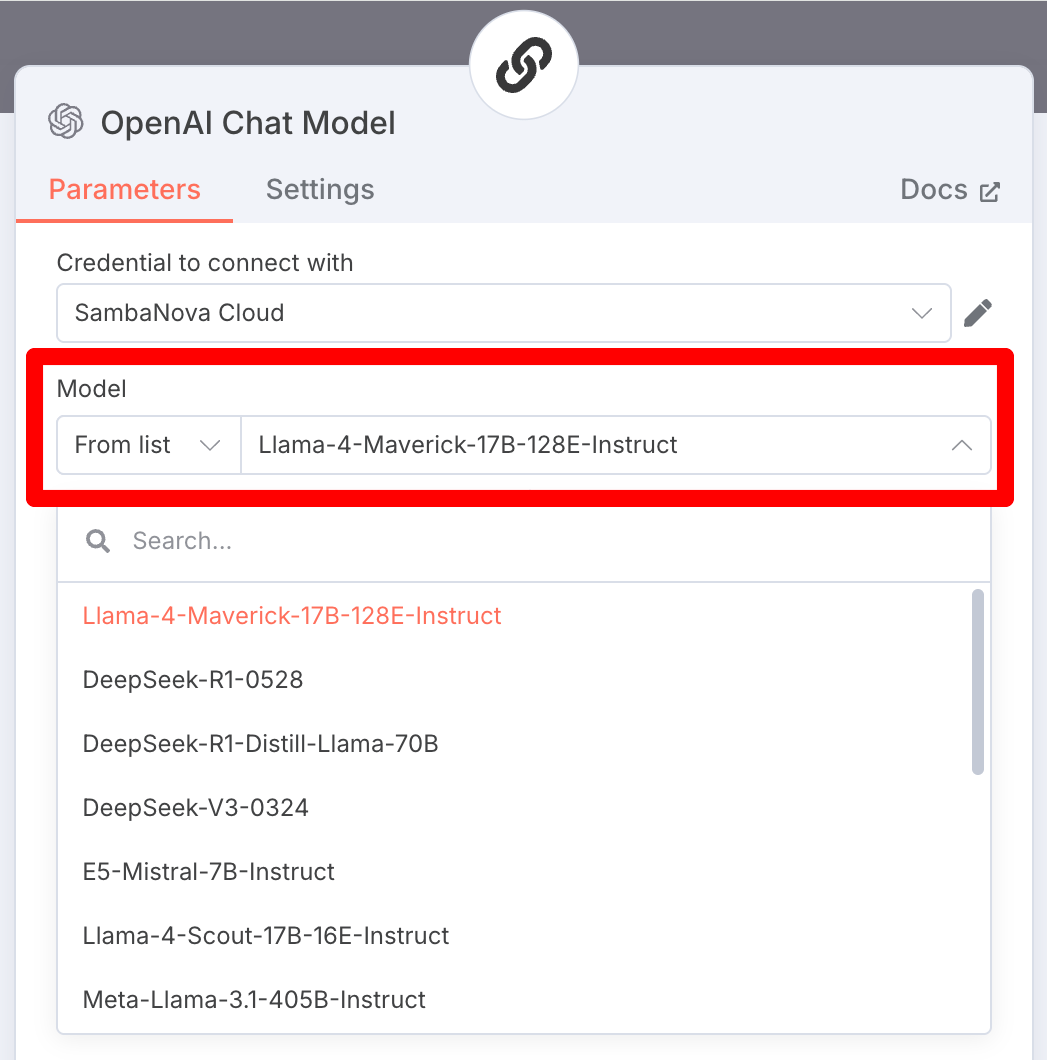
 ## Select the model
Click the **Model** dropdown and select the appropriate model provided by SambaCloud.
## Select the model
Click the **Model** dropdown and select the appropriate model provided by SambaCloud.
 ## Example: Household budgeting agent with SambaCloud and n8n
* For a concrete example, check out [this sample workflow](https://github.com/sambanova/integrations/tree/main/n8n) that builds a simple household budgeting agent.
* It can serve as a template for building more advanced agentic workflows using SambaCloud and n8n.
## Example: Household budgeting agent with SambaCloud and n8n
* For a concrete example, check out [this sample workflow](https://github.com/sambanova/integrations/tree/main/n8n) that builds a simple household budgeting agent.
* It can serve as a template for building more advanced agentic workflows using SambaCloud and n8n.