> ## Documentation Index
> Fetch the complete documentation index at: https://sambanova-systems.mintlify.site/docs/llms.txt
> Use this file to discover all available pages before exploring further.
# Flowise integration guide
Flowise is an open-source drag-and-drop UI tool that lets you build custom LLM apps in minutes. This guide shows you how to integrate SambaCloud's LLMs with Flowise to power your workflow agents with fast inference.
This guide was tested with Flowise v2.x. If you're using a different version, some UI paths or features may vary.
## Prerequisites
* A [SambaCloud](http://cloud.sambanova.ai) account and [API key](https://cloud.sambanova.ai/apis).
* [Node.js](https://nodejs.org/en/download) v18.15.0 or later.
## Setup
1. Install Flowise.
```bash theme={null}
npm install -g flowise
```
2. Start Flowise.
```bash theme={null}
npx flowise start
```
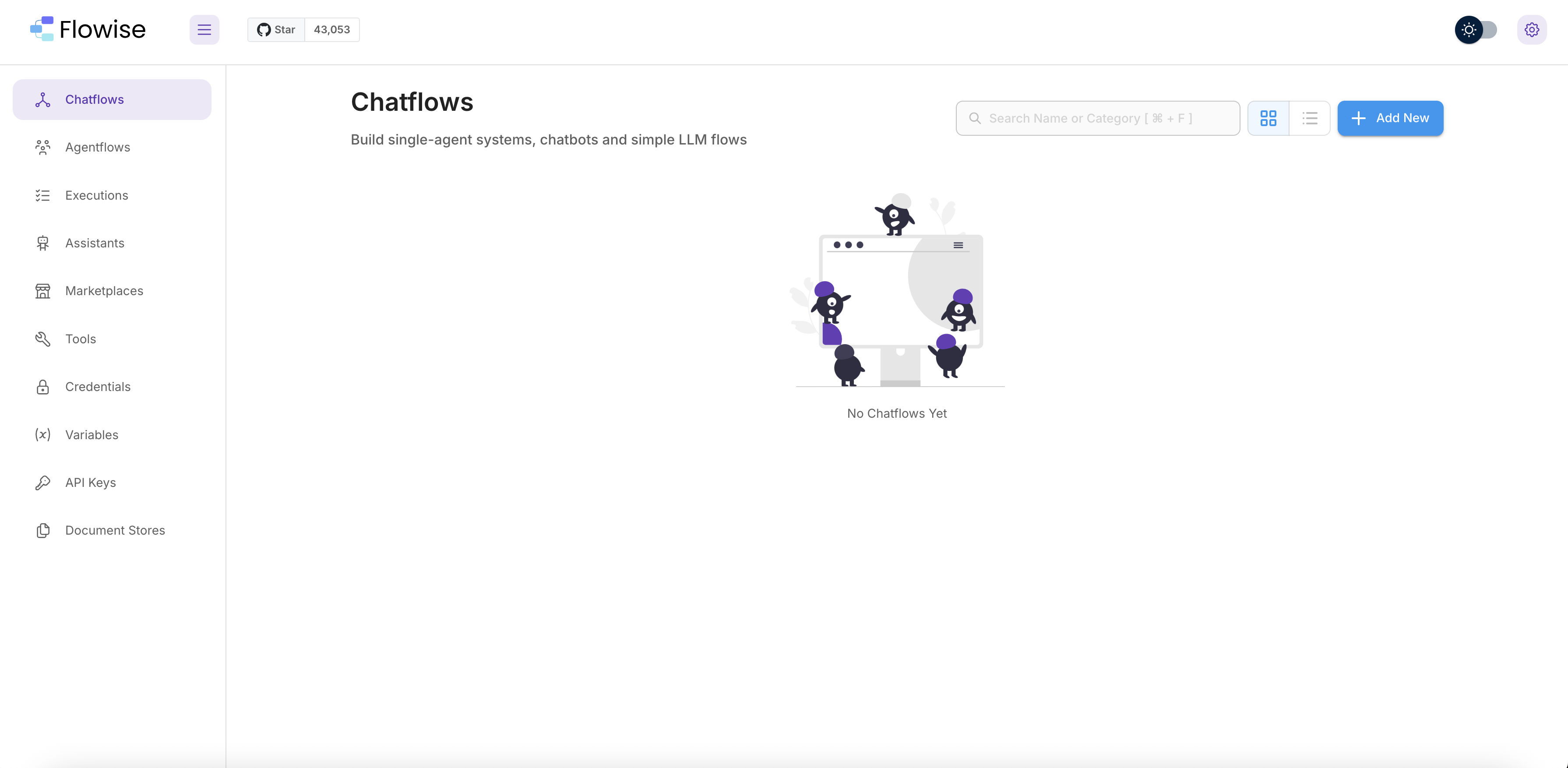
3. Open your browser to `http://localhost:3000`. You should see the Flowise dashboard with the Chatflows panel.
## Usage
### Create a chat flow
In the Chatflows panel, click **Add New** in the upper-right corner.
 ### Add a SambaNova node
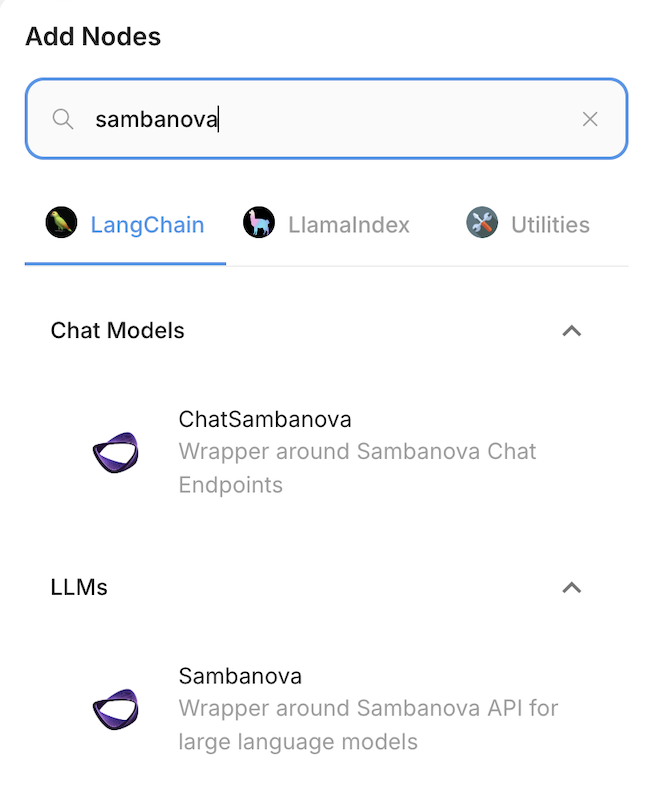
1. In the left sidebar, expand the **Chat Models** category.
2. Drag the **ChatSambaNova** node onto the canvas.
### Add a SambaNova node
1. In the left sidebar, expand the **Chat Models** category.
2. Drag the **ChatSambaNova** node onto the canvas.
 ### Configure SambaNova credentials
1. Click the **ChatSambaNova** node on the canvas.
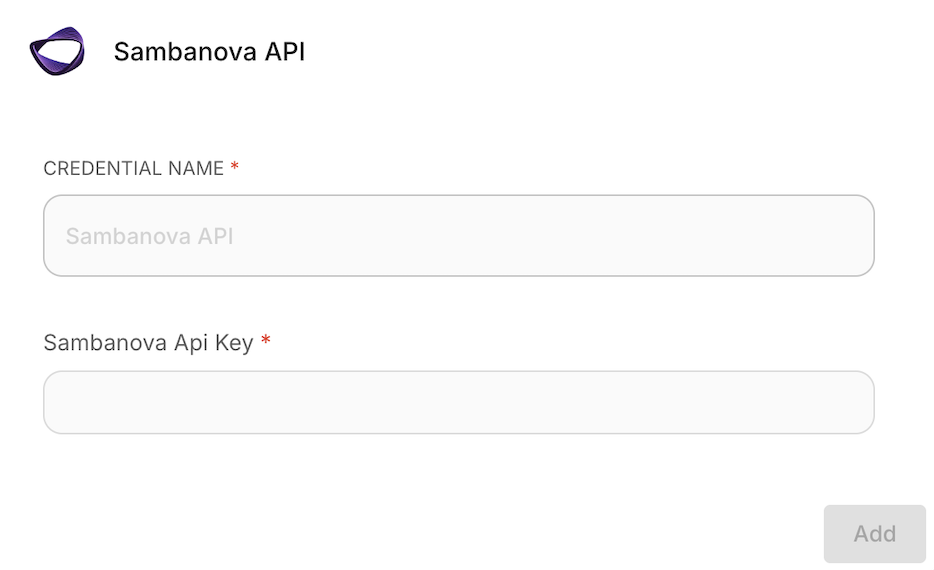
2. In the **Credential** dropdown, select **Create New**.
3. Enter your [SambaCloud API key](https://cloud.sambanova.ai/apis) and click **Save**.
4. Select a model from the **Model Name** dropdown.
### Configure SambaNova credentials
1. Click the **ChatSambaNova** node on the canvas.
2. In the **Credential** dropdown, select **Create New**.
3. Enter your [SambaCloud API key](https://cloud.sambanova.ai/apis) and click **Save**.
4. Select a model from the **Model Name** dropdown.
 ### Build your workflow
Connect additional nodes to create your workflow. Common configurations include:
* **Basic chat**: Connect the ChatSambaNova node directly to a chat output.
* **RAG pipeline**: Add document loaders, vector stores, and retrieval chains.
* **Agents**: Combine with tool nodes for agentic workflows.
### Test the chat
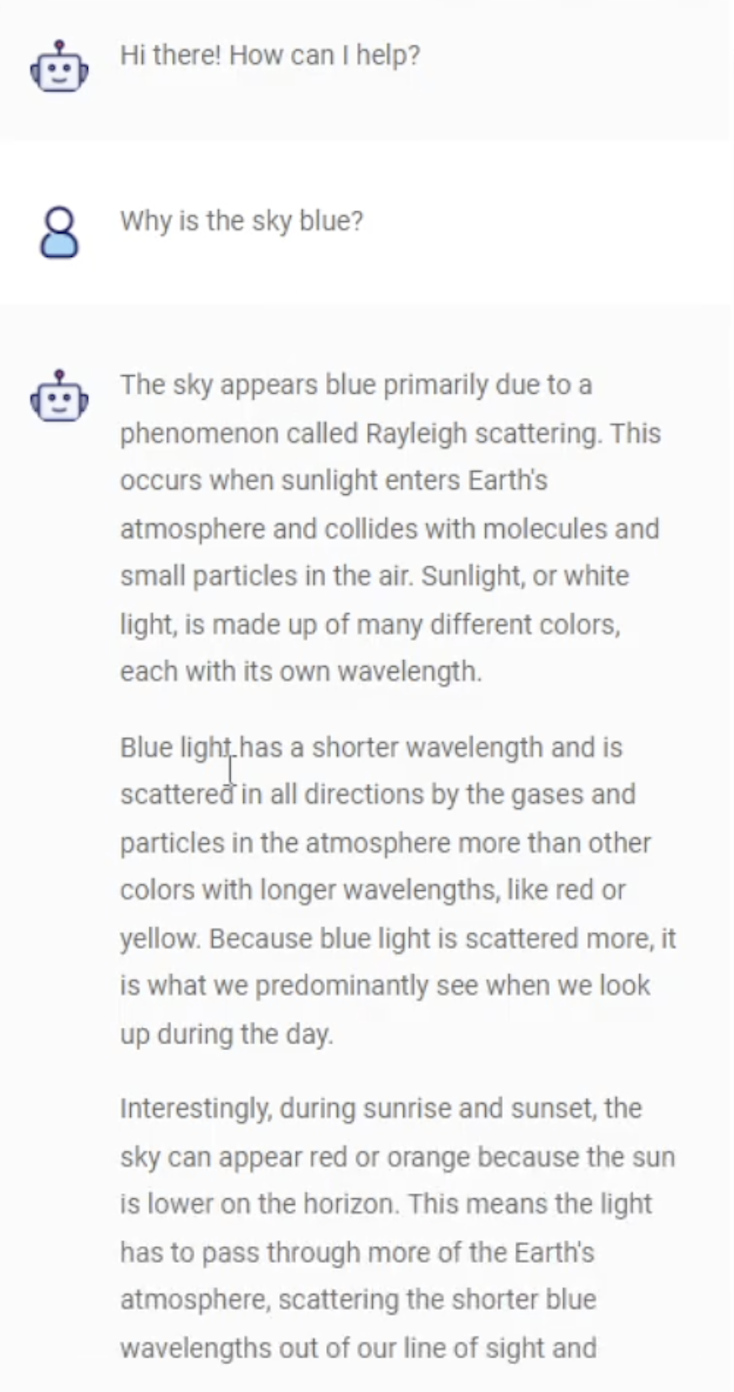
1. Click the **Chat** icon in the upper-right corner of the canvas.
2. Send a test message to verify the connection.
### Build your workflow
Connect additional nodes to create your workflow. Common configurations include:
* **Basic chat**: Connect the ChatSambaNova node directly to a chat output.
* **RAG pipeline**: Add document loaders, vector stores, and retrieval chains.
* **Agents**: Combine with tool nodes for agentic workflows.
### Test the chat
1. Click the **Chat** icon in the upper-right corner of the canvas.
2. Send a test message to verify the connection.
 ## Capabilities
Once connected, you can use SambaCloud models in various Flowise workflows:
* **Conversational agents**: Build chatbots with memory and context awareness.
* **Document Q\&A**: Create RAG pipelines that ground responses in your documents.
* **Tool-using agents**: Connect external tools and APIs for agentic workflows.
* **Custom chains**: Design multi-step LLM pipelines with branching logic.
## Troubleshooting
| Issue | Solution |
| -------------------------------- | --------------------------------------------------------------------------------------------------------------------- |
| ChatSambaNova node not appearing | Ensure you're running Flowise v2.x or later. Restart Flowise after updating. |
| Authentication errors | Verify your API key is correct. Regenerate it in the [SambaCloud console](https://cloud.sambanova.ai/apis) if needed. |
| Connection timeout | Check your network connection and ensure `api.sambanova.ai` is accessible. |
| Model not responding | Confirm you've selected a valid model from the dropdown and saved your credentials. |
## Additional resources
* [Flowise documentation](https://docs.flowiseai.com/)
* [SambaCloud API reference](en/api-reference/overview)
* [SambaCloud support](https://sambanova.ai/support)
## Capabilities
Once connected, you can use SambaCloud models in various Flowise workflows:
* **Conversational agents**: Build chatbots with memory and context awareness.
* **Document Q\&A**: Create RAG pipelines that ground responses in your documents.
* **Tool-using agents**: Connect external tools and APIs for agentic workflows.
* **Custom chains**: Design multi-step LLM pipelines with branching logic.
## Troubleshooting
| Issue | Solution |
| -------------------------------- | --------------------------------------------------------------------------------------------------------------------- |
| ChatSambaNova node not appearing | Ensure you're running Flowise v2.x or later. Restart Flowise after updating. |
| Authentication errors | Verify your API key is correct. Regenerate it in the [SambaCloud console](https://cloud.sambanova.ai/apis) if needed. |
| Connection timeout | Check your network connection and ensure `api.sambanova.ai` is accessible. |
| Model not responding | Confirm you've selected a valid model from the dropdown and saved your credentials. |
## Additional resources
* [Flowise documentation](https://docs.flowiseai.com/)
* [SambaCloud API reference](en/api-reference/overview)
* [SambaCloud support](https://sambanova.ai/support)