> ## Documentation Index
> Fetch the complete documentation index at: https://sambanova-systems.mintlify.site/docs/llms.txt
> Use this file to discover all available pages before exploring further.
# DataRobot integration guide
DataRobot is an enterprise AI platform that enables organizations to build, deploy, and govern predictive and generative AI models at scale. It provides an end-to-end environment for model lifecycle management, including custom LLM deployments, RAG blueprints, and agentic workflows.
## Overview
Integrate SambaNova models directly into DataRobot Workbench as custom managed LLMs. Once connected, you can:
* Use SambaNova models inside RAG and Agentic Workflows
* Interact with models via Playground chat
* Manage deployments with full governance and monitoring through DataRobot
For detailed implementation guidance, see the [Full SambaNova DataRobot Integration guide](https://github.com/sambanova/integrations/blob/main/datarobot/README.md).
## Prerequisites
Before you begin, ensure you have:
* A [SambaCloud](http://cloud.sambanova.ai?utm_source=datarobot\&utm_medium=external\&utm_campaign=cloud_signup) account with an API key
* Access to DataRobot Workbench, Console, and Registry
### Required files
Download the following files from the [SambaNova integrations repository](https://github.com/sambanova/integrations/tree/main/datarobot):
* [`custom.py`](https://github.com/sambanova/integrations/blob/main/datarobot/custom.py) — defines the chat and load\_model DataRobot hooks
* [`requirements.txt`](https://github.com/sambanova/integrations/blob/main/datarobot/requirements.txt) — minimal dependencies (`sambanova`, `pandas`)
* [`model-metadata.yaml`](https://github.com/sambanova/integrations/blob/main/datarobot/model-metadata.yaml) — runtime parameters configuration
## Setup
Follow these steps to deploy a SambaNova-powered model inside DataRobot:
1. Create a Custom Model
* Navigate to **Registry → Workshop → + Add Model**
* Select **Proxy** type with `TextGeneration` target type
* Upload your `custom.py`, `requirements.txt`, and `model-metadata.yaml` files
2. Build Environment
* Select `[GenAI] Python 3.12 with Moderations` as the base environment
* Click **Build** and wait for "Environment built successfully" confirmation
3. Configure Runtime Parameters
Open the runtime parameter editor and configure the following:
* `SAMBANOVA_API_KEY` → your SambaNova API token
* `SAMBANOVA_API_BASE` → `https://api.sambanova.ai/v1`
* `SAMBANOVA_MODEL` → `gpt-oss-120b`
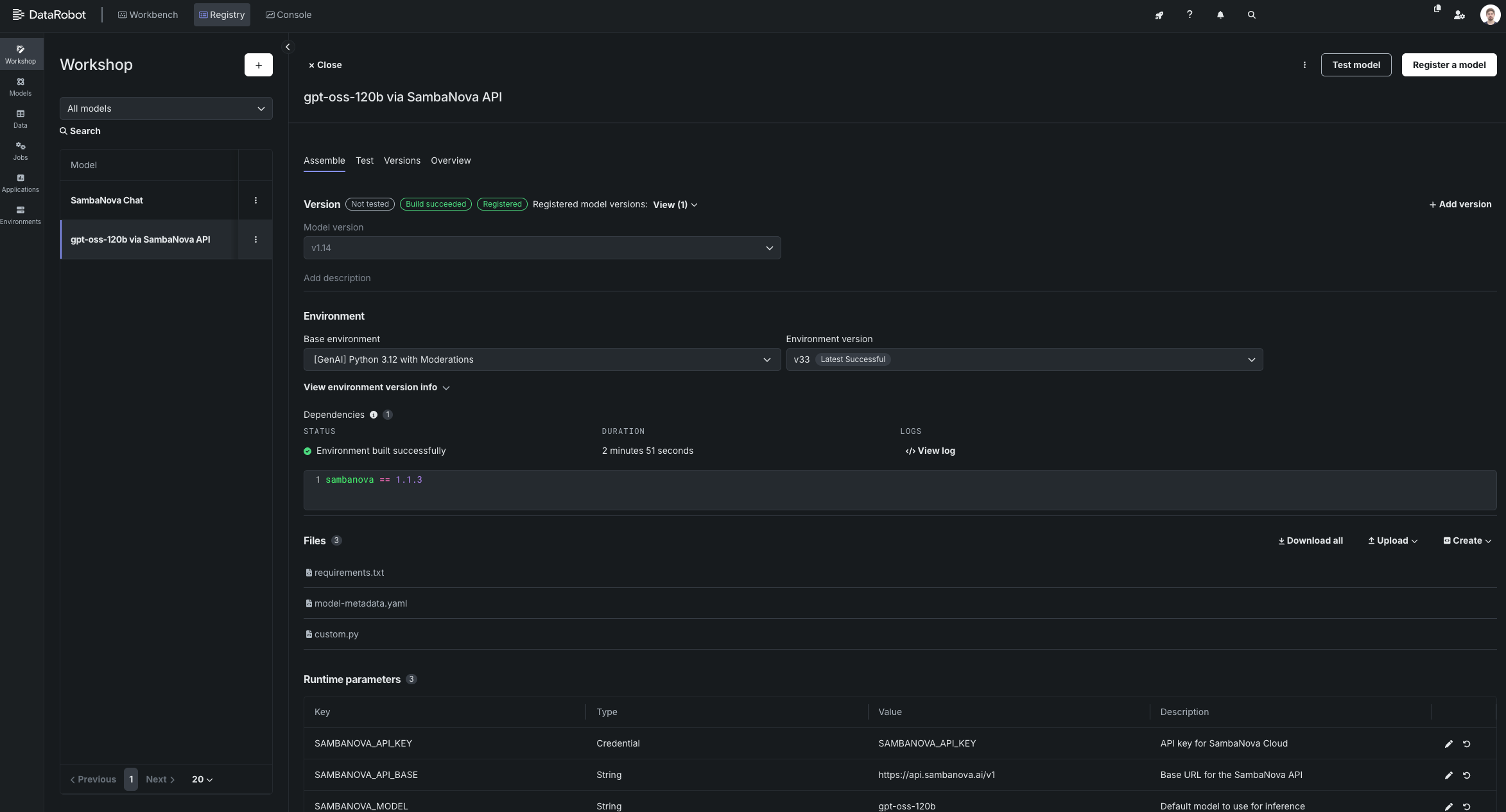 4. Register your custom SambaNova model in the DataRobot Registry.
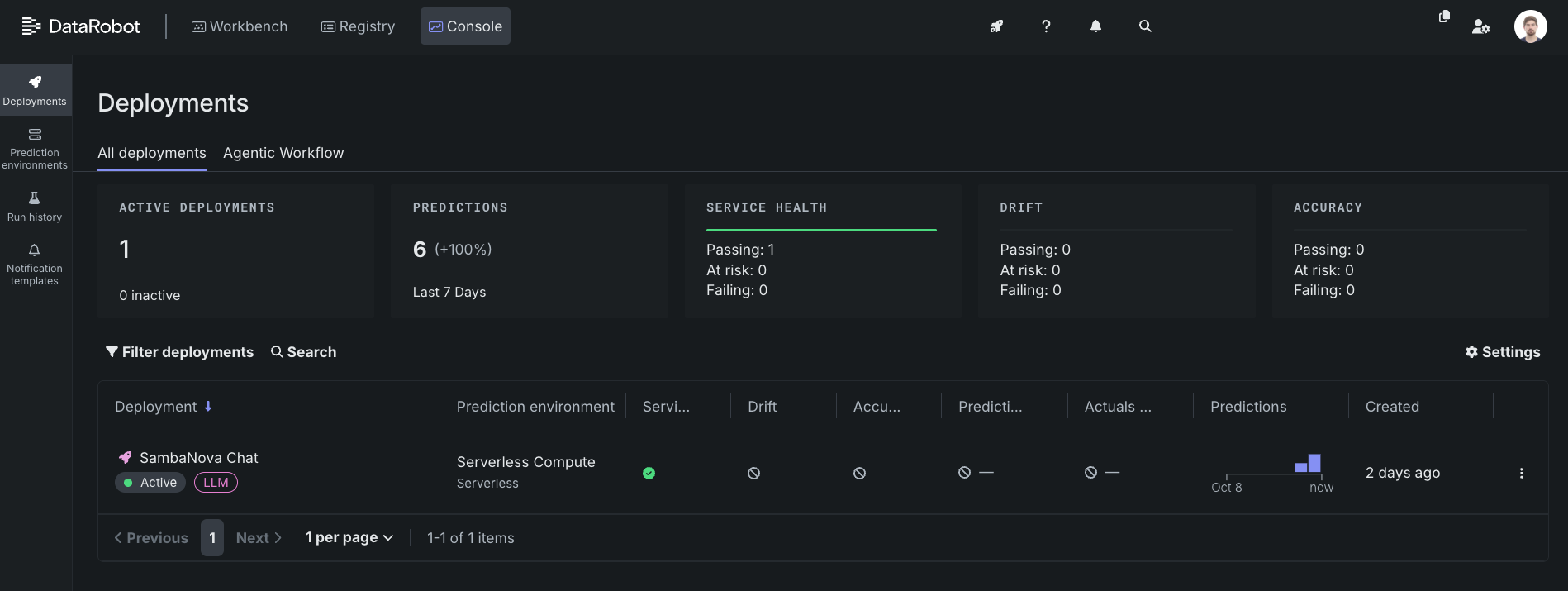
5. Deploy the Model
* Go to **Registry → Models → Deploy**
* Select your previously registered custom model
* Wait until the deployment status shows **Active**
4. Register your custom SambaNova model in the DataRobot Registry.
5. Deploy the Model
* Go to **Registry → Models → Deploy**
* Select your previously registered custom model
* Wait until the deployment status shows **Active**
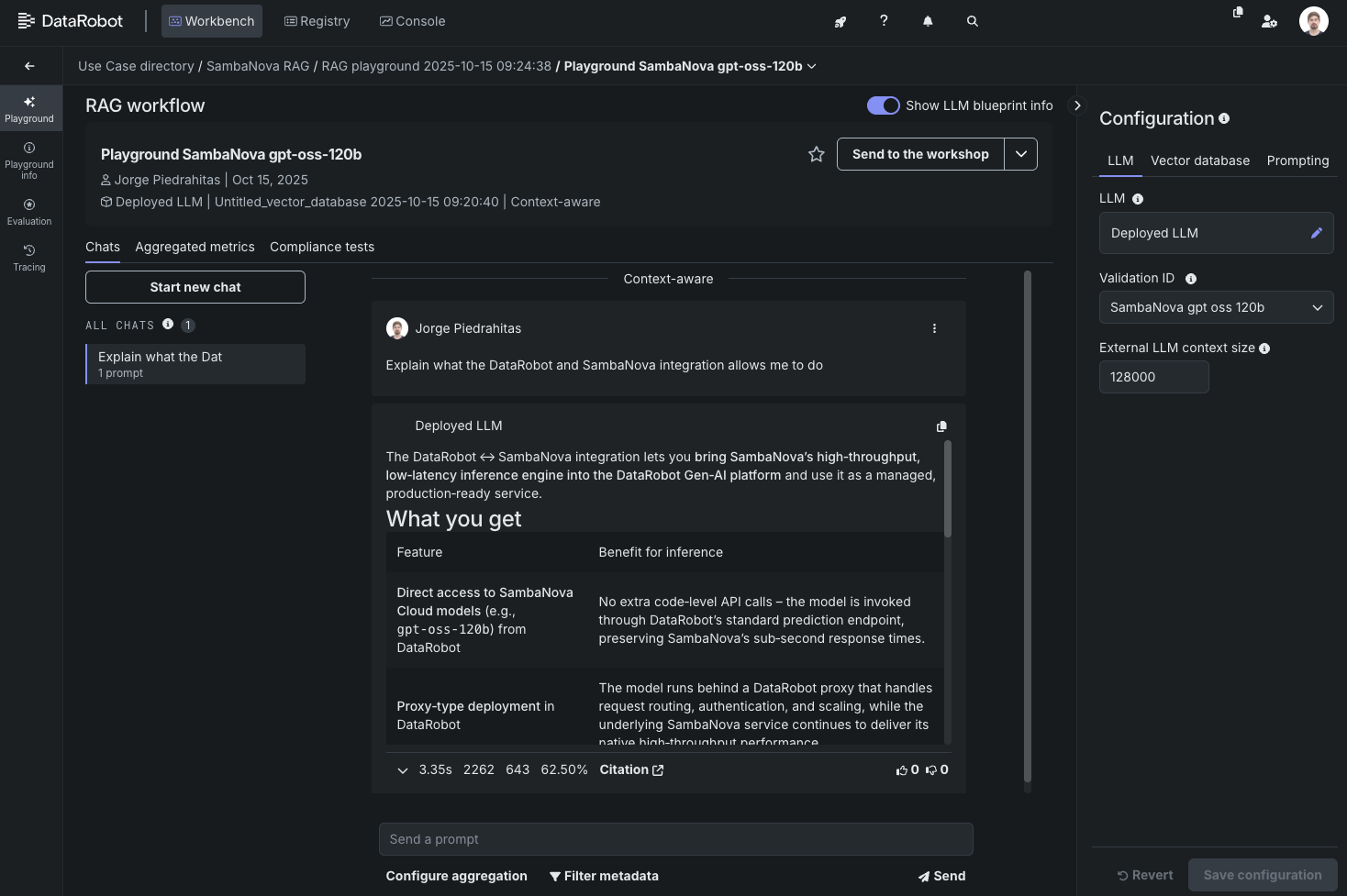
 6. Link to RAG or Agentic Workflow
* In **Workbench**, create a new GenAI RAG use case
* Navigate to **Playground → Create LLM blueprint → Add deployed LLM**
* Select your deployment (e.g., `SambaNova Chat`)
* Set **Chat model ID** to the SambaNova model name (e.g., `gpt-oss-120b`)
* Validate and add the configuration
* Configure your vector store, system prompt, and history management settings
Your RAG workflow is now powered by a live SambaNova model routed through DataRobot's managed deployment layer.
6. Link to RAG or Agentic Workflow
* In **Workbench**, create a new GenAI RAG use case
* Navigate to **Playground → Create LLM blueprint → Add deployed LLM**
* Select your deployment (e.g., `SambaNova Chat`)
* Set **Chat model ID** to the SambaNova model name (e.g., `gpt-oss-120b`)
* Validate and add the configuration
* Configure your vector store, system prompt, and history management settings
Your RAG workflow is now powered by a live SambaNova model routed through DataRobot's managed deployment layer.
 ## Additional resources
Learn more about DataRobot's capabilities:
* [DataRobot GenAI Overview](https://docs.datarobot.com/en/docs/gen-ai/index.html)
* [DataRobot Custom Models API (DRUM)](https://docs.datarobot.com/en/docs/api/reference/drum/index.html)
* [DataRobot GenAI Walkthrough](https://docs.datarobot.com/en/docs/get-started/gs-dr5/genai-walk-basic.html)
## Additional resources
Learn more about DataRobot's capabilities:
* [DataRobot GenAI Overview](https://docs.datarobot.com/en/docs/gen-ai/index.html)
* [DataRobot Custom Models API (DRUM)](https://docs.datarobot.com/en/docs/api/reference/drum/index.html)
* [DataRobot GenAI Walkthrough](https://docs.datarobot.com/en/docs/get-started/gs-dr5/genai-walk-basic.html)