> ## Documentation Index
> Fetch the complete documentation index at: https://sambanova-systems.mintlify.site/docs/llms.txt
> Use this file to discover all available pages before exploring further.
# Agent Zero integration guide
[Agent Zero](https://github.com/agent0ai/agent-zero) is an open-source autonomous AI assistant framework that performs complex tasks through intelligent planning and execution. The framework supports:
* Dynamic information gathering and analysis
* Code and command execution
* Multi-agent coordination
* Autonomous objective completion
By integrating SambaCloud, you can leverage enterprise-grade language models with optimized inference performance for Agent Zero's agentic workflows.
## Prerequisites
Before getting started, ensure you have:
* A [SambaCloud](http://cloud.sambanova.ai?utm_source=agentzero\&utm_medium=external\&utm_campaign=cloud_signup) account with an API key
* Clone [Agent Zero repo](https://github.com/agent0ai/agent-zero)
* Docker (for containerized deployment)
## Installation
Deploy Agent Zero using the official Docker image:
```bash theme={null}
# Pull the Agent Zero Docker image
docker pull agent0ai/agent-zero
# Run the container with port mapping
docker run -p 50001:80 agent0ai/agent-zero
```
## Configuration
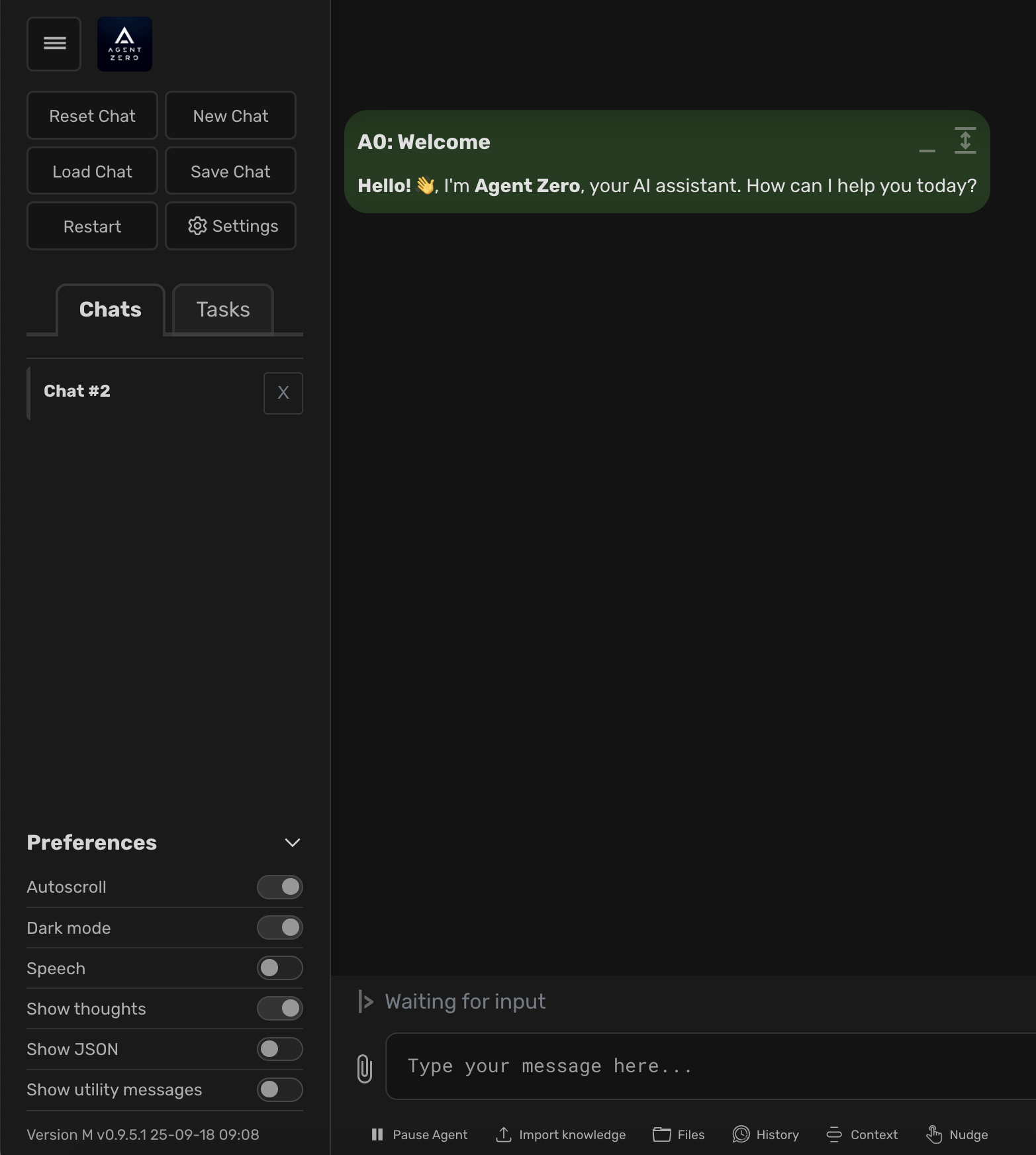
### Access settings
Navigate to the settings panel in the Agent Zero web interface.
 ### Configure model selection
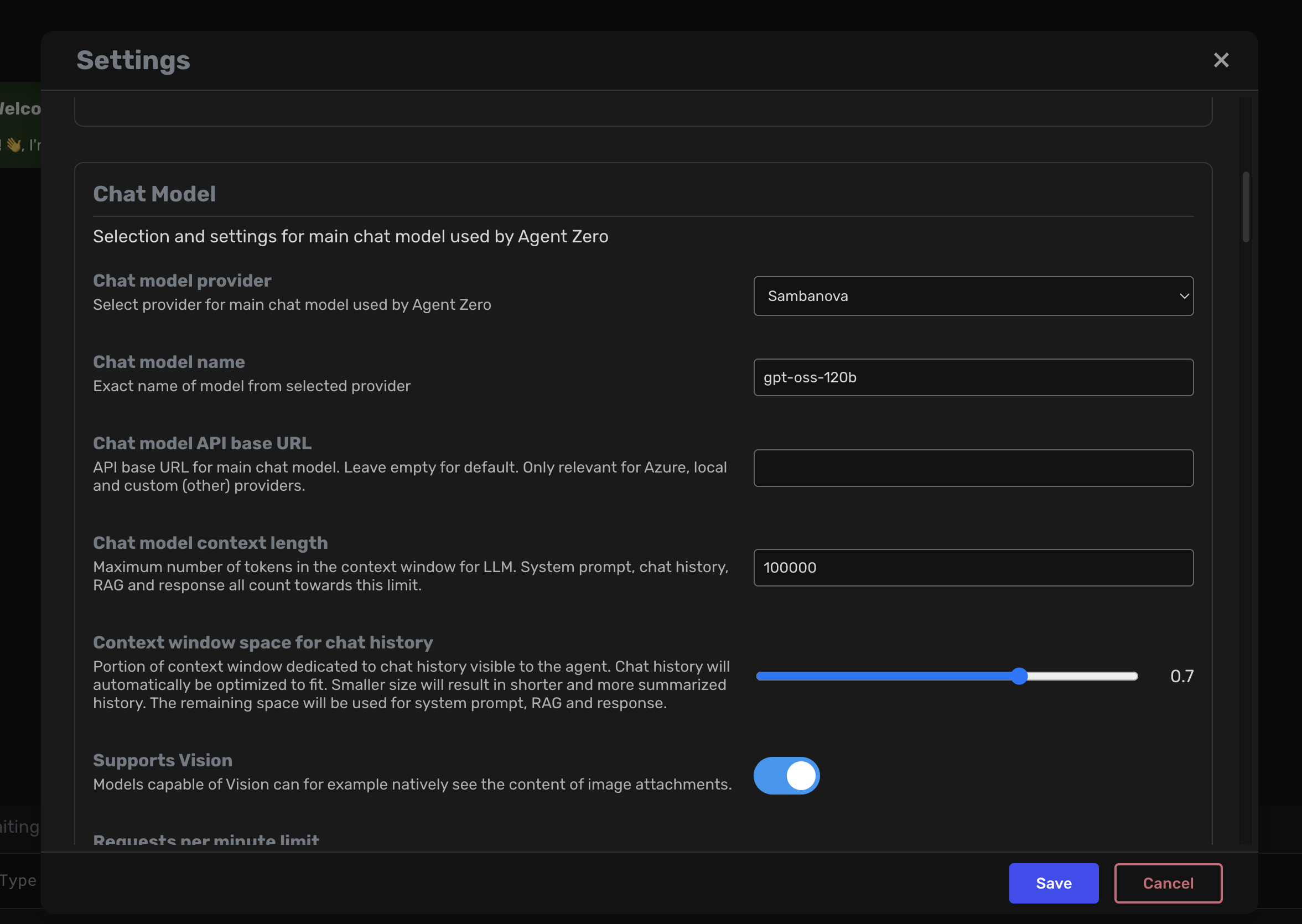
1. Open the Agent Settings tab.
2. Select your preferred SambaCloud model from the model dropdown.
3. Available models include the latest SambaNova-hosted large language models optimized for agent workflows.
### Configure model selection
1. Open the Agent Settings tab.
2. Select your preferred SambaCloud model from the model dropdown.
3. Available models include the latest SambaNova-hosted large language models optimized for agent workflows.
 ### Set API credentials
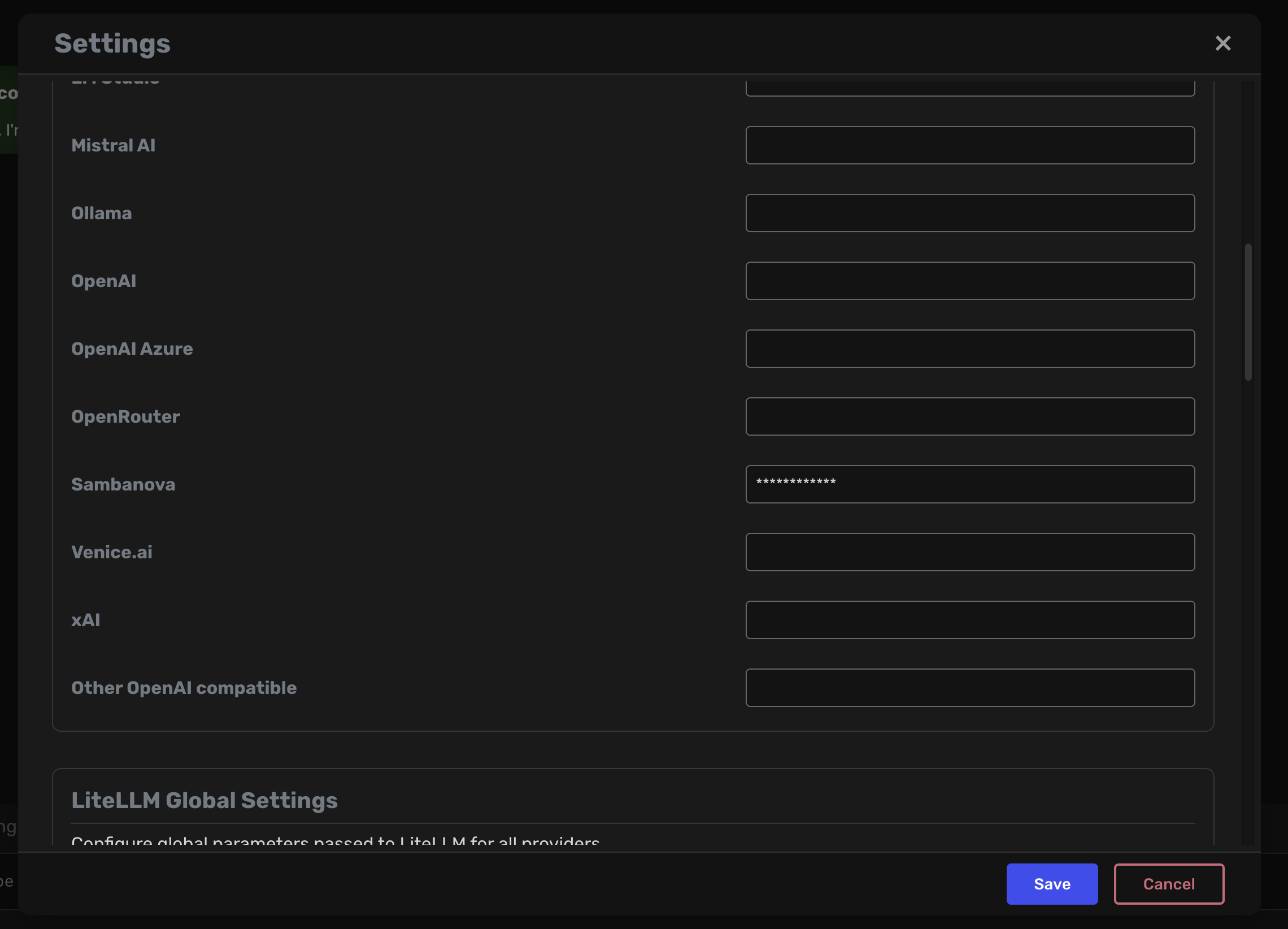
1. Navigate to the External Services tab
2. Enter your SambaCloud API key in the designated field
3. Ensure the API key has appropriate permissions for model access
### Set API credentials
1. Navigate to the External Services tab
2. Enter your SambaCloud API key in the designated field
3. Ensure the API key has appropriate permissions for model access
 ### Save configuration
Click Save to persist your settings and establish the connection to SambaCloud.
## Verification
Once configured, Agent Zero will route inference requests through SambaCloud. You can verify the integration by:
* Monitoring response latency improvements
* Checking model attribution in agent responses
* Reviewing API usage in your SambaCloud dashboard
Your SambaCloud models are now powering Agent Zero assistant, and you’re ready to experience inference that’s up to 5x faster than typical GPU providers. If you need help or run into any issues, reach out to your SambaNova support team.
### Save configuration
Click Save to persist your settings and establish the connection to SambaCloud.
## Verification
Once configured, Agent Zero will route inference requests through SambaCloud. You can verify the integration by:
* Monitoring response latency improvements
* Checking model attribution in agent responses
* Reviewing API usage in your SambaCloud dashboard
Your SambaCloud models are now powering Agent Zero assistant, and you’re ready to experience inference that’s up to 5x faster than typical GPU providers. If you need help or run into any issues, reach out to your SambaNova support team.